
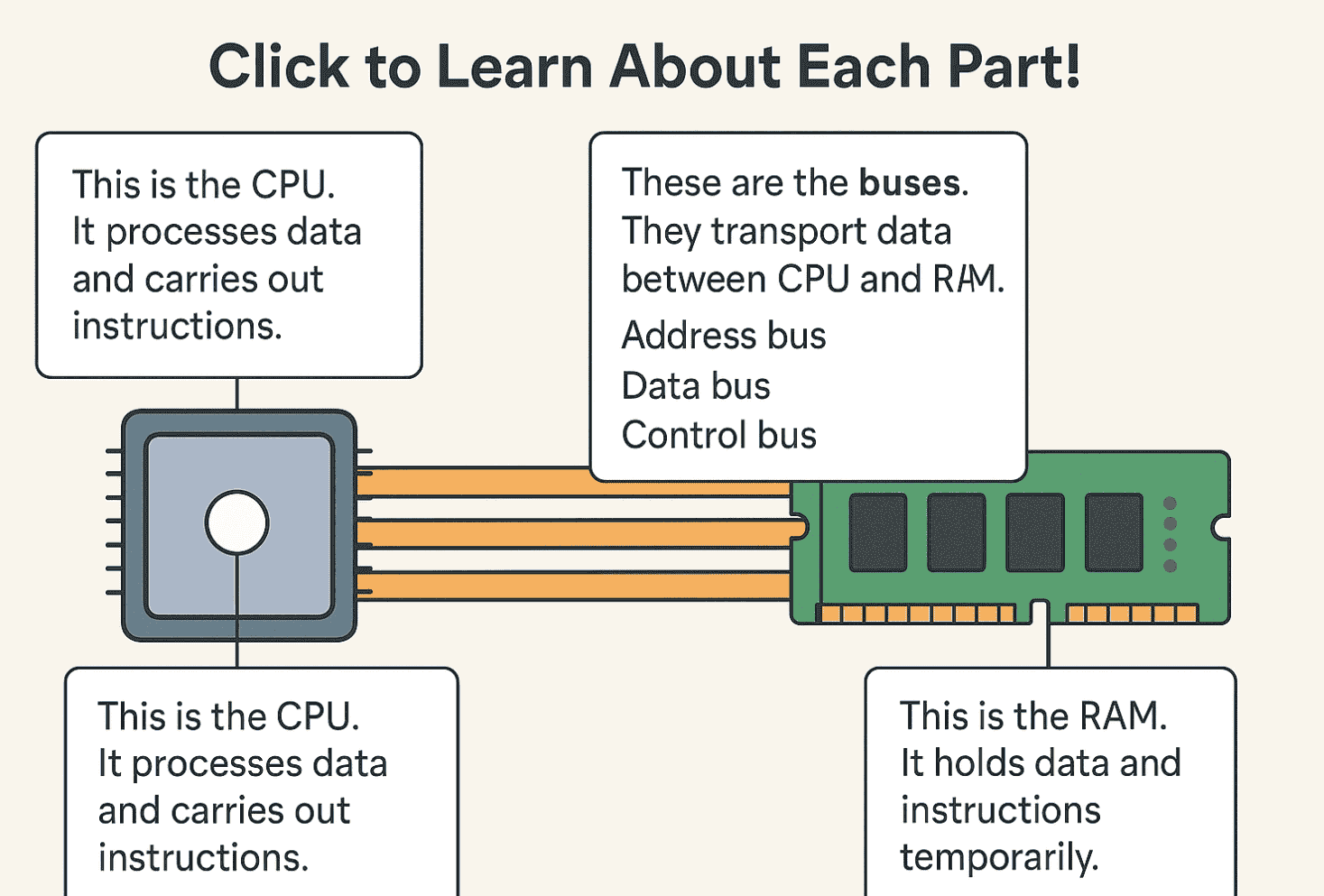
🔄 Quick Recap
So far, we’ve learned how the CPU works with RAM, cache, and storage. But the CPU doesn’t live alone — it has to talk to memory, graphics cards, USB sticks, and more.
How do all these parts “talk” to each other?
👉 They use something called a bus.
But this bus is not like the yellow school bus you ride. It’s a bus made of wires.
🧩 What Is a Bus?
A bus in a computer is simply a set of wires that carry information between parts.
-
Instead of carrying kids to school, this bus carries signals: 1s and 0s.
-
Every bus usually has many lines (wires), not just one. Each line can carry a single 1 or 0.
-
When you put them together, they can carry whole numbers, letters, or commands at once.
Think of it like a highway:
-
Each wire is a lane.
-
The wider the highway (more lanes), the more cars (bits) can travel side by side.
-
If you only have 8 wires, you can send an 8-bit number at a time.
-
If you have 64 wires, you can send a 64-bit number at once.
That’s why modern CPUs are called 64-bit CPUs — their buses are wide enough to carry 64 bits in one go.
📡 Types of Buses
Computers usually have different buses for different jobs:
-
Data Bus
-
Carries the actual numbers, letters, pictures — the real “stuff.”
-
Example: CPU says, “Here is the number 42,” and it rides on the data bus.
-
-
Address Bus
-
Carries the “where” — the location in memory.
-
Example: CPU says, “Go to memory box #1010.” That number travels on the address bus.
-
-
Control Bus
-
Carries the commands — what should be done.
-
Example: CPU says, “READ from that box,” or “WRITE to that box.”
-
So:
-
Address bus = where
-
Data bus = what
-
Control bus = how
🏎️ Bus Width and Speed
Two things make a bus powerful:
-
Width (how many wires/lanes)
-
8-bit bus = 8 wires = can send 8 bits at once.
-
32-bit bus = 32 wires = can send 4 bytes at once.
-
64-bit bus = 64 wires = can send 8 bytes at once.
-
-
Clock speed (how fast signals tick)
-
Just like the CPU has a clock, buses also work in ticks.
-
A bus can send a new set of bits each tick.
-
So a wide, fast bus = more data per second.
-
This is why a 64-bit, high-speed bus is like a superhighway, while an 8-bit, slow bus is like a narrow country road.
🖇️ Shared vs Dedicated Buses
In old computers:
-
Many parts shared the same bus (like one big road with many stops).
-
This was simple, but parts had to take turns, so it got crowded.
In modern computers:
-
Important parts like the CPU, RAM, and graphics card often get dedicated buses or point-to-point links (like their own private highways).
-
Example: PCIe bus (Peripheral Component Interconnect Express) — connects graphics cards and SSDs with many fast “lanes.”
📍 Real-Life Analogy
Imagine a school:
-
Address bus = the room number written on the board.
-
Data bus = the students carrying homework to that room.
-
Control bus = the teacher saying “Go put this paper in that room” or “Go bring it back.”
Without these, students would have no idea what to carry, where to carry it, or what to do with it.
🌟 Recap
-
A bus is a group of wires that carry information between parts of a computer.
-
Address bus = where, Data bus = what, Control bus = how.
-
Bus width = how many bits at once.
-
Bus speed = how many ticks per second.
-
Old computers used shared buses → slower. Modern computers use private, high-speed buses → faster.