🥪 The Sandwich Shop Story
Imagine you’re at a sandwich shop 🥪.
One worker takes bread 🍞.
Then the same worker spreads peanut butter 🥜.
Then the same worker spreads jelly 🍓. Finally, they hand you the sandwich.
That’s how old CPUs worked: one step after another, one sandwich at a time.
But now imagine a smarter shop.
Worker 1 only grabs bread. Worker 2 always spreads peanut butter. Worker 3 always spreads jelly. While Worker 2 is busy with peanut butter on Sandwich #1, Worker 1 can already start grabbing bread for Sandwich #2.
By the time Worker 3 is finishing Sandwich #1, Worker 2 is on Sandwich #2, and Worker 1 is on Sandwich #3. Suddenly, sandwiches fly out much faster 🚀.
This is what pipelining is in a CPU: breaking the job into steps and letting each step overlap with the next.
🖥️ How It Looks Inside a CPU
Every CPU instruction (like “add these numbers”) goes through stages:
-
Fetch 📖 → Get the instruction from memory.
-
Decode 🔍 → Figure out what it means.
-
Execute ⚡ → Do the work (like adding).
-
Write Back ✍️ → Save the result.
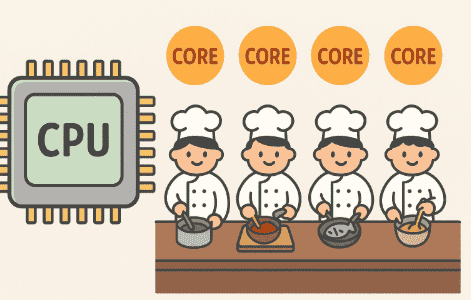
Without pipelining, the CPU does one instruction all the way through before starting the next. With pipelining, the CPU overlaps the stages, so while one instruction is being decoded, another can be fetched, and another can be executed. It’s like having four workers on the sandwich line.
⏱️ Why Pipelining Is Faster
Let’s pretend each stage takes 1 second.
-
Without pipelining: Instruction 1 needs 4 seconds. Instruction 2 needs another 4. Instruction 3 needs another 4. Total = 12 seconds.
-
With pipelining: Instruction 1 still takes 4 seconds, but after that, every new instruction only adds 1 more second. Instruction 3 finishes in just 6 seconds total. Much faster! ⚡
⚠️ When Things Go Wrong: Pipeline Hazards
Just like a sandwich shop can get stuck if something’s missing, pipelines in CPUs can run into problems:
-
Data Hazard 🥜🍓 → Worker 3 can’t spread jelly because Worker 2 hasn’t finished peanut butter yet. In the CPU, this means one instruction is waiting for a result from another.
-
Control Hazard 🚦 → The shop doesn’t know whether to make a peanut butter sandwich or a turkey sandwich until the customer decides. In the CPU, this happens with branches (like “if this, do that”).
-
Structural Hazard 🛠️ → Two workers both need the same knife at the same time. In CPUs, this happens if two instructions need the same piece of hardware.
To fix this, CPUs use smart tricks:
-
Stalling ⏸️ → Just wait a moment until the data is ready.
-
Branch Prediction 🔮 → Make a smart guess about what comes next. If the guess is wrong, back up and try again.
-
Out-of-Order Work 🔄 → If one job is stuck, the CPU works on a different job in the meantime.
🍰 Real-Life Example
Imagine you open a game 🎮. The CPU is handling game logic, sound, physics, and graphics instructions all at once.
With pipelining, instead of waiting for each instruction to finish fully before starting the next, it keeps the “assembly line” moving.
That’s why modern games run smoothly even though they require millions of instructions per second.
🌟 Recap
- Pipelining is like an assembly line 🏭.
- Each instruction goes through steps: fetch, decode, execute, write back.
- With pipelining, many instructions overlap, so the CPU finishes more in less time.
- Hazards can slow things down, but smart tricks keep the line moving.