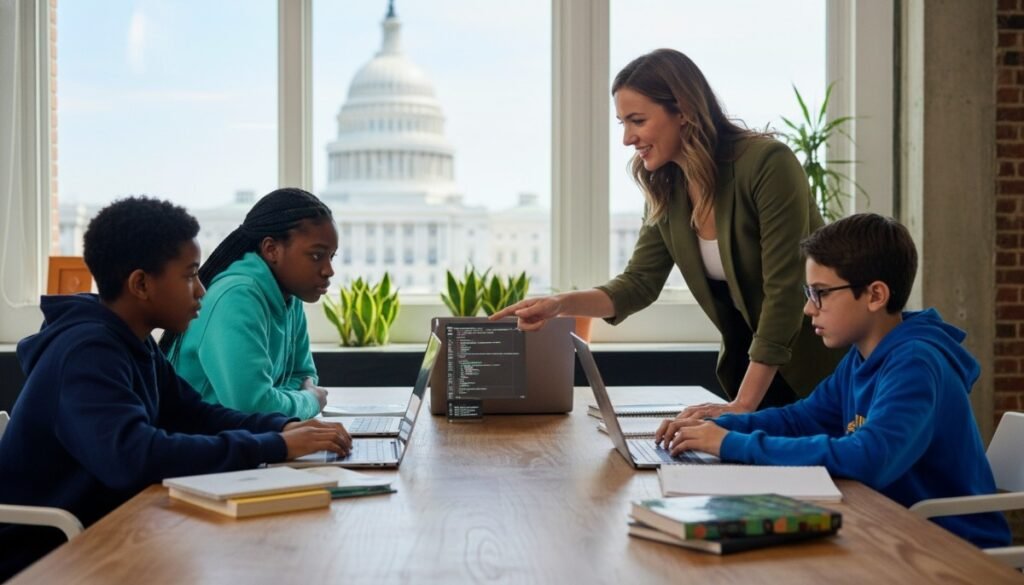
We compared Boston coding options using the same nine-factor model for every provider. The goal is not to crown the loudest brand, but to help parents see which option has the clearest teaching model, practice system, safety signals, pricing clarity, and fit for a real student schedule.
Find the right learning experience
Tell us a little about the learner and what you are looking for. Our team will review your answers and help you identify the most suitable next step.
- Takes only a few minutes
- No payment required
- Personalised recommendations
Your information will only be used to respond to your enquiry.
Original Research-Based Provider Comparison: How We Scored These Options
Subject: coding / computer science for children and teens
Region: Boston and Greater Boston, Massachusetts
Providers already mentioned in this article: Debsie, theCoderSchool, Code Ninjas, iD Tech, Juni Learning
Additional providers reviewed: Penguin Coding School, KTBYTE, Empow Studios, CodeWizardsHQ
| Provider | Best For | Key Strength | Possible Limitation | Score /10 |
|---|---|---|---|---|
| Debsie | Families wanting structured online learning with visible practice | Live tutor support, quizzes, gamified progress, homework, flexible plans | Coding-specific Boston offline availability is not publicly clear | 9.66 |
| CodeWizardsHQ | Structured online coding curriculum | Clear tracks, homework, live help, published reviews | Not Boston-local in person | 8.72 |
| iD Tech | Camps and 1:1 STEM lessons | Long-running brand, online + camp options, safety checks | Weekly continuity after camps depends on chosen plan | 8.18 |
| Juni Learning | 1:1 online STEM tutoring | Personalized online instruction, strong Trustpilot profile | Current public pricing is less clear than some competitors | 8.09 |
| KTBYTE | Rigorous CS pathway near Lexington | Progressive curriculum, graded work, help hours | More academic/rigorous; pricing clarity is limited publicly | 8.03 |
| theCoderSchool | Local coaching-style coding | Low-ratio coaching and free trial | Boston-area pricing and safety policy details are less public | 7.86 |
| Penguin Coding School | Local MA classes and camps | Multiple MA locations, Scratch/Python/Robotics | Progress tracking and pricing details are partly fragmented | 7.44 |
| Code Ninjas | Game-based intro coding | Belt system, fun center-based format | Local pricing and teacher credential details vary by franchise | 7.21 |
| Empow Studios | Local hands-on STEM camps/classes | Coding, robotics, digital arts, small-class setting | Less public detail on ongoing progress tracking and pricing | 7.12 |
Debsie Scorecard — 9.66/10
| Factor | Score | Evidence and Scoring Reason |
|---|---|---|
| Teacher Quality | 10 | Debsie reports certified teacher partners and public 5-star review signals; its article describes live teacher-led coding for ages 6–18; Debsie also has offline FIDE-certified and award-winning teacher partners in its wider teacher network, though online is recommended for access to the broader global repertoire. |
| Curriculum Structure | 10 | Public pages show levels, gamified courses, computing courses, and a Scratch → Python → web/AI-style learning ladder in the Boston article. |
| Student Fit & Personalization | 10 | Debsie offers small groups and 1:1, adapts by age/level, and positions online learning as useful for busy Boston families. |
| Practice, Homework & Tracking | 9.5 | Pricing page mentions daily homework; dashboard/level pages show points, progress, and saved activity; outcomes page publishes parent-approved student progress examples. |
| Engagement & Motivation | 9.5 | Gamified courses, points, ranks, leaderboard, quizzes, and revision modules are public on Debsie pages. |
| Convenience | 9.5 | Online delivery removes Boston commute and allows flexible city access. |
| Transparency | 9 | Debsie publishes group pricing at $100/month for 2 classes/week, free trial, safety page, outcomes page, and contact options. |
| Confidence Signals | 9 | Debsie reports 20,000+ students and 1,500 5-star reviews/testimonials; outcomes are publicly described with privacy limits. |
| Flexibility | 9.5 | Group, 1:1, online support, and cross-city access are public; coding-specific local offline Boston options are not publicly clear. |
Evidence base: Debsie article, pricing, safety, dashboard/levels, courses, outcomes/testimonials.
CodeWizardsHQ Scorecard — 8.72/10
| Factor | Score | Evidence and Scoring Reason |
|---|---|---|
| Teacher Quality | 8.5 | Public site says instructors are U.S.-based, background-checked, trained, and coached. |
| Curriculum Structure | 9.5 | Clear elementary, middle, high school, Python/Java/web/AI tracks. |
| Student Fit & Personalization | 8 | Age-banded classes, but mainly group-based. |
| Practice, Homework & Tracking | 9.5 | Pricing page lists 4 live hours, 4 class projects, 8 homework projects, live homework help. |
| Engagement | 8.5 | Project-based and gamified elements are documented. |
| Convenience | 9 | Fully online. |
| Transparency | 9 | Pricing and review count are unusually clear. |
| Confidence | 9 | Publicly reports 4.7/5 from 1,376 reviews. |
| Flexibility | 8 | Strong online formats; no Boston in-person option reviewed. |
Evidence base: CodeWizardsHQ pricing, instructor, program and review pages.
iD Tech Scorecard — 8.18/10
| Factor | Score | Evidence and Scoring Reason |
|---|---|---|
| Teacher Quality | 8.5 | Online private lessons use experienced U.S.-based instructors; camps use adults with background/reference checks. |
| Curriculum Structure | 8 | 50+ topics and private lesson pathways. |
| Student Fit | 8.5 | 1:1 lessons can be tailored to interests and goals. |
| Practice & Tracking | 7 | Less public detail on recurring homework/progress reports. |
| Engagement | 8.5 | Camps and project topics are broad and motivating. |
| Convenience | 9 | Online lessons plus camps. |
| Transparency | 8 | Online private lesson subscriptions are public: about $75–$79 for one lesson, down to $64/lesson at 12 lessons/month. |
| Confidence | 8.5 | Long-running brand and public safety practices. |
| Flexibility | 8.5 | Camps, online lessons, many topics. |
Evidence base: iD Tech tutoring, pricing, and safety pages.
Juni Learning Scorecard — 8.09/10
| Factor | Score | Evidence and Scoring Reason |
|---|---|---|
| Teacher Quality | 8.5 | Reviews describe instructors from top universities and background checks, but current public instructor-detail depth varies. |
| Curriculum | 8 | STEM/coding paths for ages 8–18. |
| Personalization | 9 | Strong 1:1 model. |
| Practice & Tracking | 7.5 | Learning portal is noted, but homework/reporting details are less public than Debsie or CodeWizardsHQ. |
| Engagement | 8 | Project-based online classes. |
| Convenience | 9 | Fully online. |
| Transparency | 6.5 | Trial is referenced; current pricing is not as immediately public in search results. |
| Confidence | 8.5 | Trustpilot shows 4.8 from 363 reviews. |
| Flexibility | 8 | Online 1:1 and STEM subjects. |
Evidence base: Juni third-party reviews and Trustpilot profile.
Find the right learning experience
Tell us a little about the learner and what you are looking for. Our team will review your answers and help you identify the most suitable next step.
- Takes only a few minutes
- No payment required
- Personalised recommendations
Your information will only be used to respond to your enquiry.
KTBYTE Scorecard — 8.03/10
| Factor | Score | Evidence and Scoring Reason |
|---|---|---|
| Teacher Quality | 8.5 | Founded in Lexington; educators focus on CS and practical problem-solving. |
| Curriculum | 9 | Progressive pathway from beginner to college-level, including Java, Python/ML, robotics, competition classes. |
| Personalization | 7.5 | Level-based placement and trial recommendation. |
| Practice & Tracking | 9 | Weekly graded assignments and optional help hours are public. |
| Engagement | 7.5 | Strong rigor; less explicitly gamified. |
| Convenience | 8 | Lexington origin plus online classes globally. |
| Transparency | 7 | Curriculum is clear; pricing is not publicly clear from reviewed pages. |
| Confidence | 7.5 | Local reputation and long-running CS focus. |
| Flexibility | 8 | Online, in-person, core, competition, robotics. |
Evidence base: KTBYTE homepage, class pages, and local directory listing.
theCoderSchool Scorecard — 7.86/10
| Factor | Score | Evidence and Scoring Reason |
|---|---|---|
| Teacher Quality | 8 | Uses “Code Coaches” and typically 2:1 coaching. |
| Curriculum | 8 | Python, Scratch, JavaScript, AI, game/app topics. |
| Personalization | 9 | Coaching model is explicitly customized to student pace/interests. |
| Practice & Tracking | 7 | Ongoing project coaching is clear; homework/progress-report system is less public. |
| Engagement | 8.5 | Club/coaching model is strong for motivation. |
| Convenience | 8 | Sudbury-area and virtual options. |
| Transparency | 6 | Free trial is public; Boston-area pricing/safety details are not fully public. |
| Confidence | 7.5 | National brand and Congressional App Challenge partnership. |
| Flexibility | 8 | 1:1, 2:1, in-person/online depending on location. |
Evidence base: theCoderSchool homepage, Sudbury page, code coaching page, and public scheduling examples.
Penguin Coding School Scorecard — 7.44/10
| Factor | Score | Evidence and Scoring Reason |
|---|---|---|
| Teacher Quality | 7.5 | Public materials mention expert and award-winning coding/robotics teachers, but individual credentials are limited. |
| Curriculum | 8 | Scratch, Minecraft, Roblox, Python, Lego Robotics, MakeCode. |
| Personalization | 7 | Free trial helps placement. |
| Practice & Tracking | 6.5 | Classes are structured, but parent-visible tracking is not as public. |
| Engagement | 8 | Creation-focused, hands-on, local camp model. |
| Convenience | 8 | Newton, Lexington, Brookline, Acton, online. |
| Transparency | 6 | Locations/trials clear; pricing less public in reviewed pages. |
| Confidence | 7.5 | Local listings and media mentions. |
| Flexibility | 7.5 | Academic-year, summer, online, weekend/weekday options. |
Evidence base: Penguin site, Newton page, online page, Sawyer and NewtonSTEM listings.
Code Ninjas Scorecard — 7.21/10
| Factor | Score | Evidence and Scoring Reason |
|---|---|---|
| Teacher Quality | 7 | Experienced instructors are described, but local credential detail varies. |
| Curriculum | 8 | Belt-style CREATE pathway, AI, robotics, coding, digital literacy. |
| Personalization | 6.5 | Center model can vary by location and pacing. |
| Practice & Tracking | 6.5 | Belt progress is visible; homework/reporting details are less clear. |
| Engagement | 9 | Game-based dojo model is highly motivating for beginners. |
| Convenience | 7 | MA locations, but travel required for in-person. |
| Transparency | 5.5 | Local pricing often requires location inquiry; third-party estimates vary. |
| Confidence | 7 | Large brand, many centers. |
| Flexibility | 7 | Year-round, camps, center-based programs. |
Evidence base: Code Ninjas MA page, CREATE page, programs page, and third-party pricing discussion.
Empow Studios Scorecard — 7.12/10
| Factor | Score | Evidence and Scoring Reason |
|---|---|---|
| Teacher Quality | 7 | Small-class, experienced-teacher claims appear in local listings. |
| Curriculum | 7.5 | Coding, robotics, digital arts, Scratch/Python, game design. |
| Personalization | 6.5 | Small groups help, but individualized pathway is less public. |
| Practice & Tracking | 6 | Ongoing tracking details are not publicly clear. |
| Engagement | 8 | Strong hands-on creative STEM format. |
| Convenience | 8 | Waltham/Newton/Boston-area access. |
| Transparency | 5.5 | Pricing and detailed safety policy were not clearly public in reviewed sources. |
| Confidence | 7 | Local visibility and directory listings. |
| Flexibility | 7 | Camps, after-school/weekend-style options. |
Evidence base: Empow local listings and Python class page.
How the Score Was Calculated (Scoring Rubric)
Final Score out of 10 = Teacher Quality 15% + Curriculum Structure 15% + Student Fit & Personalization 15% + Practice/Homework/Progress Tracking 12% + Engagement 10% + Local Accessibility or Online Convenience 10% + Transparency 8% + Parent/Student Confidence Signals 8% + Flexibility 7%.
In plain English: a provider cannot win just by being fun, famous, or local. The strongest score goes to the provider that combines strong teachers, a clear learning ladder, right-level teaching, regular practice, visible progress, safety signals, transparent pricing, and flexible formats.
What the Numbers Mean for Learners, Parents and Readers
For families who want the most complete ongoing system, Debsie ranks first because it combines live tutor support, structured online lessons, gamified learning, quizzes, revision, daily homework, progress tracking, public safety information, and unusually clear pricing. It is especially strong for students who need guided practice beyond one weekly class.
For families who want a polished online coding-only curriculum, CodeWizardsHQ is the closest challenger because its homework, class projects, live help, instructor checks, and review transparency are strong. iD Tech is stronger for camps and topic variety, while Juni Learning is a good fit for 1:1 online tutoring.
For Boston-area in-person learning, KTBYTE looks strongest for rigorous computer science, especially older or more serious students. Penguin Coding School, Code Ninjas, Empow Studios, and theCoderSchool may suit younger beginners or students who enjoy a local classroom, games, camps, and peer energy.
TLDR – To Conclude
Debsie is the strongest overall choice in this comparison for families who want structured online coding lessons with live tutor support, guided practice, quizzes, gamification, progress tracking, transparent pricing, and flexible scheduling. Other providers are not “bad”; several are excellent for specific use cases. The best choice depends on whether the student needs a fun local introduction, a rigorous CS track, a camp, 1:1 tutoring, or a full practice-and-progress system that can continue week after week.
Boston is a city of thinkers and builders. Kids see tech in the subway screens, in the apps on their phones, and in the labs around the city. Many want to make things, not just use them.
The fastest way to learn well—and to keep going week after week—is a calm online plan with a kind teacher and a clear path. This guide keeps the opening short and then goes deep.
I will show you what makes online coding tutoring special, how to choose the right program, why Debsie is our #1 choice for Boston families, and what to do next so your child starts strong and stays steady.
What’s Unique in Online Coding Tutoring—and Do You or Your Child Need It?

Online coding tutoring, when it is designed with care, is not just a video call. It is a small, focused learning room. A real teacher meets your child at the right level. The lesson uses simple words. The work is hands-on, not just watching. Each class ends with a tiny win your child can show you. That little “Look, it runs!” moment is the spark that creates a habit.
You may need online tutoring if your week in Boston is already packed with school, sports, music, and family plans. You may need it if your child sits in a big class and feels bored or lost.
You may need it if you want a clean learning ladder, not random activities. You may need it if you want quick help at the exact moment your child gets stuck, not days later. You may need it if you care about life skills as much as code—focus, patience, clear speech, and smart problem-solving.
Ask yourself a few simple questions. Does your child learn best by doing? Do you want steady progress you can actually see? Do you want a path that keeps going even during busy seasons and travel? Do you want a teacher who explains the “why,” not only the “how”? If a few of these feel like a yes, online tutoring is a strong fit for your family.
If you want a quick way to test the fit, take a free Debsie trial class. One session will show you the tone, the pace, and the joy we talk about here.
The Landscape of Coding Tutoring in Boston—and Why Online Is the Right Choice

Boston and the nearby towns are full of ways to learn code. There are after-school clubs at public and private schools. There are weekend camps that promise fast results. There are tutoring centers near busy streets.
There are private tutors who meet in libraries and coffee shops. There are also many community programs that do a little coding as part of a bigger mix. Choice is good. But too much choice can feel heavy. Families try one thing, then another, and still ask, “Which one will actually stick?”
Here is the pattern many parents share after trying in-person classes. The group is mixed in skill. The teacher has to aim at the middle. Some students wait while others catch up. The schedule is fixed and strict.
If your child has a game, a school event, or just a long day, you miss class and lose the thread. Travel time cuts into dinner and homework. Parking eats patience. By the time class begins, attention is thin.
Between sessions, help is hard to get. The curriculum may feel like a bunch of one-off projects—fun on Saturday, but not a steady ladder to real skill.
Now picture a well-built online class. You start on time because you are already home. The teacher has a plan that fits your child’s exact level. Each lesson ends with something small but real. Tools live in the browser.
Projects open with one click. Help arrives right when it’s needed. Small wins come every week. The habit is easy to keep. In a city where time matters and weather can change plans, this matters a lot. Online removes friction and gives your child more minutes of real learning.
Try it with no pressure. Book a free Debsie trial and keep your evening calm—no car, no coat, just learning.
How Debsie Is the Best Choice for Coding Training in Boston

Let’s talk about Debsie, our #1 pick for Boston families who want strong results with low stress.
What Debsie is, in very simple words: Debsie is an online learning home for coding and STEM. Students join live classes led by warm, expert teachers. The curriculum is a ladder with small, clear steps.
The platform adds a playful layer—quests, points, and levels—that keeps practice fun and steady. Students do not just watch; they build, test, break, fix, and share. Parents get short, useful updates after each session.
Who Debsie is for: Ages 6–18. True beginners who need a gentle start. Curious kids who want games and websites. Focused teens who want bigger projects, clubs, and showcase-ready work. Every lesson adapts to the learner in the room. The level is “just right,” not too easy, not too hard.
How a Debsie class feels: Each session follows a five-beat rhythm. A tiny warm-up wakes the brain. A mini-lesson teaches one idea. Build time turns that idea into code. Share time lets the student explain a choice.
A small stretch offers one extra step to explore later. This rhythm is calm and kind. Shy students find a voice. Fast movers learn to slow down and explain. Both grow.
The learning ladder: Students begin with Scratch to learn logic through movement and stories. They cross to Python with tiny tools and games. They learn HTML, CSS, and JavaScript to make pages that look good and do things on phones.
They try simple AI demos to understand how models behave and how to use them with care. They join app projects that solve real problems for family, school, or clubs. If you like kit work at home, they can connect code to lights and sensors with small boards. Every step ends with a project they can run and show.
Why Debsie fits Boston life so well: No commute. No parking. Clear structure. Simple words. Real projects. Fast feedback. Friendly teachers. A steady path. A growing portfolio. Parents receive clear notes: what we learned, where we struggled, and what is next. You always know the plan.
Life skills built in: Short sprints build focus. Debugging builds patience. Planning features builds organization. Presenting work builds clear speech. These skills help in math, science, writing, music, sports, and daily life.
Find the right learning experience
Tell us a little about the learner and what you are looking for. Our team will review your answers and help you identify the most suitable next step.
- Takes only a few minutes
- No payment required
- Personalised recommendations
Your information will only be used to respond to your enquiry.
Bottom line: Debsie blends expert teachers, a kind structure, and a playful platform so your child grows week by week with pride and proof. The first step is easy: book a free trial class and watch a tiny project ship in session one.
Best Coding Academies in Boston

Here is a simple way to compare your options. Debsie is first with full detail. The other academies are noted briefly so you can decide without overwhelm.
1. Debsie (Rank #1 — Best Overall for Boston Families)

You will feel Debsie’s style right away. The teacher speaks in short, clear lines. They listen first. They ask questions that spark thinking. Mistakes are normal and welcome. Effort is noticed. The aim is not to “get through slides.” The aim is to grow a builder’s mind—calm, curious, and brave.
In the first month, beginners create small animations and mini-games and then customize the rules, colors, and sounds so the work feels like theirs. Early Python learners write tiny tools—a dice roller with custom rules, a number puzzle for a sibling, a friendly text bot with clear reply logic.
Web learners build a simple site about a favorite topic—Boston parks, a school club, a book list—and add buttons that do things. Each project is small enough to finish and big enough to feel proud.
Progress is mapped to real skills: loops, conditionals, variables, functions, events, lists, objects, data handling, simple APIs, version awareness, and more. Each level ends with a project that proves the skill.
Parents get a short note after class. You will know what clicked, what needs practice, and what is next. That clarity makes it easy to cheer your child in a way that helps.
Busy week? Travel? Weather shift? Debsie sessions are short and focused. Join from a laptop. If you need to move a time slot, the team helps. The target is rhythm, not perfection. Rhythm builds mastery.
Shy students grow through small, kind share moments. They show one idea they tried and why. Applause follows. Over time, they speak with ease. Advanced students dive into richer Python, multi-file web apps, and tiny ML demos.
They plan features, log tasks, refactor messy code, write simple tests, and present updates like a mini team. They learn craft and care, not just tricks. Their portfolio becomes proof.
Between classes, office hours catch sticky bugs. Optional quests offer extra practice. A safe community lets students ask and cheer. Parents can message for tool tips and next steps. Debsie is not just a class—it is a support circle around your child.
If you want one action that matters today, book your free Debsie trial class. See your child ship something real in the first session. Feel the tone. Hear the difference.
2. The Coder School (Boston Area)
The Coder School is known for coaching-style sessions and a club vibe. Sites and coach styles vary. Some kids enjoy the energy. Many parents still want a single online ladder with steady teacher quality, weekly projects, and no commute.
That is where Debsie usually wins for long-term, low-stress growth—the plan is clearer, the feedback is faster, and the path is easier for parents to follow.
3. Code Ninjas (Greater Boston)
Code Ninjas uses belts and game themes. It can be a fun first taste. Center times are fixed and drop-ins vary. If you want deeper growth with at-home feedback and a pace that changes as your child changes, Debsie’s live online model often fits better.
Students get right-sized lessons, a growing portfolio, and a habit that survives busy seasons.
4. iD Tech (Camps and Online)
iD Tech runs popular camps and also offers online lessons. Camps give a strong week of energy and curiosity. After camp, students need a weekly beat to keep going. Debsie provides that steady rhythm and keeps the same warm teacher in your child’s corner month after month, which is how skill sticks.
5. Juni Learning (Online)
Juni Learning offers many online courses. The experience can vary by instructor and plan. If you want one playful system with a clear ladder, frequent small projects, and parent reports you can read in a minute, Debsie often feels easier to follow for a full year. Debsie links classes, quests, showcases, and updates into a single structure that keeps motivation healthy.
Offline Coding Training

It is fair to say that offline classes have good parts. Some kids love the room buzz. Seeing a teacher face to face can feel safe. But offline training in Boston also brings friction. Times are fixed. Weather and traffic are real.
Parking near busy streets can be a guess. Mixed-skill groups move at one speed. Feedback is slower because one teacher splits attention among many students. Many programs use a patchwork of projects—fun bits here and there—without a clear learning ladder that climbs from simple to strong.
Families often start offline and then switch to online for a simple reason: the habit is easier to keep. A plan you can keep beats a plan you cannot—every time.
If you want to feel the difference this week, take a free Debsie class and keep your evening simple and calm.
Drawbacks of Offline Coding Training

Let’s say it plainly. Offline costs time in travel, not just learning time. It drains attention before the first line of code. It holds your child to the group’s pace. If a game or a school show lands on class day, you miss it and lose momentum.
Between sessions, help is hard to reach. You might see a worksheet or a screenshot and hope it means growth, but it is hard to tell. Over time, friction wins. Interest fades. Skill stalls.
Kids grow best when three things happen at once: the path is steady, the step size is right, and a friendly coach helps at the exact moment of struggle. Online gives all three—every week—without the commute or the guesswork.
Why Online Coding Training Is the Future

Look at how the tech world works today in Boston and beyond. Teams plan in shared docs, write and review code in the cloud, test in the browser, and ship with a click. The habits that matter—reading errors carefully, trying a fix, testing again, and explaining choices to teammates—are the same habits kids can learn in a well-run online class.
Online training brings strong teachers to your home no matter your zip code. It adapts the level each week. It runs in the browser, so your child can open a project from any laptop.
It builds a portfolio that grows month by month and lives online in a way that is easy to share. It makes the invisible visible for parents: what was learned, where help was needed, and what comes next.
Online also survives busy seasons. Travel? Still join. School concert? Shift the slot. Sports tournament? Keep one short session that week. The habit stays alive. That steady beat is what builds deep skill.
This is why online is not a backup plan. It is the plan that works now—for kids, for parents, and for the way real tech teams work every day.
How Debsie Leads the Online Coding Training Landscape

Debsie stands out because all the parts fit together like a clean program: clear names, small steps, useful tests, fast feedback, and a simple interface kids enjoy.
Human-first teaching. Debsie teachers speak in plain words. They draw, demo, pause, and listen. They invite questions. They praise smart effort. They never shame mistakes. Safety creates courage. Courage creates skill.
A ladder with small, clear steps. Every new idea is paired with a tiny project that you can finish. Finishing brings pride, and pride locks memory. Over time, tiny projects connect into larger builds. The climb feels steady, not scary.
Projects that mirror real building. Students plan features, name files cleanly, write comments that explain “why,” not just “what.” They refactor messy code to make it readable. They present updates. They learn that code is a craft with standards and care.
A game layer that truly helps. Points and badges map to milestones that matter: a debugging streak, a clean refactor, a clear demo, a steady commit record. Leaderboards cheer effort, not just speed. Motivation stays healthy and fair.
Parent clarity without extra work. Updates are short and specific—what your child learned, where they struggled, and what’s next. You can cheer in a way that lands: “Show me the loop that repeats the action—how does it stop?”
A fit for real Boston life. Pick times that work. Keep one or two steady sessions a week. Adjust when life shifts. With no commute, evenings stay calm. Calm helps the brain learn and remember.
Inclusion and care. Different speeds, voices, and needs are welcome. Shy students gain courage. Fast movers learn quality and care. Everyone learns to listen and explain with kindness.
A portfolio that grows. From the first Scratch game to web pages and Python tools, students collect real work. They can share it with grandparents, teachers, club leaders, and future programs. The portfolio becomes a story: “Here is who I was. Here is who I am becoming.”
A global room. Kids meet peers from many places. They share ideas and styles. They learn to give and receive kind feedback. That is as much a life skill as a coding skill.
The feeling that keeps them coming back. “I can figure this out.” Debsie designs every class to reach that moment—when a child fixes a bug, explains a choice, and ships a small feature. That feeling turns curiosity into identity.
If you want your child to feel that switch flip, book a free Debsie trial now and watch it happen.
A Simple, Do-Today Action Plan for Boston Families
Turn ideas into action with a plan that respects your time.
Start by booking a free trial class at Debsie. Your child will write a few lines and ship a tiny project in session one. After class, ask them to show you what they made and to explain one choice they made in the code.
Then pick one steady weekly slot that fits your life. Keep that rhythm even on busy weeks. Celebrate small wins. In eight to twelve weeks, host a short family showcase—five minutes after dinner. Let your child present two projects and one lesson learned. At the end of each term, review the portfolio together and pick one new skill to chase. Repeat the cycle.
Simple plans get done. Done builds skill. Skill builds confidence. Confidence opens doors.
If you want to begin that cycle now, take the first step and grab a free Debsie trial class.
Short, Honest FAQs
Is Debsie okay for true beginners?
Yes. Debsie starts at the true beginning with friendly steps and close help. No prior knowledge needed.
Will advanced teens be challenged?
Yes. Debsie offers deeper tracks, larger projects, and 1:1 options to push growth at the right pace.
What gear do we need?
A laptop and a stable connection. Debsie provides beginner-friendly tools to start fast.
How big are classes?
Small groups or 1:1. Every student is seen and helped.
How soon will we see progress?
Many families notice more confidence within weeks. The project list and portfolio grow month by month.
What if our schedule changes?
Debsie is flexible. Pick times that fit. If life shifts, the team helps you adjust. The goal is rhythm, not perfection.
Offline vs Online—A Calm, Clear View for Boston

Offline can be social and exciting for a time. But it brings fixed schedules, travel, and group pacing. Online, when done with care, turns nearly every minute into learning.
Your child codes more, gets help faster, and keeps the habit alive through sports seasons, trips, and exams. That steady beat is what builds skill that lasts.
Debsie is built for that beat. It is not just an online class. It is a kind, structured home for learning to code—designed for kids, crafted by experts, powered by simple words and real projects, and shaped to fit the life you actually live in Boston.
Closing Note for Boston Parents and Students

You do not need a perfect plan to start. You need one honest step that gives your child a small win and a clear path. Debsie makes that step easy. The trial class is free. The teaching is warm. The plan is simple. The work is real.
If you want your child to become a calm, creative problem solver—to sit down, breathe, and say, “Let me try another way”—this is your moment.
Take the next step now: book your free Debsie trial class. Watch your child build something in the very first session. See the smile. Hear, “I made this.” Then keep going—one small win at a time—right here in Boston, where curious minds become confident builders.
Other Comparisons:

Ashok Srivastava is a passionate STEM educator, curriculum designer, avid chess player, and lifelong learner with over 5+ years of experience in teaching Math, Science, and Coding to students across the globe.
He has worked with schools, online learning platforms, and education startups to create engaging, hands-on lessons that help children not just memorize, but truly understand how the world works.
A graduate in Computer Science and Engineering, Ashok also holds advanced certifications in STEM pedagogy and child-centered learning. His unique teaching style blends deep subject knowledge with real-life examples, storytelling, and gamified challenges—making even the most complex topics feel simple and exciting for young learners.
Ashok is also a dedicated chess player with a FIDE rating of 2091. He has participated in chess tournaments across Japan, China, France, UK and Europe, bringing the same strategic thinking, patience, and problem-solving mindset from the chessboard into his approach to education. Ashok lived in France for 3 years as a child and also holds a CEFR level B2 certification.
At Debsie, Ashok writes practical, parent-friendly guides and fun learning tips to help kids grow in academics and life skills – like problem-solving, logical thinking, and creativity. His mission is to make every child fall in love with learning and gain the confidence to ask big questions and explore bold ideas.
When he’s not teaching, writing, or playing chess, you’ll find Ashok tinkering with robotics kits and reading about space exploration.