Screens are now part of daily school life. Children read on them. Write on them. Test on them. Research on them. Build projects on them. But here is what most parents really want to know. Is this helping my child grow? Not all screen time is equal. Some screen time builds thinking skills, focus, and confidence. Other screen time weakens attention and steals learning minutes.
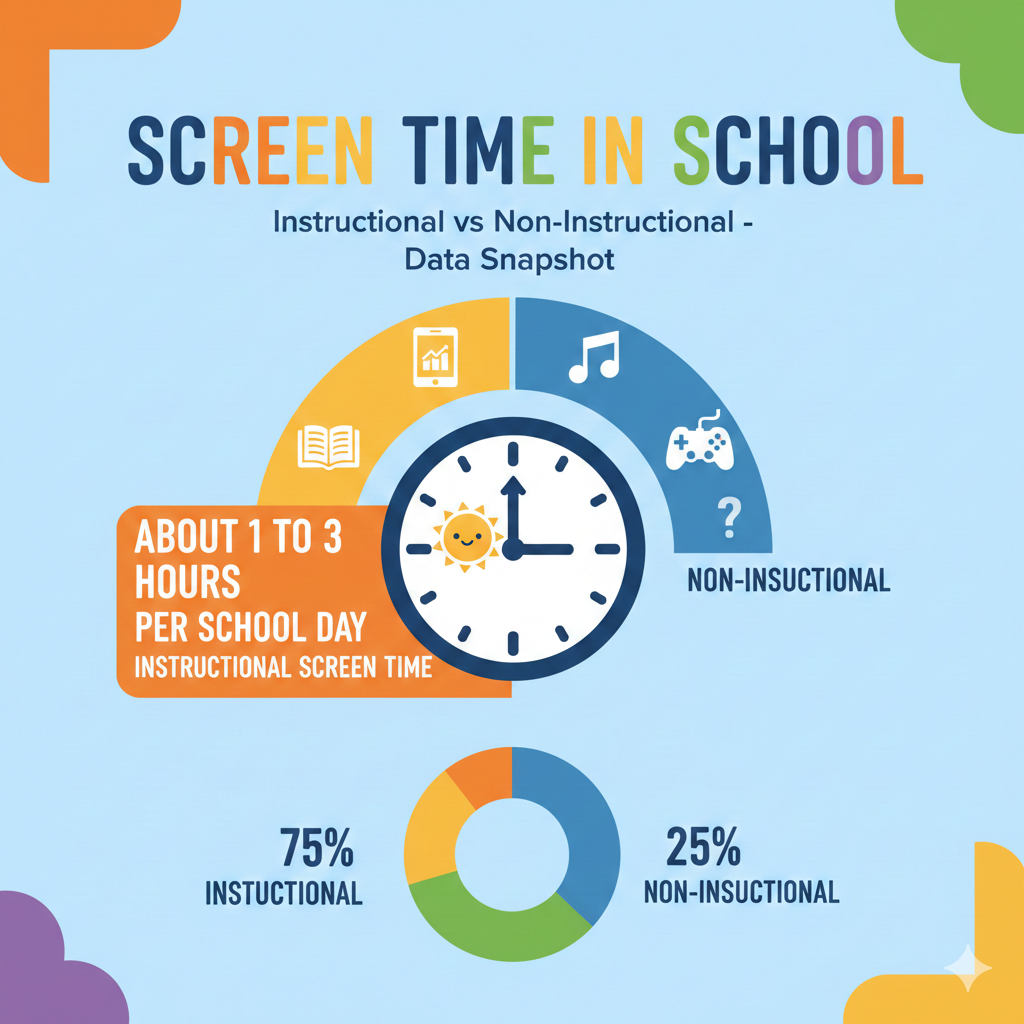
1. About 1 to 3 Hours Per School Day Is Spent on Instructional Screen Time
What This Really Means Inside Classrooms
In many K–12 schools today, students spend between one and three hours each day using screens for learning. This includes reading digital textbooks, writing essays, solving math problems, coding, completing quizzes, or watching teacher-led lessons.
For some students, especially in technology-focused schools, the number is closer to three hours. For others, it may stay around one hour. It depends on grade level, school policy, and subject.
Now think about the math.
Three hours per day becomes fifteen hours per week. That turns into about sixty hours per month. Over a school year, that can mean hundreds of hours in front of a device for learning alone.
That is a serious amount of time.
The real issue is not just the number of hours. It is what happens during those hours.
If students are actively solving problems, writing ideas, building projects, and thinking deeply, instructional screen time can be powerful. It can improve skills. It can prepare them for the modern world.
But if students are mostly watching long slides, copying text, or clicking through simple tasks without thinking, the impact is weak.
The difference between active and passive screen use changes everything.
What Parents and Schools Can Do
Parents should ask simple but important questions. What exactly is my child doing on the screen? Are they creating or just consuming? Are they thinking or just watching?
Teachers should structure screen time carefully. Clear goals. Clear time limits. Clear outcomes.
Short focused sessions work better than long open-ended ones. A defined 30-minute digital task is often more productive than a vague 60-minute block.
Children also need balance. Paper reading. Group discussion. Hands-on projects. Movement breaks.
At Debsie, we believe every minute of screen time must have a purpose. When screens are used with intention and structure, they build real thinking power. Without structure, they quietly drain focus.
The number itself is not the enemy. Unstructured use is.
2. Elementary Students Often Use Screens 30–90 Minutes Daily, While Older Students Use 2+ Hours
Why Age Makes a Big Difference
Young children learn through movement, play, touch, and conversation. Their brains are still building attention control. Because of this, elementary classrooms usually limit screen use to around thirty to ninety minutes per day.
This may include a math app, a reading tool, or a short interactive lesson.
As students move into middle and high school, digital use increases. Research projects require online sources. Essays are typed. Science simulations happen on screens. By these grades, two or more hours of daily screen time is common.
This increase makes sense. Older students can handle longer tasks. They can navigate tools more easily. They are preparing for college and careers where digital work is normal.
But longer exposure also means greater distraction risk.
Teenagers are more likely to multitask. They switch tabs. They check messages. They drift.
The challenge grows with age.
How to Manage Screen Growth Over the Years
For younger children, screen sessions should stay short and guided. Clear instructions. Clear start and stop times. Active teacher involvement.
Children under ten especially benefit from variety. A digital math game followed by paper practice. A short reading app followed by discussion.
Parents should watch for signs of overload. If a child becomes irritable or restless after school, too much digital stimulation may be part of the cause.
For older students, the focus shifts to self-control skills.
Teach them to work in focused blocks. Forty minutes on task. Five-minute break. Back to work.
Encourage single-tab work during assignments. Notifications off. Phone away.
These habits matter more than we think.
At Debsie, we match screen intensity to age. Younger learners get short bursts of gamified learning. Older learners handle deeper projects with guidance and accountability.
The goal is not more screen time. The goal is smarter screen time.
3. In 1:1 Device Schools, 60–80% of Screen Use Is Instructional, While 20–40% Can Be Non-Instructional
The Hidden Slice of the School Day
In schools where every student has their own laptop or tablet, screens are always within reach.
Studies and classroom observations often show that about sixty to eighty percent of in-class screen use is truly instructional. That means students are doing assigned tasks.
But that leaves twenty to forty percent that may drift into non-instructional use.
That is a large portion of the day.
Non-instructional use includes browsing unrelated websites, playing games, messaging friends, or watching unrelated videos.

Even small moments add up. Five minutes here. Three minutes there. A quick check of something. Over time, those small breaks quietly eat learning minutes.
The danger is not always obvious. A student may look busy. The screen is open. Fingers are moving. But the brain is somewhere else.
This hidden loss is one of the biggest challenges in device-based classrooms.
How to Reduce Non-Instructional Drift
Structure is the strongest solution.
When teachers provide clear tasks, tight deadlines, and visible outcomes, off-task behavior drops.
Frequent check-ins also help. Instead of long silent work periods, teachers can pause and ask students to explain progress.
Parents can support at home by asking specific questions. What did you create today? What problem did you solve? What was hard?
When children expect to explain their learning, they stay more focused during it.
Schools can also use smart monitoring systems, but tools alone are not enough. Culture matters more.
Students should understand why focus matters. Help them see how attention builds skill. When children connect effort to growth, they are more likely to stay on task.
At Debsie, we build gamified systems where students earn progress through real effort. When learning feels meaningful, distraction loses power.
Reducing that twenty to forty percent is not about control. It is about building ownership.
4. When Students Have Open Web Access During Class, Off-Task Screen Use Can Double Compared to Locked Lesson Platforms
Why Open Access Changes Behavior
When students are given full internet access during class, distraction becomes much easier. Even a focused student can feel tempted to click away from the lesson. One interesting link turns into another. A quick search becomes a side trip. A notification pops up. Attention shifts.
In classrooms that use locked platforms or restricted lesson apps, off-task behavior is much lower. The reason is simple. Fewer options mean fewer temptations.
When the entire internet is open during class time, off-task screen use can increase up to twice as much compared to structured digital systems.
This does not mean students are lazy. It means the human brain is curious and easily pulled by novelty. Bright images, short videos, fast content, and social updates are designed to grab attention.
Young brains especially struggle with impulse control. Even older students find it hard to resist constant digital stimulation.
Open access without clear structure creates a silent battle between learning and distraction. And distraction often wins.
How Schools and Parents Can Create Smart Boundaries
The solution is not to fear the internet. It is to manage it wisely.
Teachers can use focused platforms during instruction time. When students only see what they need for the lesson, attention stays higher.
If research is required, teachers can provide pre-approved links or digital research guides. This limits wandering while still building research skills.
Parents can mirror this at home. During homework, encourage students to close unnecessary tabs. Turn off notifications. Keep phones in another room.
Even simple habits like full-screen mode during assignments can reduce temptation.
Most important, teach children why focus matters. Explain how constant switching weakens memory and slows progress.
At Debsie, we design digital learning spaces that feel fun but stay structured. Students explore within boundaries. They feel free but remain guided.
Freedom without structure leads to distraction. Structured freedom leads to growth.
5. Students May Switch Tabs or Windows Every 30–60 Seconds During Digital Work
The Cost of Constant Switching
In many digital classrooms, students change tabs or windows every thirty to sixty seconds. That means they jump between tasks repeatedly.
This behavior feels harmless. It feels productive. It feels like multitasking.
But the brain does not truly multitask. It switches.
Every time a student switches tasks, the brain must pause, adjust, and reload information. That reload takes mental energy.

Imagine trying to read a book while someone taps your shoulder every minute. You would lose your place again and again. That is what constant tab switching does internally.
The scary part is that many students do not even realize they are doing it. It becomes automatic.
Over time, this habit reduces deep thinking ability. Students become used to shallow attention.
How to Train Deep Focus in a Digital World
We cannot remove digital tools from modern education. But we can train better digital discipline.
Encourage single-tasking. One tab open for the assignment. Everything else closed.
Teach students to set short focus blocks. Twenty-five to forty minutes of uninterrupted work. Then a short break.
Parents can model this behavior too. Children copy what they see.
Teachers can design lessons that require output, not just browsing. Writing summaries. Solving problems. Creating projects.
When students know they must produce something meaningful, they stay more grounded.
At Debsie, our learning structure pushes students to complete small missions before moving forward. This reduces endless switching.
Deep focus is like a muscle. The more we train it, the stronger it becomes.
6. At Any Given Moment, About 1 in 3 Students May Be Off-Task During Independent Digital Work
The Quiet Reality of the Classroom
During independent digital work time, it is common that one out of three students is off-task at any given moment.
This does not mean they are always distracted. It means that during silent work periods, a noticeable portion drifts away from the assignment.
Independent digital work can feel isolating. Without direct teacher interaction, students may lose direction. A quick glance at something unrelated becomes a longer distraction.
Some students struggle with time management. Others struggle with boredom. Some simply test boundaries.
When thirty percent of a class is off-task at random points, learning slows for everyone. Teachers must redirect. Students lose rhythm.
It becomes a cycle.
How to Strengthen Independent Work Time
Independent work does not mean unmonitored work.
Teachers can break assignments into smaller chunks. Instead of one long task, divide it into checkpoints. After ten minutes, students share progress. After twenty minutes, quick review.
This keeps attention anchored.
Clear expectations matter. Students should know exactly what the finished task looks like.
Parents can ask children how they manage time during school assignments. If they struggle, teach them simple systems like timers or written task lists.
Confidence also plays a role. Students who feel lost are more likely to escape into distractions.
At Debsie, we guide students step by step during independent challenges. Each step builds confidence. When students feel capable, they stay engaged.
Off-task behavior is often a signal, not a problem. It signals confusion, boredom, or lack of structure.
Fix the structure. Focus improves naturally.
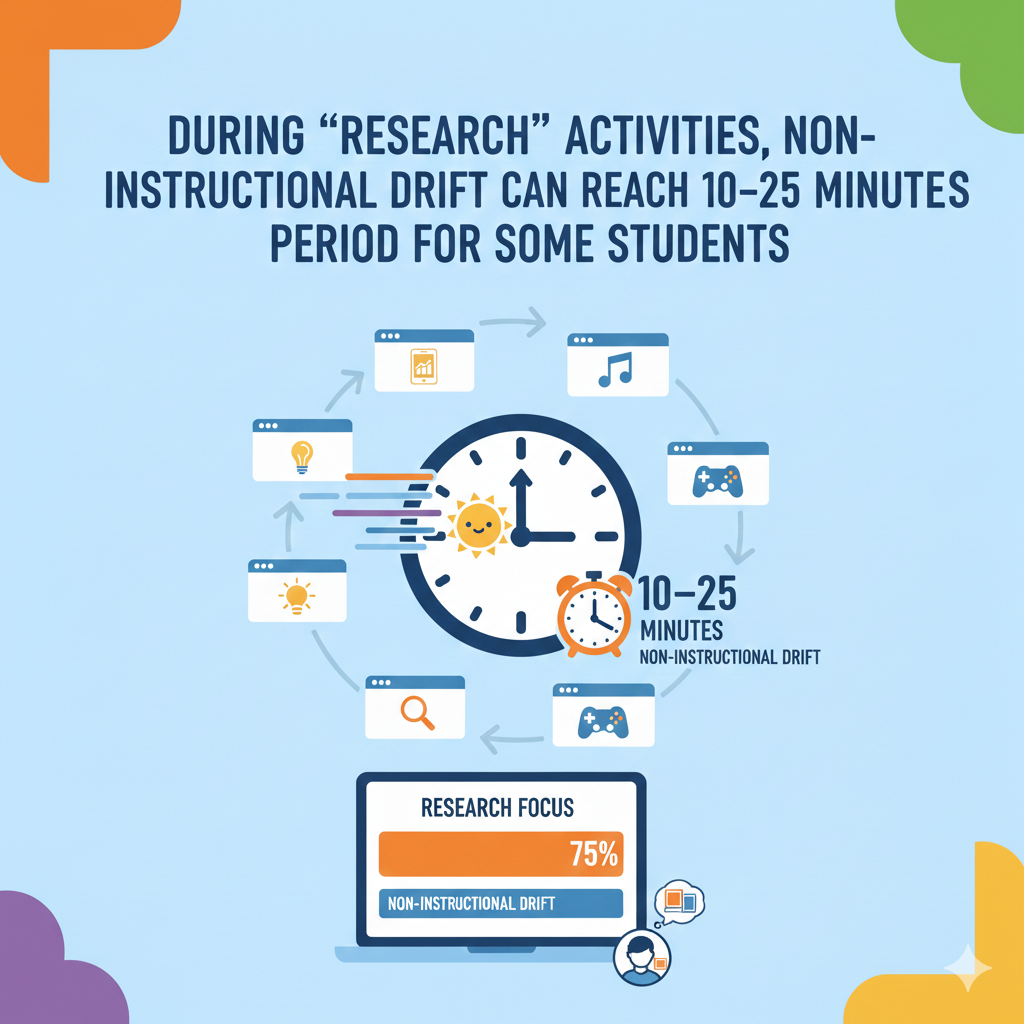
7. During “Research” Activities, Non-Instructional Drift Can Reach 10–25 Minutes Per Class Period for Some Students
Why Research Time Often Turns Into Distraction Time
Research sounds productive. Students are told to explore, find sources, and gather information. On the surface, it feels like deep learning.
But here is what often happens.
A student begins searching for a topic. One interesting headline appears. Then another. A suggested video pops up. A side link looks fun. Within minutes, the focus shifts away from the assignment.
In many classrooms, research periods quietly include ten to twenty-five minutes of non-instructional drift for a noticeable group of students.
That is a big number.
In a fifty-minute class, losing twenty minutes means almost half the lesson is gone. And because students still look busy, this loss can go unnoticed.
Research requires strong self-control. It demands clear direction. Without structure, open searching becomes wandering.
The internet is designed to keep people clicking. It rewards curiosity in all directions, not just the academic one.
Young learners are especially vulnerable to this pull.
How to Make Research Time Focused and Powerful
The answer is not to remove research tasks. Research builds critical thinking and independence. But it must be guided.
Teachers can provide specific research questions instead of broad topics. Narrow questions reduce wandering.
Provide a limited set of trusted starting links. This gives direction without removing exploration.
Set time checkpoints. For example, after fifteen minutes, students must show three notes gathered. After thirty minutes, they must summarize one key idea.
Parents can help by teaching note-taking skills. When children write notes while reading, they stay mentally engaged.
Encourage students to search with purpose. Before typing into a search bar, ask them to say out loud what they are looking for.
At Debsie, when students research, they do so within structured missions. Each step has a clear outcome. This keeps curiosity productive instead of chaotic.
Research should feel like building a path, not wandering through a maze.
8. Teacher-Directed Digital Lessons Have 10–20% Lower Non-Instructional Screen Use Than Independent Work
Why Guidance Changes Everything
When teachers actively lead a digital lesson, distraction drops. Observations show that teacher-directed digital sessions often have ten to twenty percent lower off-task behavior compared to independent device time.
This makes sense.
When a teacher is speaking, asking questions, and guiding the class step by step, students feel accountable. Attention stays higher.
In contrast, when students are left alone with long digital assignments, self-control becomes the main driver. And self-control is still developing in young minds.
Structure reduces uncertainty. It also reduces temptation.
During guided instruction, students know what to look at, when to respond, and what to complete next. The pace is shared. The focus is shared.
That shared rhythm makes distraction harder.
How to Balance Guidance and Independence
Students still need independent practice. But the balance matters.
Teachers can begin lessons with strong guidance. Model the process. Demonstrate thinking steps. Then gradually release responsibility.
Short cycles work best. Ten minutes guided. Fifteen minutes independent. Quick check-in. Repeat.
This rhythm keeps students anchored while still building independence.
Parents can ask their children how lessons are structured. If most digital time is fully independent, it may be worth discussing with educators.
At home, parents can replicate guided structure. Sit nearby during homework. Ask small check-in questions. Even quiet presence increases focus.
At Debsie, live classes combine expert guidance with interactive tasks. Students are not left alone in long silent stretches. They are supported, then challenged.
Guidance is not control. It is scaffolding. And scaffolding helps young minds climb higher.
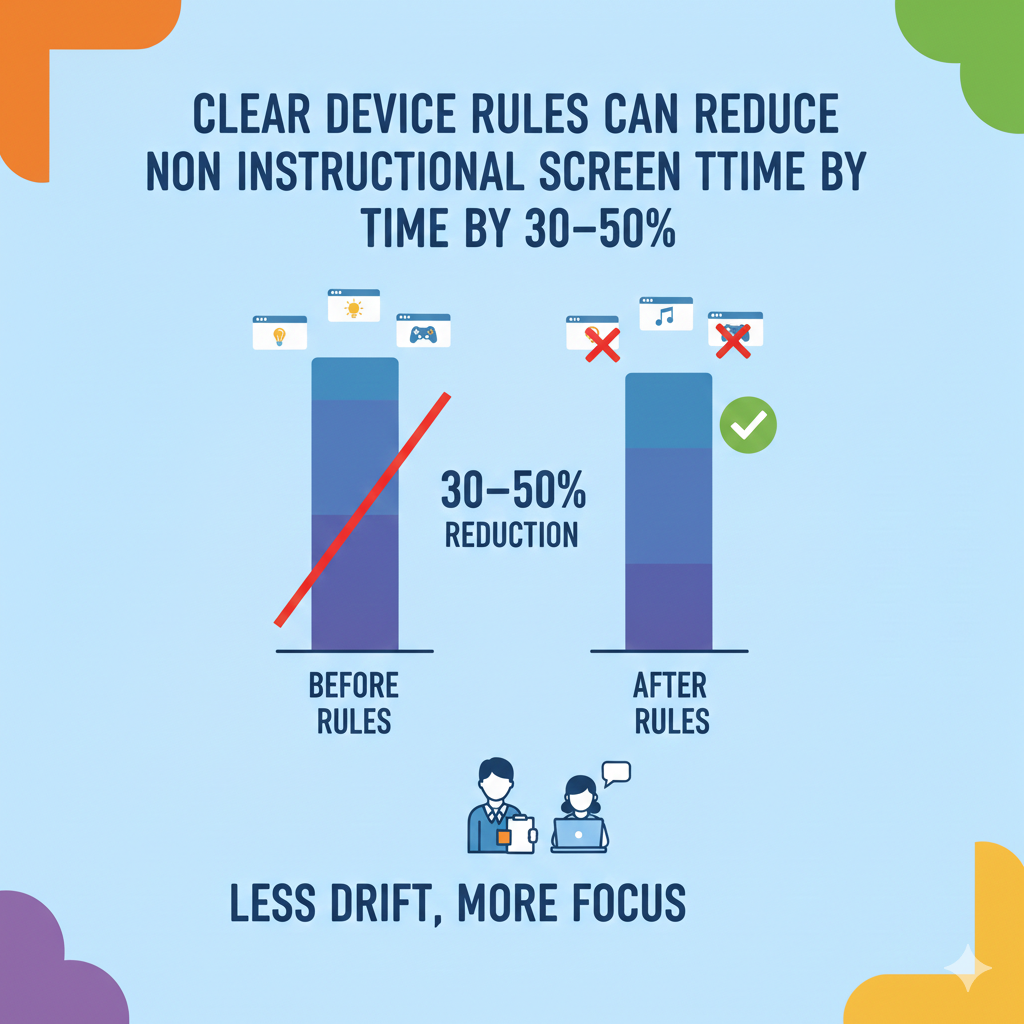
9. Clear Device Rules Can Reduce Non-Instructional Screen Time by 30–50%
The Power of Simple Rules
Classrooms with clear device routines often see a dramatic drop in distraction. In many cases, non-instructional screen use falls by thirty to fifty percent when strong rules are in place.
The rules are usually simple.
Screens down when the teacher speaks. Devices closed during discussion. No switching tabs without permission. Phones away.
Consistency matters more than strictness.
When expectations are clear and enforced calmly, students adjust quickly. They stop testing limits because limits are stable.
Without rules, students guess. They push boundaries. They watch what others do. Chaos grows quietly.
Clear routines remove uncertainty.
Students feel safer when they know what is expected. Focus becomes easier because the environment supports it.
How to Create Healthy Digital Norms
Schools should introduce device expectations at the start of the year. Practice them. Reinforce them. Explain the reasons behind them.
Rules should not feel like punishment. They should feel like protection for learning time.
Parents can create similar rules at home. Homework before entertainment. Devices used in common spaces. Clear cut-off times.
The key is consistency. If rules change daily, children stop taking them seriously.
At Debsie, digital structure is built into the learning system. Students know when they explore and when they focus. The environment itself guides behavior.
Discipline does not have to be harsh. It simply needs to be steady.
When rules are clear, attention improves naturally.
10. Web Filters and Screen Monitoring Tools Can Reduce Non-Instructional Browsing by 20–40%
Technology Can Support Focus When Used Wisely
Many schools now use web filters and classroom monitoring software. These systems allow teachers to see student screens in real time or restrict access to certain websites during lessons.
When used properly, these tools can reduce non-instructional browsing by about twenty to forty percent.
That is a meaningful difference.
If a student knows the teacher can see their screen, they are less likely to open unrelated tabs. Accountability increases attention. The digital space feels supervised, not wild.
Web filters also block obvious distractions like gaming sites or social platforms during school hours. This removes temptation before it even appears.
However, technology alone is not the full solution.
If students only behave because they are watched, they may struggle when the monitoring disappears. True focus comes from internal discipline, not just external control.
Monitoring tools work best when combined with clear teaching about digital responsibility.
How to Build Responsible Digital Habits
Schools should explain why filters exist. Not as punishment, but as support for learning. When students understand the reason, resistance decreases.
Teachers can gradually allow more freedom as students demonstrate responsibility. This builds trust.
Parents can apply a similar approach at home. Parental controls may help younger children, but conversations about self-control are just as important.
Ask children how they manage distractions. Help them reflect on what pulls their attention away.
At Debsie, we focus on guided digital environments that feel structured but not restrictive. Students work within purposeful systems where learning is the main reward.
The goal is not constant surveillance. The goal is helping students learn how to manage attention on their own.
Tools can reduce distraction. Habits eliminate it.
11. Non-Instructional Screen Use Often Increases During the Last Periods of the School Day
Why Focus Drops Later in the Day
Attention is not constant. It rises and falls throughout the day.
In many classrooms, off-task screen use increases during the last one or two periods. Students are tired. Mental energy is lower. Self-control weakens.
This is normal human behavior.
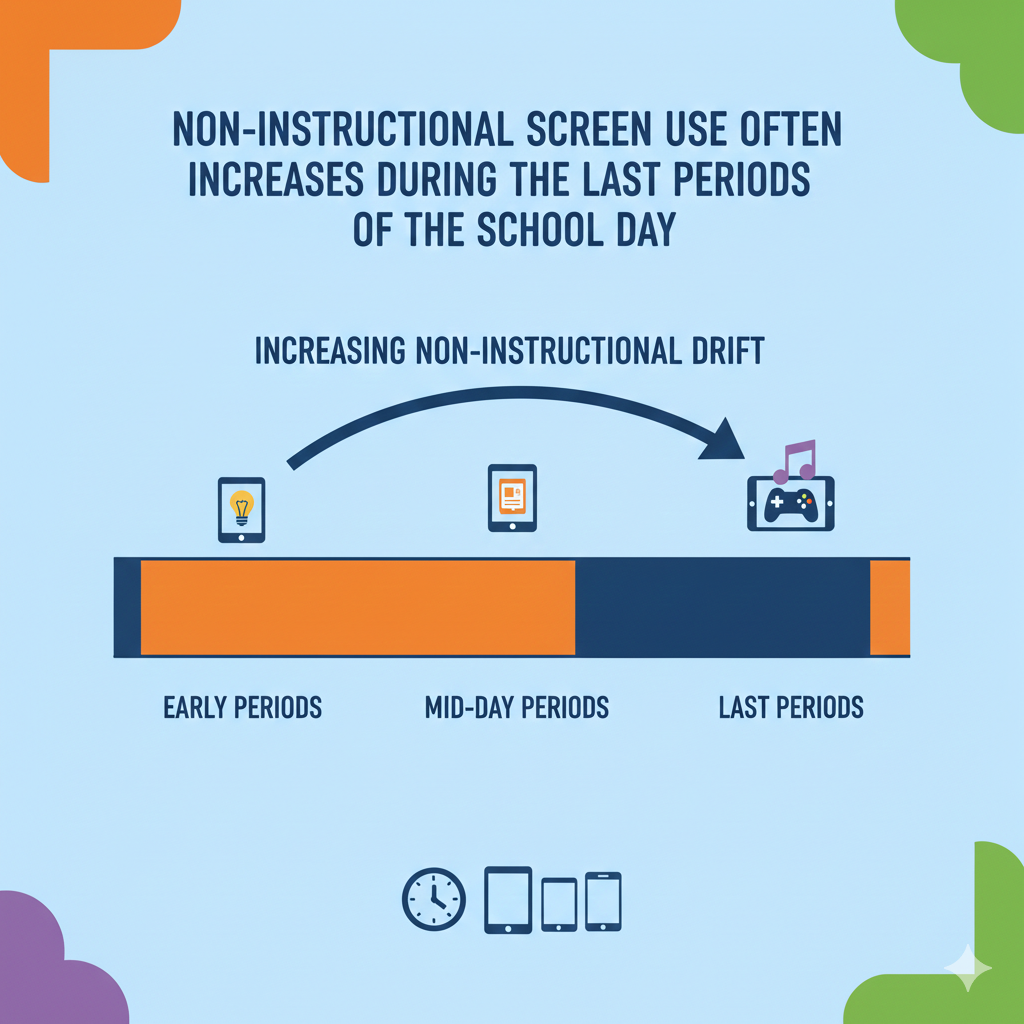
Late-day classes often require extra structure. Without it, distraction grows quietly.
Teachers may also feel tired. Energy in the room shifts. Small lapses in structure can lead to larger focus problems.
This pattern is not about laziness. It is about cognitive fatigue.
How to Protect Focus in the Afternoon
Afternoon lessons should include more interaction. Movement breaks help reset attention. Even two minutes of standing, stretching, or deep breathing can improve focus.
Teachers can shorten digital blocks later in the day. Instead of one long assignment, break it into smaller steps.
Parents may notice that homework feels harder in the evening. That is the same fatigue pattern.
Encourage a short break after school before homework begins. A snack. Outdoor play. Quiet rest.
Then begin work with a clear plan and time limits.
At Debsie, we design lessons that shift energy levels throughout the session. Interactive challenges keep engagement alive even when mental energy dips.
Understanding attention cycles allows us to work with the brain instead of against it.
12. In Many Schools, Screens Now Account for Over Half of Total Instructional Minutes
The Digital Shift in Modern Education
In device-heavy schools, screens can make up more than fifty percent of total instructional time.
That means students may spend more time interacting with digital tools than with paper materials.
This shift has happened quickly over the past decade. Online textbooks, digital assignments, interactive platforms, and computer-based testing have become standard.
There are clear benefits. Digital tools allow instant feedback. They provide access to updated information. They make collaboration easier across distances.
But when screens dominate instruction, balance becomes critical.
Children still need handwriting practice. They need face-to-face discussion. They need physical experiments and real-world interaction.
Learning is not only about absorbing information. It is about processing it deeply.
Too much screen-based instruction can reduce opportunities for slower, reflective thinking if not carefully designed.
How to Maintain Healthy Academic Balance
Schools should evaluate how screens are used, not just how often. Are students creating projects or just consuming content? Are digital lessons interactive or passive?
Blended learning models work well. Combine digital tools with traditional methods.
For example, students might research online but draft ideas on paper. They might watch a short video but then debate the topic in groups.
Parents can encourage offline reinforcement. After a digital lesson, ask children to explain concepts verbally or draw diagrams by hand.
At Debsie, we combine gamified digital learning with strong cognitive engagement. Students interact, build, solve, and reflect.
Technology is a powerful tool. But it should support thinking, not replace it.
13. Students Can Receive Dozens of Notifications Per Day Unless Alerts Are Disabled
The Silent Disruptor in Digital Classrooms
In device-heavy schools, students may receive dozens of notifications during the school day. These alerts can come from email, learning platforms, messaging apps, system updates, shared documents, and calendar reminders.
Even if students do not open every notification, each alert creates a mental interruption.
A small sound. A flashing icon. A banner across the screen.
The brain reacts instantly. Attention shifts, even for a second. That second matters.
If a student receives thirty to fifty notifications across a school day, that is thirty to fifty micro-interruptions. Over time, this reduces deep thinking and increases mental fatigue.
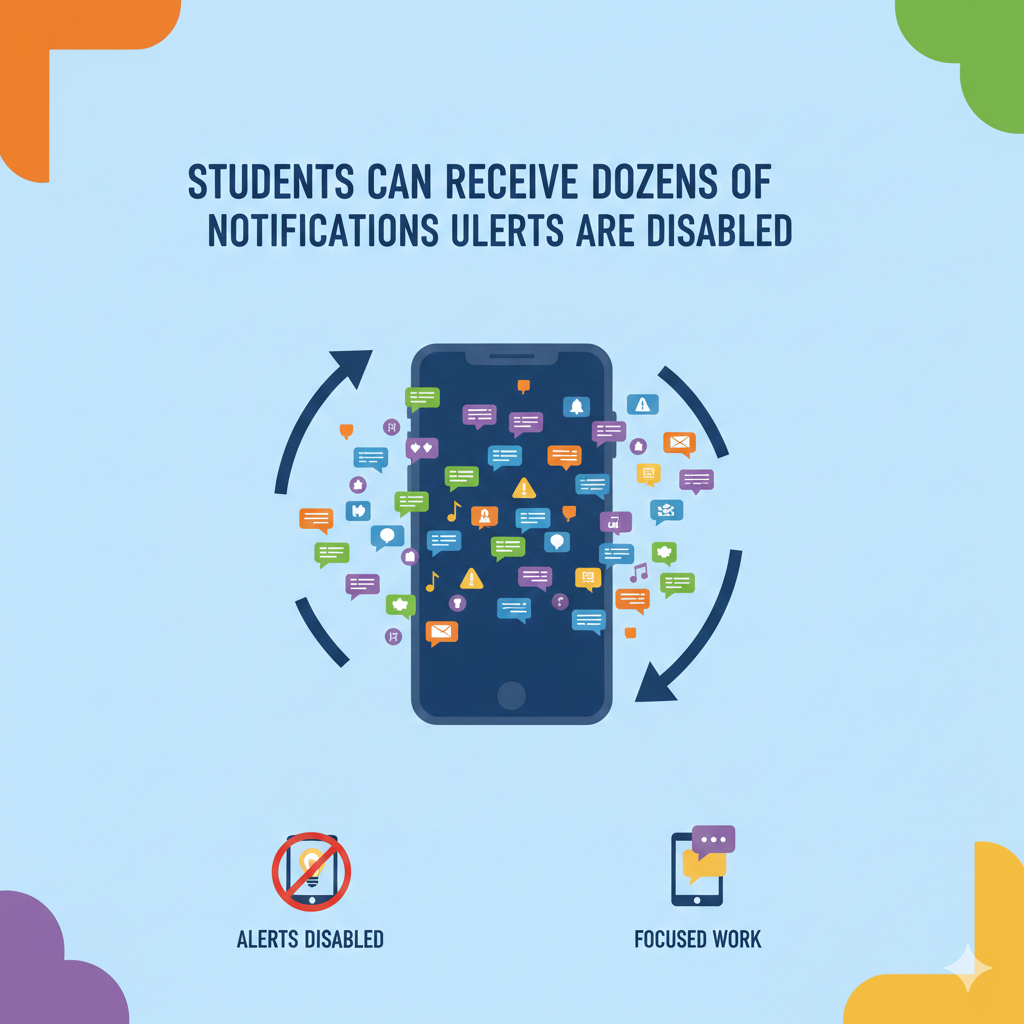
The real problem is not the notification itself. It is the habit of responding to it immediately.
When students feel they must check every alert right away, focus never settles. Their attention stays in a constant state of alertness.
This weakens concentration skills over time.
How to Reduce Notification Noise
Schools should encourage notification management as part of digital literacy. During class hours, non-essential alerts should be turned off.
Teachers can build a simple rule at the start of class. Devices go into focus mode. Only the required app remains active.
Parents can teach children how to adjust notification settings on their devices. Many students do not know they can control alerts.
Encourage students to check messages at scheduled times instead of instantly.
This builds patience and strengthens self-control.
At Debsie, we design learning sessions where distractions are minimized. Students enter a focused digital space built for learning, not constant alerts.
When the noise drops, thinking grows stronger.
14. Even When Phones Are Not Allowed, 20–40% of Students May Check Them at Least Once During the School Day
The Pull of the Pocket Device
Even in schools where phones are restricted, a significant minority of students check them at least once during the day. Estimates often range between twenty and forty percent.
Phones are powerful attention magnets. They carry social updates, entertainment, games, and instant communication.
For teenagers especially, social connection feels urgent. A vibration in a backpack can feel impossible to ignore.
The challenge is emotional as much as practical.
Students may fear missing out. They may feel pressure to respond quickly. Even one quick glance can break concentration for several minutes.
The act of checking may only take seconds, but the mental shift lasts longer.
After looking at a phone, the brain needs time to return fully to the academic task.
Multiply that across many students and many days, and learning time quietly shrinks.
How to Build Healthy Phone Boundaries
Clear school policies matter. Phones should have a defined place during class, whether in lockers, phone holders, or turned off in bags.
But rules alone are not enough.
Students need to understand why these limits exist. When they see the connection between phone use and reduced focus, they are more likely to cooperate.
Parents play a major role. If children use phones heavily at home, school restrictions feel harsher.
Set family boundaries. No phones during homework. No devices at the dinner table. Clear nighttime limits.
Model the behavior you expect. Children notice adult habits.
At Debsie, we focus on building strong thinking skills that require sustained attention. When students experience deep engagement, the urge to check devices decreases naturally.
Phones are not the enemy. Uncontrolled habits are.
15. After a Digital Interruption, It Can Take 1–5 Minutes to Fully Refocus
The Hidden Cost of a Quick Distraction
Many people believe that a quick glance at a message or a short tab switch causes no harm. It feels small.
But research and classroom observation show that after a digital interruption, it can take one to five minutes for a student to fully regain deep focus.
That means a ten-second distraction can cost several minutes of productivity.
The brain must reorient. It must recall where it left off. It must rebuild mental context.
If interruptions happen repeatedly, students may never return to deep focus at all.
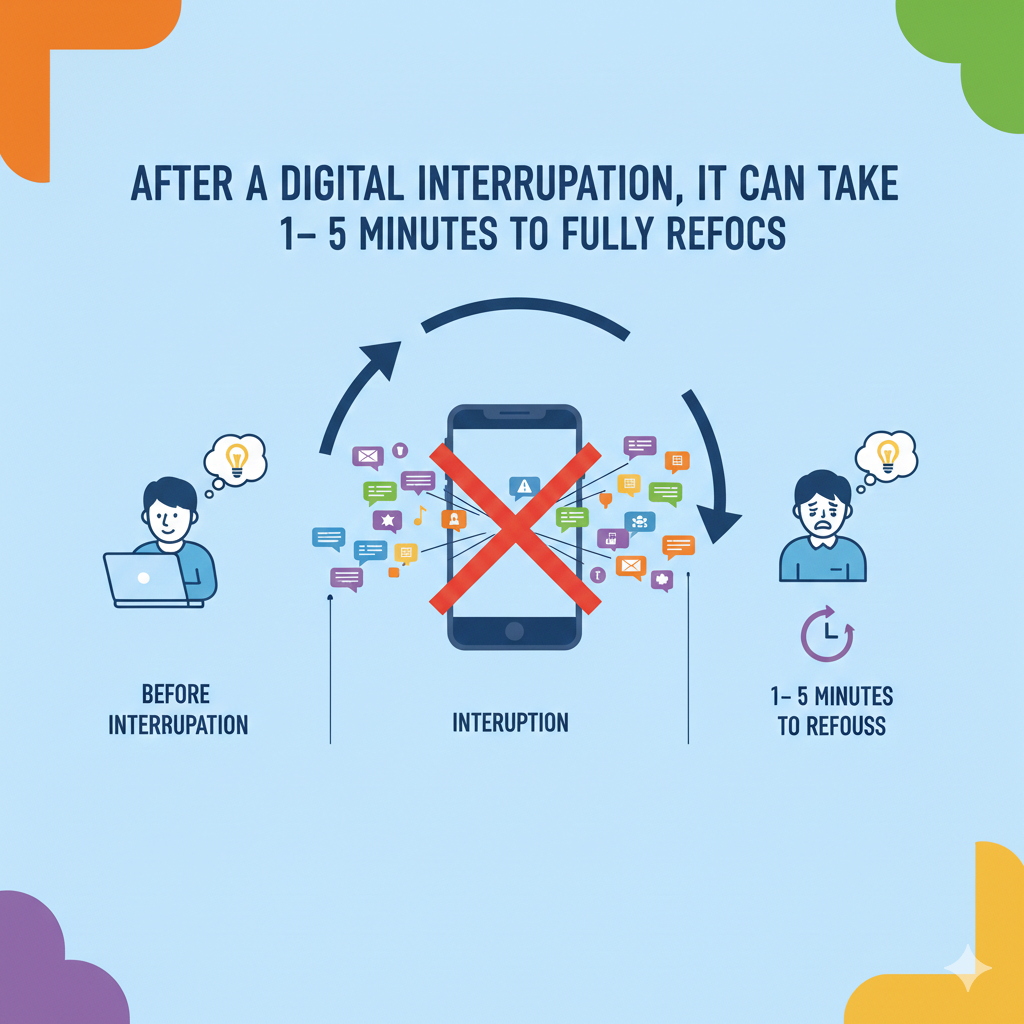
Instead, they operate in shallow attention mode, constantly switching but never fully engaging.
This reduces comprehension. It weakens memory. It lowers work quality.
Over time, students may struggle to complete longer tasks because their brain becomes trained for short bursts only.
How to Protect Deep Work Time
The solution is to protect uninterrupted work blocks.
Teachers can establish clear focus periods. During these windows, no notifications, no phone access, no unrelated browsing.
Visual timers can help students see the focus window clearly.
Parents can create similar blocks at home. A thirty-minute focused study session followed by a five-minute break works well for many students.
Teach children to pause before reacting to interruptions. Ask them to finish a paragraph or problem before checking anything else.
At Debsie, our gamified structure encourages completion of meaningful chunks before moving forward. Students experience the reward of finishing focused work.
Deep focus is not natural in a digital world. It must be trained.
When children learn to protect their attention, they gain a skill that will serve them for life.
16. In a 45–60 Minute Device-Based Class, Students May Lose 5–15 Minutes to Small Off-Task Moments
The Slow Leak of Learning Time
In a typical 45 to 60 minute class where devices are used, students can lose between five and fifteen minutes to small distractions.
This does not mean one long break from learning. It usually happens in tiny pieces.
A quick tab switch. A short glance at a message. Adjusting settings. Looking up something unrelated. Clicking on a recommended video. Checking the time repeatedly.
Each moment feels harmless.
But together, these moments add up.
If a student loses ten minutes in one class, and that happens across four device-based classes in a day, that is forty minutes gone. In a week, that becomes over three hours. In a month, it becomes more than twelve hours of lost learning time.
This loss is often invisible. The student still completes assignments. The class continues moving. But the depth of learning weakens.
When focus breaks repeatedly, understanding becomes shallow.
Over time, students may feel that school is harder than it should be. They may need more time to complete homework because they were not fully present during class.
The cost is quiet but powerful.
How to Seal the Leaks
Teachers can reduce these small losses by creating tighter transitions. Clear start times. Clear end times. Clear expectations for what should be visible on screens.
Frequent micro-checks also help. A quick question. A short summary request. A visible progress check every fifteen minutes.
This keeps attention anchored.
Parents can talk with children about “attention leaks.” Ask them how often they switch tasks. Help them notice patterns.
Simple strategies work. Keep only one required tab open. Use full-screen mode. Put phones out of reach.
At Debsie, we design lessons in short, meaningful missions. Students move from one clear objective to the next. This reduces wandering and keeps momentum strong.
Small distractions may seem minor. But protecting those minutes builds stronger learners.
17. On Digital Testing Days, Students May Spend 3–5+ Hours on Screens
When Screen Time Spikes
During standardized testing periods or major digital exams, screen time can increase sharply. Students may spend three to five or more hours on screens in a single day.
Testing days are different from normal learning days.
Students sit still for longer periods. They read extended passages. They answer questions under time pressure. They cannot take frequent breaks.
The mental strain is high.
Extended screen exposure on these days can cause eye fatigue, headaches, and reduced concentration, especially for younger students.
For some children, anxiety increases when tests are digital. Scrolling through long reading passages can feel overwhelming. Navigating between sections can add stress.
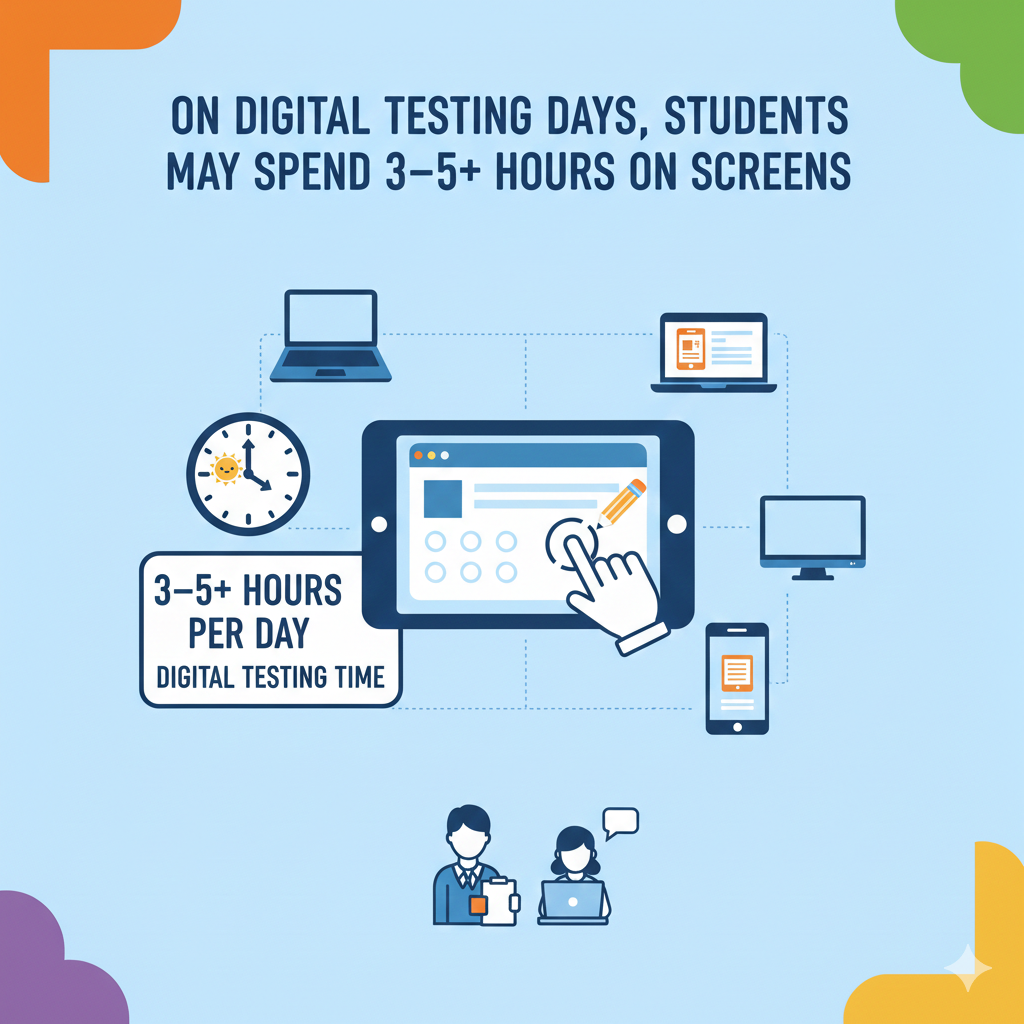
While digital testing has benefits, such as instant scoring and accessibility features, the intensity of screen exposure during these sessions should not be ignored.
How to Support Students During High-Screen Days
Schools can prepare students gradually. Practice short digital assessments before major testing periods.
Teach screen navigation skills in advance. Show students how to highlight text, review answers, and manage time on digital platforms.
Parents can support by ensuring good sleep before test days. Limit additional screen time in the evening before a long testing session.
Encourage short eye breaks during permitted pauses. Even looking away from the screen for a few seconds can reduce strain.
At Debsie, we prepare students through structured digital challenges that build stamina slowly. Students learn to manage longer tasks without panic.
Testing days will likely remain digital in many systems. The key is preparation and balance.
When students feel confident navigating screens, stress decreases and performance improves.
18. Students Switch Tasks Frequently During Digital Lessons, Often Making 50–200+ Clicks Per Day
The High-Speed Nature of Digital Learning
In device-heavy classrooms, students may click, scroll, tap, or interact with screens fifty to two hundred times or more in a single day.
Each action may be part of learning. Clicking through slides. Submitting answers. Opening files. Switching between resources.
Digital learning moves fast.
But constant clicking also trains the brain for rapid shifting. Fast responses. Quick scanning. Short bursts of interaction.
While this speed can build certain skills, it may also reduce patience for slower, deeper tasks like long reading or extended writing.
The brain adapts to the environment it practices in. If most learning feels quick and interactive, students may struggle with slower academic work.
The physical effect also matters. Continuous small hand movements and screen interactions can increase restlessness, especially for younger learners.
Digital energy feels different from paper-based learning energy.
How to Balance Speed With Depth
Teachers can intentionally include slower activities within digital lessons. For example, after interactive tasks, ask students to write a longer reflection without switching screens.
Encourage silent reading time without clicking. Even ten minutes of uninterrupted reading strengthens focus muscles.
Parents can balance digital schoolwork with offline activities at home. Reading physical books. Writing by hand. Building with hands-on materials.
At Debsie, we combine interactive gamified tasks with deeper problem-solving challenges. Students experience both speed and depth.
Children need both. They need to respond quickly at times. But they also need the ability to sit with a complex problem and think patiently.
When speed and depth work together, learning becomes stronger.
19. In Early Grades, Non-Instructional Screen Time Often Comes From Reward Games, Early-Finisher Activities, or “Free Choice” Periods
How Good Intentions Can Increase Screen Exposure
In many elementary classrooms, non-instructional screen time does not come from misbehavior. It often comes from rewards.
A student finishes work early. The teacher allows a short educational game. The class completes a task. A short video is played as a reward. During indoor recess, devices may be used for quiet time.
These moments feel harmless. They are meant to motivate.
But over time, these reward-based screen moments can add up.
If a child earns fifteen minutes of game time three times a week, that is forty-five extra minutes. Over a month, that becomes three hours. Over a year, it becomes significant.
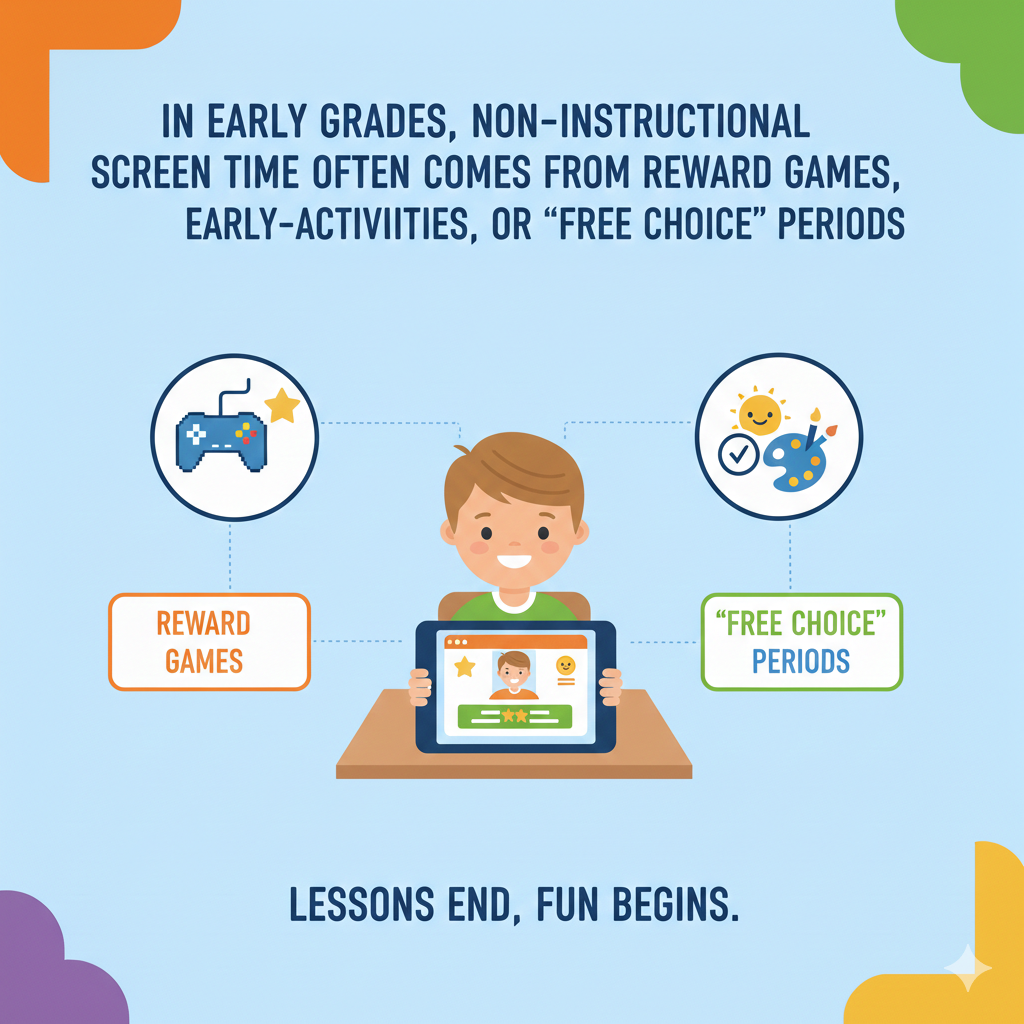
There is also a hidden message being sent. When screens become the main reward, children begin to associate devices with pleasure and relief, not effort.
This can make non-screen tasks feel less exciting by comparison.
The issue is not that reward systems are wrong. The issue is balance.
How to Rethink Reward Systems
Schools can diversify rewards. Extra reading time. Creative drawing. Building challenges. Group games. Leadership roles.
Not every reward needs to involve a screen.
If digital rewards are used, keep them short and purposeful. Choose creative apps over passive video watching.
Parents can also reflect on home rewards. Instead of always offering extra screen time for good behavior, consider family activities, outdoor time, or small creative projects.
At Debsie, gamification is built into the learning itself. Students earn progress through solving problems and mastering concepts. The reward is advancement, not distraction.
When children see learning as the game, they do not need escape rewards as often.
Screens should support effort, not replace joy in real-world experiences.
20. 10–30% of Instructional Screen Time May Be Low-Value Passive Activity
Not All “Educational” Screen Time Is Equal
In many classrooms, a portion of instructional screen time involves passive tasks.
Watching long slide presentations. Copying notes from a digital board. Viewing videos without discussion. Clicking through simple multiple-choice drills.
Estimates suggest that ten to thirty percent of screen-based instruction may be low-value in terms of deep thinking.
Students may appear engaged because they are looking at screens. But mental activity may be minimal.
Passive consumption does not build strong reasoning skills. It does not strengthen memory deeply. It does not develop problem-solving ability.
Active learning looks different. Writing original ideas. Solving multi-step problems. Designing projects. Explaining reasoning.
The screen itself is not the issue. The design of the activity is.
How to Increase High-Value Screen Learning
Teachers can shift from long lectures to interactive sessions. After a short explanation, students should apply the idea immediately.
Instead of copying notes, ask students to summarize concepts in their own words.
Instead of long videos, use shorter clips followed by discussion or problem-solving.
Parents can ask children what they actually did on the screen. Did they create something? Did they explain an idea? Or did they mainly watch?
At Debsie, our digital courses are built around action. Students build code. Solve real math puzzles. Complete missions. Each task demands thinking.
High-value screen time feels challenging but rewarding. Low-value screen time feels easy but forgettable.
The goal is not to remove digital tools. It is to demand more from them.
21. Interactive Digital Practice Produces 10–20% More On-Task Behavior Than Passive Watching
Why Interaction Increases Focus
When students interact with digital content, attention rises. Studies and classroom observations show that interactive tasks often produce ten to twenty percent more on-task behavior compared to passive video watching.
This is simple human psychology.
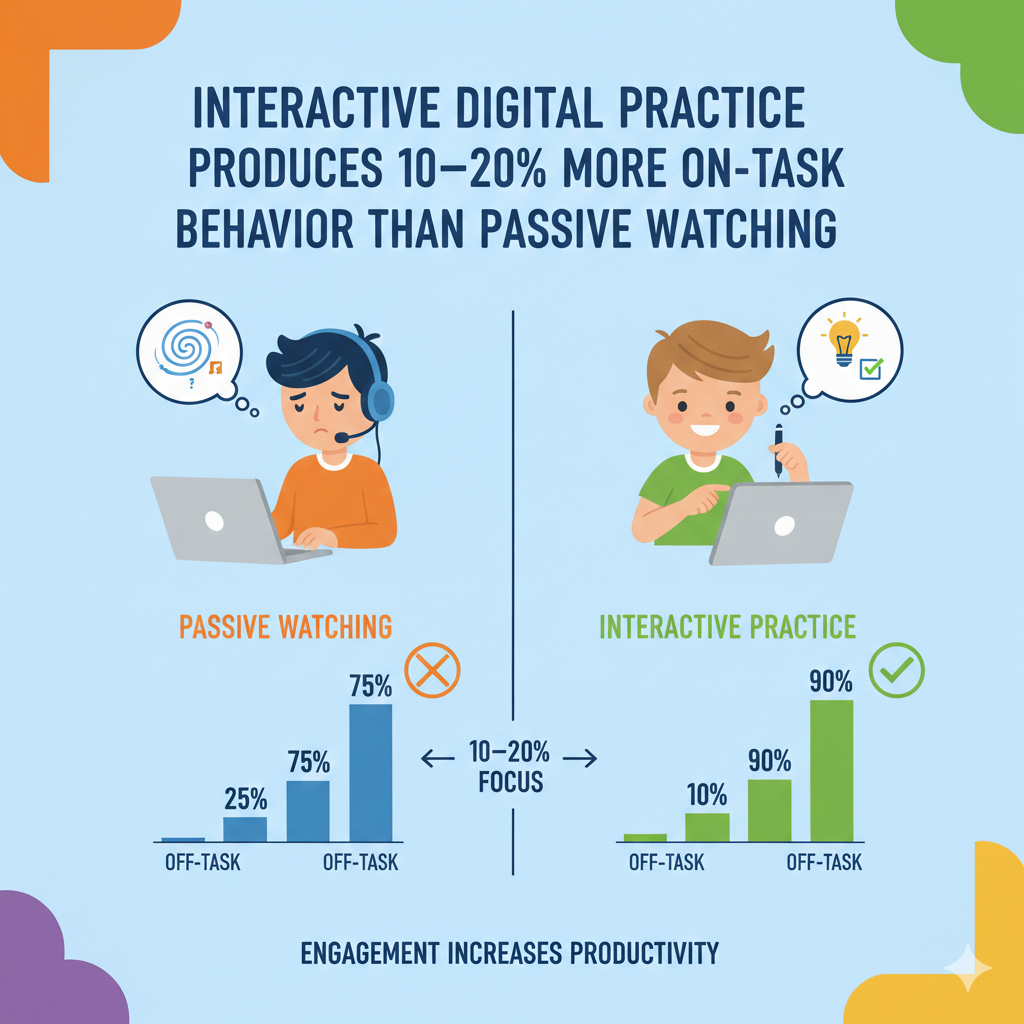
In contrast, watching a long video requires sustained attention without action. Many students begin to drift after a few minutes.
Interaction creates accountability. It demands participation.
This does not mean videos are useless. Short videos can introduce ideas effectively. But without follow-up action, retention drops.
How to Design More Interactive Learning
Teachers can break long videos into short segments. After each segment, ask students to answer a question or solve a related problem.
Use polls, quizzes, and collaborative tasks during digital lessons.
Encourage students to teach back what they learned. Explaining strengthens understanding.
Parents can apply this at home. After a child watches an educational video, ask them to explain the main idea in simple words.
At Debsie, gamified learning is built around interaction. Students move through challenges step by step. Each action triggers feedback. This keeps engagement high.
Children learn best when they are participants, not spectators.
Interaction turns screen time into skill-building time.
22. Attention Drop-Off During Digital Videos Often Begins After 6–10 Minutes Without Interaction
Why Long Videos Lose Young Minds
In many classrooms, teachers use videos to explain concepts. Videos can be powerful. They combine sound, images, and storytelling. They can make complex ideas easier to understand.
But here is the challenge.
For many students, attention begins to drop after six to ten minutes of passive watching. The mind starts to wander. Eyes may still face the screen, but thinking shifts elsewhere.
This is especially true for younger students. Their brains are not built for long passive intake. Even teenagers struggle when videos stretch too long without pauses.
The brain likes involvement. It likes to respond, predict, and question. When it only receives information without doing anything with it, engagement weakens.
The result is simple. Students remember less. They may think they understood the lesson, but when asked to explain it later, they struggle.
Long digital videos feel productive. But without interaction, they often create shallow learning.
How to Make Video Learning Stronger
The solution is not to remove videos. It is to reshape how they are used.
Teachers can break videos into short segments. After five or seven minutes, pause. Ask a question. Let students summarize what they learned. Let them predict what comes next.
Even a short written response keeps the brain active.
Parents can apply the same idea at home. If your child watches an educational clip, pause halfway and ask them to explain the key idea in simple words.
Encourage note-taking during videos. Writing forces attention.
At Debsie, we design lessons where video is only one part of the experience. Students watch briefly, then immediately apply the concept in a challenge or mission.
Watching should lead to doing. That is where real learning begins.
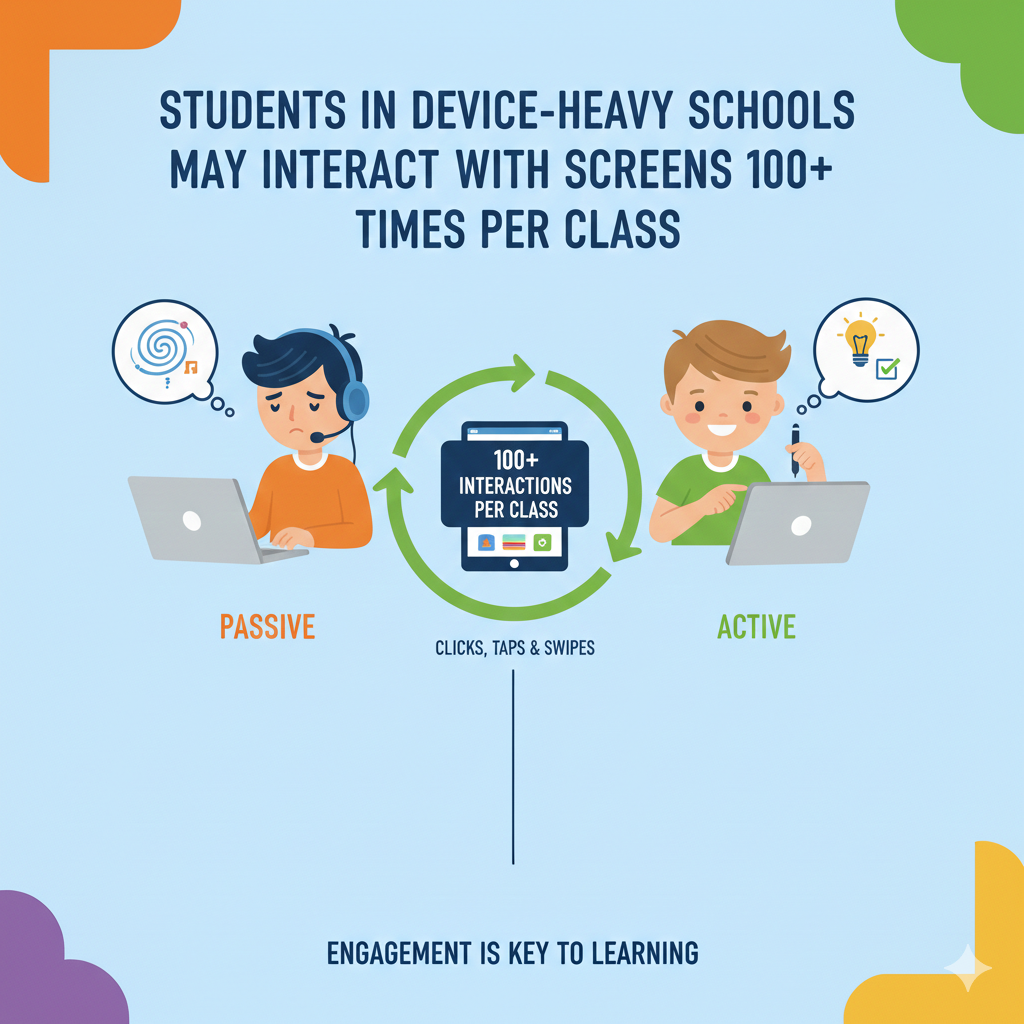
23. Students in Device-Heavy Schools May Interact With Screens 100+ Times Per Class
The High-Stimulation Learning Environment
In modern classrooms, students often tap, click, scroll, and switch rapidly. In some lessons, interactions with the screen can exceed one hundred actions in a single class.
Each action may seem small. Clicking next. Opening a document. Typing an answer. Switching between tools.
But high-frequency interaction creates a fast-paced environment. The brain becomes used to constant stimulation.
This can build quick response skills. Students may become comfortable navigating digital systems. They learn how to manage files and platforms efficiently.
However, there is another side.
When the brain is trained for rapid micro-actions, it may struggle with slow, deep thinking tasks. Long reading passages may feel boring. Multi-step math problems may feel frustrating. Writing long essays may feel exhausting.
The nervous system adapts to speed. Patience becomes harder to maintain.
The key issue is not the number of clicks. It is the balance between fast and slow thinking.
How to Balance Speed and Depth
Teachers can intentionally include slow-thinking periods during digital lessons. After interactive segments, require a longer written explanation without switching screens.
Encourage deep problem-solving sessions where students must sit with one challenge for an extended time.
Parents can balance high-speed school days with calm activities at home. Reading physical books. Building models. Drawing. Journaling by hand.
At Debsie, we combine gamified quick-response tasks with deeper challenges that require reflection. Students learn to move fast when needed, but also to slow down and think carefully.
Children need both speeds. Quick reactions and deep reasoning. When balanced correctly, digital learning becomes powerful instead of overwhelming.
24. Homework Adds 30–120+ Minutes of Additional Instructional Screen Time for Many Students
The School Day Does Not End at Dismissal
For many students, screen time continues after school. Homework often requires logging into online platforms, typing assignments, watching instructional videos, or completing digital quizzes.
This can add anywhere from thirty minutes to two hours or more of additional screen exposure each evening.
When combined with in-school instructional screen time, some students may reach four to five hours of academic screen use in one day.
That does not even include recreational screen time like gaming or social media.
Extended daily exposure can increase eye strain, mental fatigue, and reduced sleep quality, especially if homework is done late in the evening.
Students may also feel mentally drained, not because the work is too hard, but because screen-based tasks require sustained visual focus.
This can affect mood and motivation over time.
How to Manage After-School Screen Load
Parents should create a structured homework routine. Encourage a short physical break after school before starting assignments. Movement helps reset the brain.
Set a clear start time and a reasonable stop time. Avoid late-night screen sessions whenever possible.
Encourage students to complete non-digital parts of homework first, if available. Reading printed materials or planning essays on paper reduces continuous screen exposure.
Use blue light filters in the evening and ensure devices are not used right before bed.
Teachers can also consider homework balance. Not every assignment needs to be digital. Blended homework options can reduce screen overload.
At Debsie, we design learning experiences that are efficient and purposeful. Students focus deeply during structured sessions, reducing the need for excessive extra hours.
Screen time at home should support learning, not dominate family life.
25. During Standardized Testing Windows, Students May Spend 3–5+ Hours on Screens in a Single Day
When Assessment Greatly Increases Screen Exposure
During major testing periods, especially standardized exams, screen time can rise sharply. On these days, students may spend three to five or even more hours looking at a screen almost continuously.
These sessions often involve long reading passages, multiple-choice questions, written responses, and timed sections. Breaks may be short and limited.
The pressure of testing adds another layer. Students are not only staring at a screen for extended hours, they are doing so under evaluation conditions. Stress levels can rise. Eye fatigue can increase. Mental stamina is tested heavily.
For younger students, this can feel overwhelming. Even older students may struggle to maintain steady concentration for such long periods without movement.
The digital format can also introduce small technical challenges. Scrolling through passages, highlighting text, switching between screens, and managing time digitally require familiarity. Students who are less comfortable with these tools may feel extra pressure.
Testing days are not everyday learning days. They are high-intensity academic events.
How to Help Students Build Screen Stamina
Preparation makes a major difference. Schools should gradually introduce digital practice assessments before high-stakes testing. This builds confidence and familiarity.
Students should learn simple navigation skills well in advance. Knowing how to flag questions, scroll smoothly, and review answers reduces anxiety.
Parents can support by ensuring strong sleep the night before testing. Limit recreational screen time the evening before a long test day. Encourage hydration and balanced meals.
Teach children simple focus-reset habits. Deep breathing during allowed pauses. Looking away from the screen briefly to reduce eye strain.
At Debsie, we help students build mental endurance step by step. Instead of long, overwhelming sessions, we increase challenge gradually. Students learn how to sustain focus without burnout.
Long digital testing sessions are likely to remain part of modern education. The goal is to prepare students so the format does not become a barrier to performance.
26. 10–20% of Device Time Is Often Spent Managing Files, Formatting Work, or Navigating Platforms Instead of Learning
The Hidden Administrative Time
When students work on devices, not all screen time is spent on actual learning. A noticeable portion, often ten to twenty percent, can go toward managing files, formatting documents, adjusting fonts, troubleshooting login issues, or navigating multiple platforms.
This time feels productive because students are “working.” But mentally, it may not involve deep thinking about the subject itself.
A student writing an essay may spend several minutes adjusting spacing, renaming files, or figuring out where to submit the assignment. Another student may struggle to find the correct folder or link.
These small technical tasks add friction to learning. For tech-comfortable students, this may be minor. For others, especially younger learners, it can create frustration and delay.
Over time, this administrative load can quietly reduce the time available for real thinking and problem-solving.
The digital world offers convenience, but it also introduces complexity.
How to Reduce Wasted Digital Effort
Schools can standardize platforms where possible. Using fewer systems reduces confusion. Clear naming conventions and consistent submission processes help students work faster.
Teachers can dedicate short sessions early in the year to teach file management skills directly. When students understand digital organization, they waste less time later.
Parents can observe homework habits. If a child spends excessive time formatting instead of writing, gently guide them back to content first. Structure first, polish later.
Encourage rough drafts without worrying about perfect formatting at the beginning. Deep ideas matter more than design.
At Debsie, our learning environment is streamlined. Students focus on solving and building rather than managing complex digital logistics.
Technology should reduce friction, not increase it. When digital systems are simple and clear, students can spend more time thinking and less time clicking around.
27. Non-Instructional Screen Use Often Peaks During Class Transitions
The Vulnerable Minutes Between Activities
Transitions are small moments, but they are powerful. The beginning of class. The few minutes after finishing a task. The last five minutes before the bell rings.
During these periods, non-instructional screen use often increases.
Students may open unrelated tabs while waiting for instructions. They may check messages during early-finisher time. If the teacher is preparing the next activity, even a short gap can invite distraction.
These moments feel minor, but they accumulate. Five minutes at the start. Five minutes at the end. Across multiple classes, transition time can become a large portion of the day.
The problem is not intention. It is idle time. When students have devices open but no clear task, attention naturally drifts.
Transitions are like open doors. Without structure, distraction walks in easily.
How to Strengthen Transitions
Teachers can plan clear entry tasks for the first few minutes of class. A short question on the board. A quick review problem. Something immediate and purposeful.
At the end of class, reflection prompts work well. A short written summary or exit question keeps students engaged until dismissal.
Early finishers can be given structured extension tasks rather than open browsing time.
Parents can discuss transition habits with children. Ask what they do in the first minutes of class. Help them understand how those minutes affect the rest of the lesson.
At Debsie, each learning session begins and ends with clear missions. Students always know what to do next. This reduces idle scrolling and builds productive habits.
Strong transitions protect learning time. Weak transitions invite distraction.
28. In Device-Heavy Schools, Students Can Accumulate 10–15 Hours of Instructional Screen Time Per Week
How Weekly Screen Hours Add Up Quickly
In many modern schools where devices are fully integrated into daily instruction, students can accumulate ten to fifteen hours of instructional screen time in just one week.
That means two to three hours per day are spent using laptops or tablets for academic tasks. Over a month, this can reach forty to sixty hours. Across a full school year, the total becomes hundreds of hours.
When you see the weekly number, it feels manageable. But when you zoom out to the yearly impact, the scale becomes clear.
This much exposure is not automatically harmful. If those hours are filled with active learning, creative projects, problem-solving, and meaningful interaction, they can build strong academic skills.
However, if a large portion of that time includes passive viewing, shallow tasks, or distracted browsing, the long-term benefit weakens.
The weekly total also matters for physical health. Extended screen use can contribute to eye strain, reduced physical movement, and mental fatigue if not balanced properly.
The issue is not simply how many hours students spend on screens. It is how intentionally those hours are designed.
How to Make Weekly Screen Time High-Value
Schools should regularly review how instructional screen hours are being used. Are students producing meaningful work? Are they collaborating? Are they thinking deeply?
Balance is essential. Paper-based reading, discussion, labs, group projects, and hands-on activities should remain strong parts of the school experience.
Parents can monitor after-school balance. If children already have ten to fifteen academic screen hours per week, recreational screen time may need thoughtful limits.
Encourage outdoor play, physical sports, music, reading physical books, and family interaction.
At Debsie, we focus on quality over quantity. Our digital sessions are structured, purposeful, and gamified to keep engagement high while building real skills.
Ten to fifteen hours per week can be powerful when guided well. Without structure, it becomes noise.
29. Short “Screen Breaks” Can Improve On-Task Behavior by 5–15%
Why the Brain Needs Micro-Resets
Attention is not built for endless continuous focus. Even motivated students experience mental fatigue after sustained digital work.
Research and classroom experience show that short screen breaks can improve on-task behavior by five to fifteen percent afterward.
A short break may involve standing up, stretching, looking away from the screen, or doing a quick movement activity. Even one or two minutes can reset attention.
When students push through fatigue without pause, performance drops. They may appear distracted or restless. But often the brain simply needs recovery.
Micro-breaks help reduce eye strain and mental overload. They give the nervous system a chance to calm down. After a reset, students return with clearer thinking.
The key is that breaks should be structured. Without structure, breaks can turn into extended distractions.
How to Use Breaks Strategically
Teachers can plan short reset moments between digital tasks. After twenty to thirty minutes of focused work, pause for a brief stretch or breathing exercise.
These breaks should be intentional and time-limited. Clear start and stop points maintain control.
Parents can use the same system during homework time. Encourage focused study blocks followed by short physical movement. Avoid turning breaks into social media scrolling.
Teach children to recognize signs of fatigue. Blurry vision, restlessness, frustration, or careless mistakes often signal the need for a short reset.
At Debsie, our gamified lessons naturally create rhythm. Students move between challenges and reflection points, allowing mental recovery without losing momentum.
Breaks are not weakness. They are performance tools.
30. Strong Structure Can Reduce Non-Instructional Screen Use by One-Third to One-Half
Structure Is the Real Game Changer
Across many classrooms, one factor consistently influences screen behavior more than any device or filter. That factor is structure.
Clear expectations, active teacher monitoring, defined tasks, and consistent routines can reduce non-instructional screen use by one-third to one-half.
When students know exactly what they should be doing and why it matters, distraction decreases naturally.
Structure provides clarity. Clarity builds focus.
Unstructured device time invites wandering. Structured time guides attention.
Students do not always choose distraction because they want to misbehave. Often, they drift because boundaries are unclear or tasks lack direction.
When classrooms implement consistent rules, clear checkpoints, and strong guidance, screen behavior improves significantly.
The environment shapes the outcome.
How to Build Strong Digital Structure
Teachers should define clear goals for each digital activity. Students should know what success looks like before they begin.
Frequent progress checks help maintain momentum. Small accountability moments prevent long distraction periods.
Parents can build structure at home as well. Set consistent homework times. Remove devices when tasks are complete. Keep expectations steady.
Most importantly, teach children that attention is a skill. It can be trained. It grows stronger with practice.
At Debsie, structure is at the core of everything we design. Our platform combines gamified learning, clear missions, expert guidance, and measurable progress. Students are never left wandering aimlessly.
When structure leads, distraction fades.
Screen time in school is not simply about hours. It is about design, guidance, and intention.
Conclusion
Screen time in school is here to stay. Devices are now part of how children read, write, research, test, and create. The real question is not whether screens should exist in classrooms. The real question is how they are used.
Throughout this data snapshot, one truth keeps appearing again and again.