
Parent-facing school apps sound simple. A phone buzzes. A parent reads a message. A child gets to school on time. But behind that simple moment is something much bigger: a school system that can finally talk to families in a fast, clear, and steady way.
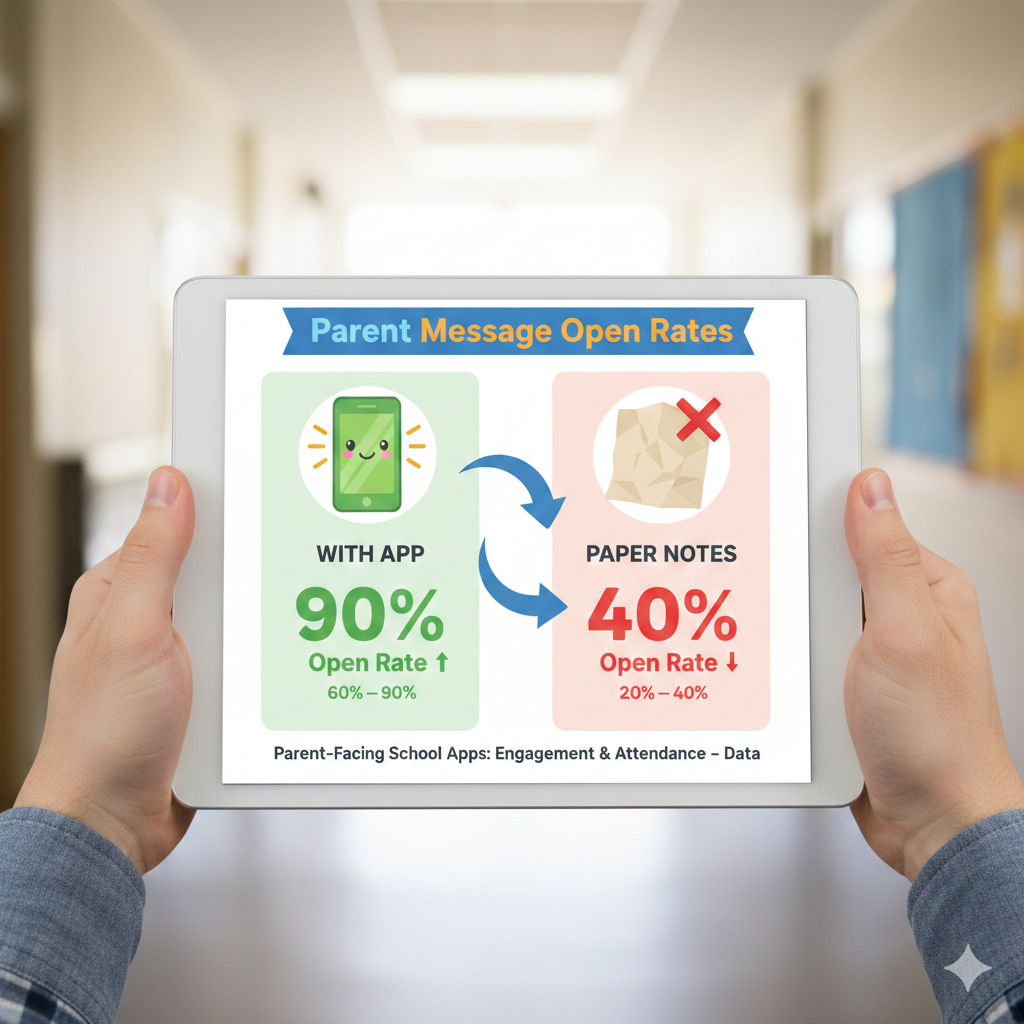
1) Parent message open rates often jump to 60%–90% with an app, vs 20%–40% with paper notes
What this really means for a school day
Paper notes fail for reasons that have nothing to do with care. They get crushed in backpacks, left on buses, or land under a pile of homework. An app message skips all of that. It reaches the parent where their attention already lives: the phone. That is why open rates rise so sharply.
But opening a message is not the same as acting on it. If the message is long, unclear, or sounds angry, parents may read it and still do nothing. The real goal is not “opened.” The real goal is “understood fast and acted on.”
What to do next to turn opens into action
Write messages like you are guiding a busy adult, not like you are writing a school memo. Put the main point in the first sentence. Keep the next sentence focused on what to do, and by when. Use one date and one time, written clearly. If there is a form, make sure it opens in one tap and does not require a password hunt.
Do not use the app only for problems. Parents learn patterns quickly. If every message feels like trouble, they will start avoiding the app because it creates stress. Make room for short, calm wins that build trust, like a two-line note about effort, kindness, or focus.
Also, keep a steady rhythm. When messages arrive at random times, parents feel interrupted. When most messages land at predictable times, like after school or early evening, parents build a checking habit.
That habit is what turns a high open rate into a real change in attendance and learning. If you want this to feel even smoother for families, invite them to try one free Debsie class too, so they get used to learning routines that are simple and consistent.
2) Push reminders often drive 2–4× more same-day parent responses than email alone
Why push alerts work better than email
Email is a crowded room. A school reminder sits next to bills, work threads, and ads. Even a caring parent may not see it until the next day, which is too late for permission slips, schedule changes, or attendance follow-ups.
A push alert shows up in the moment, and it feels more urgent because it is closer to a text message than a newsletter.
Still, push alerts can backfire if they are noisy. Too many alerts train parents to swipe them away without reading. The best results come from fewer alerts that are timed well and written with respect.
How to use push alerts without annoying families
Start by choosing what deserves a push. Attendance, safety, and same-day schedule changes belong here. Routine updates that can wait should stay inside the app feed. Next, keep the alert short, with a clear action. If you want a reply, ask one simple question.
If you need a form, link it directly. If you need a child to bring something tomorrow, say it plainly and early enough that a parent can prepare.
Timing matters more than most schools think. A morning nudge helps reduce confusion before the day starts. An after-school reminder helps families plan the evening. Late-night pushes often create dislike, even if the message is important, because it feels like the school is entering the home at the wrong time.
Finally, close the loop. When a parent responds, acknowledge it. A short “Thanks, we received this” builds a sense that the school is listening. That feeling increases future replies. It is the same human loop we use in Debsie’s classes: clear prompt, quick action, quick feedback. That is how habits stick.
3) 70%–95% of active parents often read a push notification within 1 hour
What this speed can change
Reading within an hour is powerful because many school problems are time-based. A child is absent and the school needs a reason today. A bus is late and families need to know now.
A class has a schedule change and a student needs the right supplies. Speed reduces confusion, stress, and rumors. It also reduces the number of parents calling the office at the same time, which frees staff to help students instead of managing chaos.
But fast reading only helps if the message is designed for fast understanding. If parents have to guess what the message means, the speed is wasted.
How to design messages for one-hour impact
Treat the first line like a headline. Name the topic right away, such as “Attendance update for today” or “Schedule change for Grade 6.” Keep the next line direct, with one clear request. Avoid multiple questions in one message. If you need more detail, put it inside the app message body, not inside the push preview.

Use simple words and avoid school code. Many parents do not know terms like “excused absence documentation.” Say “Please tell us why your child is absent today” instead. When you need a parent to do something, offer the easiest path, like a one-tap reply button or a short form that works well on phones.
Also, plan for families who share a device or have limited data. Keep images optional. Keep the app light. Provide a backup option, like a simple phone line for urgent cases. When you respect real life, more families stay active, and that 70%–95% becomes your everyday norm.
This is also why Debsie keeps learning steps small and clear, so kids and parents can keep moving without friction.
4) App-based absence notices often reduce “unreachable parent” cases by 30%–60%
Why unreachable parents happen
When a child is absent and the school cannot reach home, it is rarely because the parent does not care. It is usually because the phone number is old, calls come during work hours, voicemail is full, or the parent is afraid of picking up unknown numbers.
Paper letters arrive late. Email is missed. In the worst cases, staff spend the whole morning trying to connect, and the child’s safety check becomes slow.
An app improves this because it gives the school more than one path. The message can go to multiple caregivers, not just one phone number. It can land as a push alert, not a call that gets blocked. And it can allow a parent to reply quietly without stopping work.
How to cut unreachable cases in a real, practical way
First, make caregiver connections part of the school’s first-week routine. Ask families to add at least two trusted adults if possible. Confirm that each adult can receive alerts. This is not about control. It is about safety and support.
Second, keep absence alerts short and calm. If the tone feels blaming, some parents avoid replying. A neutral message like “We noticed your child is not in school today. Please tell us the reason” invites cooperation.
Third, add one clear button inside the message: “Report absence.” When parents have to search menus, many give up. Fourth, use gentle follow-up. If there is no reply in 60–90 minutes, send a second message that offers two options: reply in-app or call a simple number.
Do not send a flood of messages. One follow-up is enough.
Finally, fix data issues quickly. Set a monthly process for verifying contact info, especially for families who have moved or changed jobs. Even a short “Please confirm your phone number” message can prevent weeks of failed contact later.
The goal is simple: fewer unknowns, faster clarity, and a safer, calmer start to the school day. When families feel respected, they stay reachable.
5) Instant absence alerts often increase same-day absence confirmations by 10%–25%
Why same-day confirmation matters so much
When a school knows why a child is absent on the same day, it changes everything. The office can stop chasing details. Teachers can plan support. Patterns show up sooner, like frequent Mondays or repeated absences after lunch. And families feel less pressure because they are not being asked to explain days later when they barely remember what happened.
Same-day confirmation is also a trust signal. It shows that the school and family are communicating in real time, not in slow paperwork.
How to raise same-day confirmations without stress
Send the first alert early enough for a parent to see it, but not so early that it feels alarming. A good window is soon after attendance is taken. Keep the message simple and kind. Ask for one thing: the reason.
Offer quick reply choices if your app supports it, such as “Sick,” “Appointment,” or “Family reason.” If it does not, still guide the parent with a short line like “A quick reply is fine.”
Make it easy to add details only when needed. For example, a parent can reply “Doctor” now, and upload a note later. If you demand proof right away, you reduce replies. Also, confirm receipt. A short automatic message like “Thank you, we noted this” removes worry and reduces repeat messages.

If your school serves families with different languages, turn on translation and keep sentences short. Short sentences translate better. Also, avoid sarcasm or idioms that may confuse. Clear words lead to clearer replies.
Over time, use the data gently. If a family often confirms late, reach out with help, not blame. Offer a quick guide on using the app. Some parents struggle with tech but feel embarrassed to say so. When you make support normal, confirmations rise.
It is the same approach that helps students at Debsie: clear steps, low pressure, and quick feedback.
6) Attendance nudges through apps often reduce chronic absenteeism by about 5%–15% over a term in participating groups
Why nudges work when lectures do not
Chronic absenteeism usually grows from small misses that turn into a pattern. A child stays home for a minor reason, falls behind, then avoids school because it feels hard. Parents may not notice how quickly the days add up. A nudge breaks that chain early, before the pattern feels “normal.”
The key is that nudges are small and frequent, not heavy and rare. A lecture once a semester does not change daily habits. A gentle reminder placed in the right moment can.
How to design nudges that actually change attendance
Start with the tone. A nudge should feel like help, not a threat. A good nudge says, “We want your child here, and we can help.” Avoid messages that sound like punishment. Next, make nudges specific. Instead of “Attendance is important,” try “Being in class tomorrow helps your child stay on track in reading and math.”
Use timing to your advantage. A short evening reminder works well for families who struggle with mornings. A morning message works well for families who forget routines. Keep it consistent, like the same two days each week, so parents learn to expect it.
Most important, connect nudges to support. Include a simple line like “If mornings are hard, reply and we will help you plan.” Then actually follow through. Some families need bus help, health support, or a meeting time that fits work schedules. When a school offers real help, parents stop feeling alone.
Also, share progress in a kind way. A weekly message like “Your child attended 4 out of 5 days this week” makes attendance visible. Small wins build confidence. This is exactly how skill building works in learning: consistent practice plus clear progress tracking.
It is the same reason Debsie uses gamified progress and short challenges to keep kids showing up and improving.
7) Two-way app messaging often leads to 20%–50% fewer missed calls to the front office
Why missed calls are a hidden problem
A busy front office is not just an inconvenience. It is a system strain. When phones ring nonstop, staff have less time for student needs, safety checks, and urgent issues. Parents also get frustrated when they cannot get through. That frustration can turn into silence, and silence turns into gaps in support for the child.
Two-way messaging reduces missed calls because it lets parents reply when they can, not only when the office is open or when they are free to speak. It also creates a written record. That record prevents repeated calls for the same issue.
How to set up two-way messaging so it truly replaces calls
First, define what topics belong in messages and what topics must be calls. Attendance reasons, quick schedule questions, and simple clarifications can be handled by messaging. Safety emergencies should still be calls. When parents know the rules, they use the right channel.
Second, keep reply expectations clear. If staff reply within one school day, say that inside the app. When parents know the response window, they do not call “just to be safe.” Third, use simple templates for common questions.

For example, an absence reply template can ask two things: reason and expected return date. Templates save time and keep the tone consistent.
Fourth, assign message ownership. Messages fail when “everyone” is responsible. A grade-level team inbox or a rotating office role prevents delays. If parents see fast replies early on, they trust the channel and stop calling.
Finally, close each thread with a clear ending. A message like “We have updated attendance. Thank you” tells the parent they do not need to follow up. Small closures reduce extra traffic.
This is also a lesson for learning support: kids do better when communication is simple and consistent. If your school is also guiding families toward STEM learning, invite them to try a Debsie trial class.
They will see how clear feedback loops keep students engaged. The same idea applies here: fewer missed calls, more calm, better support.
8) In-app absence reporting often reduces attendance-office paperwork time by 15%–40%
Where the time really goes
Attendance staff lose time to tiny tasks repeated all day: listening to voicemails, writing notes, searching student records, entering excuses, filing forms, and calling back for missing details. Each task is small, but together they can eat hours. When a parent reports an absence inside the app, much of that work can be automated or at least simplified.
Less paperwork time does not mean staff matter less. It means staff can focus on higher-value work, like helping families solve the real causes of missed school.
How to redesign absence reporting to cut the workload
Begin with one simple absence form inside the app. It should ask only what you truly need: student name (auto-filled if possible), date, reason, and optional note. Avoid adding extra fields “just in case.” Extra fields slow parents down and lead to incomplete forms.
Next, connect the form to the attendance system so the entry flows where it should. If that integration is not possible, set a daily process where one staff member exports app reports at set times, like mid-morning and early afternoon. Regular batches prevent end-of-day piles.
Also, reduce back-and-forth by offering common reasons as quick choices. When parents select “sick,” you do not need a paragraph. Save detail requests for cases that truly require it. Then add an automatic confirmation message so parents do not call to confirm the absence was recorded.
Train families during the first month. A short guide with one screenshot and one sentence can be enough. Many parents will not explore app features unless you show them once. Consider doing it at orientation, parent night, or through a teacher message.
When paperwork drops, reinvest that time into attendance support. Use it to check patterns early and reach out with help. A lighter admin load becomes better student care.
9) App reminders for late arrivals commonly reduce tardies by 5%–12% for active families
Why tardies happen even in caring homes
Many tardies come from routine breakdowns, not bad intentions. A parent oversleeps. A child cannot find a uniform. A bus schedule changes. A sibling needs help. Small morning chaos becomes a daily habit. When tardies pile up, a child can start the day feeling behind before class even begins.
App reminders can help because they can shift routines without shaming. A reminder acts like a gentle nudge that helps families plan the morning earlier.
How to reduce tardies using reminders and simple routines
Start with one or two reminders per week, not every day. Daily messages can become background noise. Choose high-impact days, like Monday mornings or the day after a school event. Keep the message short and practical: “Tomorrow is a full day. Please aim to arrive by 8:15 so your child starts calm.” That tone respects parents.

Support the reminder with a simple routine plan. Encourage families to prepare the night before: clothes laid out, bag packed, lunch planned. Schools can help by sharing a short “night-before checklist” message once a month. No long lists. Just two or three key items.
Use the app to share real-time updates too. If a bus is delayed or a gate changes, a quick alert prevents confusion and helps parents adjust. Confusion creates tardies. Clarity reduces them.
Also, make arrival feel welcoming. If students who arrive late are embarrassed or punished harshly, some start avoiding school altogether. Pair reminders with a kind process at the door so late students can enter smoothly and quickly.
Over time, celebrate improvement. A simple message like “We noticed better on-time arrival this month—thank you” builds pride and keeps the habit going.
10) In app-first districts, 40%–70% of parent-school communication often shifts from phone calls to app messages within a year
Why this shift matters beyond convenience
When communication moves into the app, it becomes easier to manage and easier to track. Phone calls depend on both people being free at the same time. Messages do not. Messages also create a clear record, which reduces misunderstandings.
Over time, the whole school feels calmer because fewer issues turn into urgent phone tag.
But this shift only happens when the app becomes the default, not an extra option. If teachers still send paper notes, and the office still calls for everything, parents never learn a steady pattern. They keep checking five places and miss things anyway.
How to move communication into the app without confusion
Start by choosing the app as the main channel for everyday items. Announcements, reminders, attendance notices, and teacher updates belong there. Then, set clear exceptions. Safety emergencies and certain sensitive topics may still need a call. When families know what to expect, they trust the system.
Next, help staff stay consistent. Many schools struggle because one teacher uses the app well and another never touches it. Create a simple weekly rhythm, like one class update every Friday and one reminder mid-week when needed. Consistency builds parent habit.
Also, respect the parent’s time. If you send too many messages, parents tune out and go back to calls. Keep messages meaningful. If a message does not help a parent act, it does not belong.
A strong tactic is to provide one “how to reach us” message early in the year. It should say, in plain words, when to message, when to call, and when to expect replies. This reduces anxiety and cuts repeat contact.
Finally, track what is still coming through calls. If many parents still call about the same issue, it means the app message is unclear or missing. Fix the message, not the parent. When the app becomes truly useful, the shift happens naturally.
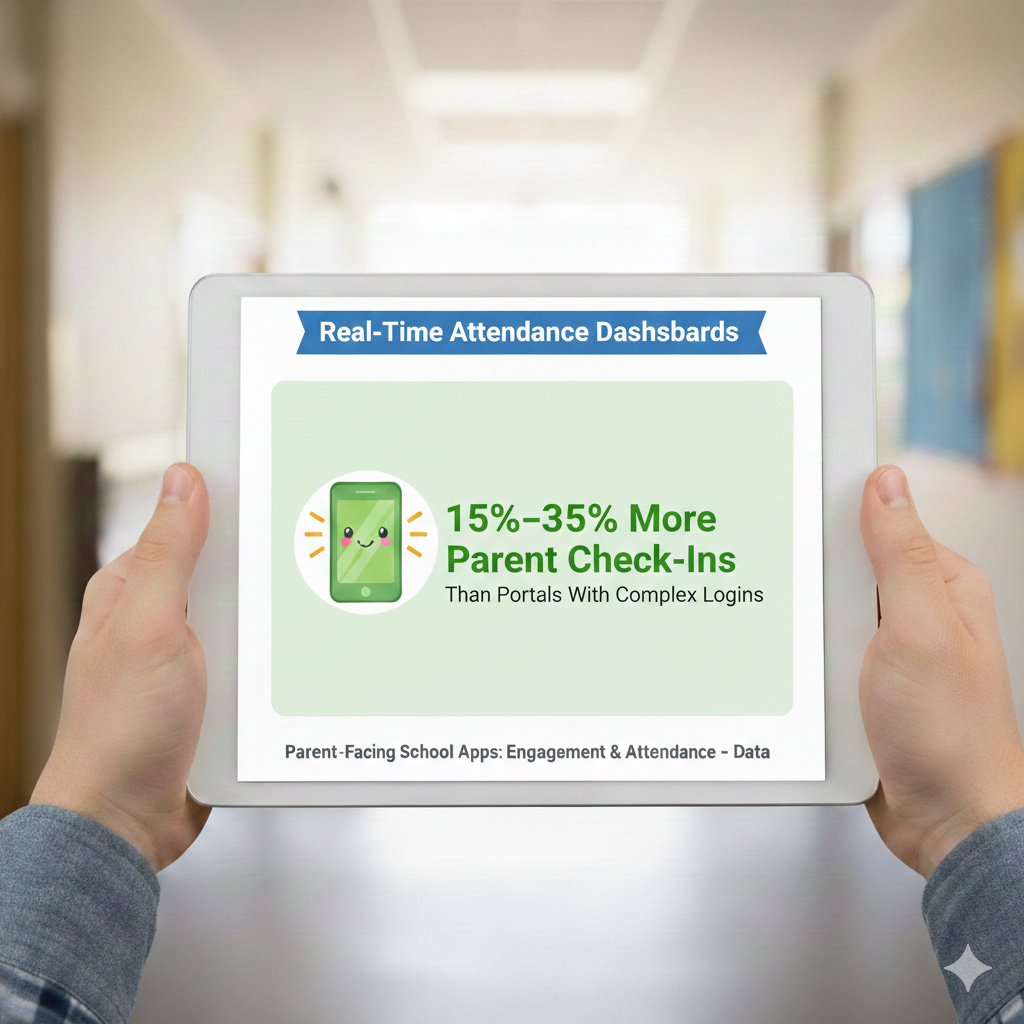
11) Real-time attendance dashboards often drive 15%–35% more parent check-ins than portals with complex logins
What parents are really asking for
Most parents do not want “more features.” They want quick answers. Is my child in school today? Were they late? Did the school mark an absence? When a parent has to click through menus, reset passwords, or load slow pages, they give up. Then attendance problems grow quietly.
A simple dashboard changes this because it turns attendance into a visible, daily fact. When parents can check in seconds, they check more often.
How to make the dashboard drive better attendance
First, make the key info obvious: today’s status and this week’s pattern. Parents should not have to interpret codes or abbreviations. Avoid tiny labels like “UA” or “E.” Write “Unexcused” and “Excused.” Clarity reduces fear and confusion.
Second, place a simple action right next to the status. If the child is absent, show “Report reason.” If the child is late, show “View arrival time.” When the action sits beside the data, parents do not postpone the task.
Third, use gentle progress framing. If a child has perfect attendance for two weeks, show a small positive note. If the child is trending toward chronic absence, show an early warning that feels supportive, not threatening. A message like “We can help you keep attendance steady. Reply to talk” opens a door.
Fourth, make login simple and stable. If parents are constantly locked out, they stop checking. Use secure but friendly tools like one-time codes or saved logins when possible.
A good dashboard is like a good learning tracker. At Debsie, when students see progress clearly, they keep going. The same is true for attendance. Visibility creates action.
12) A short “positive note” in the app often boosts parent engagement by 10%–25% for the next 1–2 weeks
Why positive messages change behavior
Parents often hear from school only when something is wrong. Over time, that creates a mental link: school messages equal trouble.
When that happens, even a neutral message can feel scary. A short positive note breaks that link. It tells the parent, “We see your child as more than a problem.” That one shift can make parents more willing to open and respond to future messages.
This matters for attendance because families respond better to support when there is trust.
How to write positive notes that feel real, not fake
Keep it specific. Avoid generic praise like “Great job.” Instead, name what you saw: “Your child kept trying on a hard math problem today,” or “Your child helped another student understand the task.” Specific praise feels honest.
Keep it short. Two or three lines are enough. Parents are busy. A long message can feel like homework. Also, do not hide a complaint inside a compliment. Messages like “Good job, but you must improve behavior” destroy trust. If you need to address a problem, send a separate message with a calm tone.
Use positive notes strategically. If a student has attendance struggles, send a positive note soon after a good week. It reinforces the identity of “someone who can show up and succeed.” That identity is powerful. Kids behave in ways that match how they are seen.
Also, invite the parent to respond in a light way. A simple “Thanks for supporting effort at home” encourages connection without pressure.
If your school wants to go further, suggest families build learning routines outside school too. A free Debsie trial class can be a gentle entry point. When parents see their child enjoy learning, they become more engaged with school communication as well.
13) App reminders for school events often increase event attendance by 10%–30% compared with flyers alone
Why flyers fail and reminders win
Flyers assume a perfect world. A child carries it home. A parent sees it. The date is remembered. Time is set aside. That chain breaks easily. App reminders work because they arrive close to the moment a parent can act. They also reduce the mental load. Parents do not have to remember; the phone helps them.
Event attendance matters for more than a meeting. It builds trust. It helps parents understand expectations. It makes families feel part of the school, not outside it. That feeling often improves daily habits, including attendance.
How to use reminders to fill seats without flooding phones
Begin with a three-touch plan. The first message goes out about one week before. It should be calm and clear: what the event is, why it matters, and the start time. The second message goes out two days before, with one practical detail like parking, childcare, or translation support.

The third message goes out the morning of the event, short and direct.
Keep the language simple and welcoming. Many schools sound like they are “summoning” parents. Instead, invite them. Use words like “We would be glad to see you” and “You are welcome.” That tone changes turnout.
Make it easy to commit. If the app allows, include a “Yes, I’m coming” tap. When people commit, they are more likely to follow through. If it does not, ask for a quick reply with one word.
Also, offer a small benefit that feels real. For example, “We will share simple ways to help with reading at home” or “We will show how to check attendance in the app.” Parents come when they believe they will leave with something useful.
Finally, follow up after the event with a short thank-you and a summary. That builds momentum for next time and keeps parents engaged in school life.
14) In-app conference scheduling can reduce no-show rates by 5–20 percentage points
Why no-shows happen even with caring parents
Many parents miss conferences because the scheduling process is hard. They must call during work. They get put on hold. They cannot find a slot that fits. Then the day arrives and life happens. When scheduling is inside an app, it becomes simple and private. A parent can book in one minute, at night, without talking to anyone.
Lower no-shows improve student progress because it keeps adults aligned. When parents and teachers share the same plan, kids get clearer support at home and at school.
How to set up scheduling that parents will actually use
Offer a wide range of times. If all slots are during typical work hours, you will still see no-shows. Add early morning, late afternoon, or a few evening options if possible. Even a small set of flexible slots can help many families.
Make the booking steps simple. Parents should choose a teacher, choose a time, and confirm. That is it. If you add many extra questions, parents abandon the process.
Send automatic reminders. One reminder the day before and one reminder a few hours before is usually enough. Keep them short. Also, allow rescheduling without embarrassment. If a parent must cancel, they should be able to tap and choose a new time, rather than disappear.
Use confirmation messages that feel human. A line like “We look forward to meeting you” reduces anxiety, especially for parents who feel nervous about school conversations.
For families who cannot attend live, offer a short phone option or a written update. When parents feel included, they stay engaged. Engagement then supports attendance. It is the same logic in Debsie’s learning plans: when a child can choose a time that fits, consistency improves.
15) Built-in translation can drive 2×–5× higher engagement for families who do not speak the school’s main language
Why language access is not “extra,” it is core
When families cannot fully understand messages, they may stay silent. Silence can look like “low involvement,” but it is often fear of misunderstanding. A translated app message can remove that fear in seconds. It turns a confusing school system into something parents can navigate with dignity.
This impacts attendance directly. If a parent misunderstands a policy, a start time, or an absence rule, the child may miss school or arrive late. Clear language prevents preventable absences.
How to use translation in a way that feels respectful
First, keep messages short and direct. Translation tools work best with simple sentences. Avoid slang, jokes, and long paragraphs. If you must share details, break them into a few short sentences inside the message body.
Second, ask families what language they prefer and store that setting. Do not make parents “re-select” language every time. That creates friction and reduces engagement.
Third, use the app to share key attendance rules in the home language early in the year. Do not wait until there is a problem. A parent should know how to report an absence, how tardies are counted, and who to contact for support.

Fourth, combine translation with cultural respect. Some parents may come from school systems where contacting teachers feels inappropriate. A simple line like “You are welcome to message us” can open the door.
Finally, offer help for families who struggle with tech. A short in-person setup session can make a huge difference. When language and access barriers drop, engagement rises fast. And when engagement rises, kids show up more. That is not a guess. It is a practical chain: clear message, clear action, better routine.
16) In many communities, about 70%–90% of parents have a smartphone, which is why apps often reach more families than web-only portals
What this access level really tells you
Smartphone access is the main reason parent-facing apps can work at scale. Many parents may not own a laptop, or may not sit at a computer daily. But they do check a phone. That means the app can become the school’s most reliable bridge to home.
Still, “has a smartphone” does not mean “has easy access.” A parent may share one device with others. They may have limited data. They may have little storage space. They may have an older phone that runs slowly. If a school assumes every phone experience is smooth, the app will leave some families behind.
How to design for real-life phone use
Keep the app experience light. Avoid heavy images in routine messages. Keep forms short. Make sure the app works well on older devices. If your school cannot control the app design, you can still control how you use it. Send messages that load fast and do not require extra downloads.
Also, offer simple onboarding. Many parents download the app but never finish setup. Use the first two weeks of school to support setup in multiple ways: a short printed card with a QR code, a quick help table at pickup time, and a clear “how to” message in the app itself for those who already joined.
Make sure parents can add more than one caregiver. If only one phone receives messages, the family’s communication is fragile. If two adults can receive alerts, attendance follow-up becomes faster.
Finally, set expectations in a friendly way. Tell parents that the app is the main place for attendance notices and key updates. When parents understand the purpose, they check it more often. And when they check it more often, small problems do not grow into big ones.
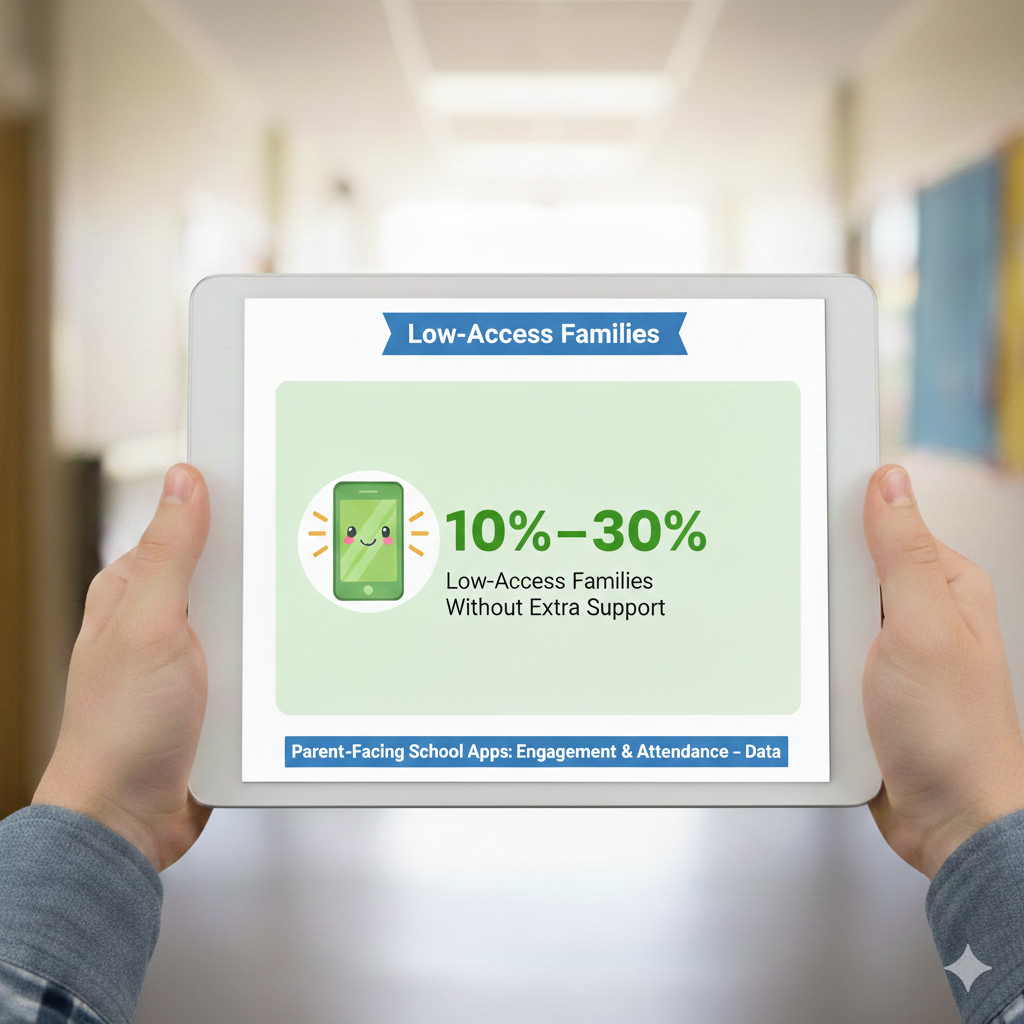
17) Even with an app, 10%–30% of families may remain “low-access” without extra support
Who low-access families are and why this matters
Low-access families are not a small edge case. In many schools, they are a major group. Some have limited data plans. Some share one phone among adults. Some change phone numbers often.
Some are new to smartphones. Some do not read well in any language. If the school relies only on the app, these families can miss key information, and their children can fall into attendance trouble faster.
The goal is not to force every family into one tool. The goal is to reach every family reliably.
How to support low-access families without creating extra chaos
Start by identifying low-access families early, in a respectful way. A simple question during enrollment can help: “What is the best way to reach you?” Then record that preference and honor it.
Next, create a backup path that is simple and stable. For some families, that may be SMS text messages. For others, it may be a weekly printed summary that goes straight to the parent, not in the child’s bag. For urgent attendance checks, it may still be a call, but at a time that fits their work schedule when possible.
Also, offer a short tech support moment. Many parents will accept help if it is offered kindly. A five-minute setup at pickup time can change the entire year. If language is a barrier, use translation support.
Most importantly, do not label low-access families as “unresponsive.” Many are dealing with barriers, not a lack of care. When schools approach with respect, families often become more engaged over time.
A useful mindset is the one we use in good teaching: meet the learner where they are, then guide them forward. The same applies to families. When the school builds bridges, attendance improves.
18) Attendance streaks or goal trackers in apps can improve attendance by about 0.5–2.0 days per month for students near chronic absence
Why streaks can work when they are handled carefully
A streak makes progress visible. For families who feel stuck, visible progress creates hope. If a child who often misses school sees “3 days in a row,” it can feel like a win. That win can motivate the next day. Over a month, small wins can add up to real change.
But streaks can also create pressure. If a child breaks the streak due to illness, they may feel like they failed. That is why the school must frame streaks as encouragement, not judgment.
How to use trackers in a supportive, healthy way
Keep goals realistic and personal. Do not compare children. A child who is improving from 2 days a week to 4 days a week is making huge progress, even if they are not “perfect.” The app should highlight improvement, not perfection.
Use kind language. Instead of “You broke your streak,” use “Let’s start a new week strong.” The difference is small, but it changes the emotional impact.
Also, pair the tracker with support options. If a student is missing school due to transport issues, a streak alone will not fix it. The app should make it easy for a parent to ask for help. A simple “Need support?” link can open the door.
Celebrate effort, not just attendance. If a child comes on a tough day, acknowledge it. A short note from a teacher can make the streak feel meaningful, not like a game with no heart.
Finally, keep families focused on learning benefits. Remind them gently that each day in class protects confidence and keeps work manageable. If you want children to feel that learning can be fun and doable, invite them to try a Debsie class. When kids enjoy learning, they are more willing to show up for it.
19) Automated alerts for “3 unexcused absences” often trigger earlier intervention by 1–3 weeks compared with paper-based reporting
Why earlier intervention changes outcomes
When a school waits weeks to respond to attendance slips, the problem has time to harden. Missed work piles up. The child feels behind. The parent feels embarrassed. Then the conversation becomes heavy and emotional.
Early intervention prevents this spiral. A quick alert after three unexcused absences is not about punishment. It is about catching the pattern while it is still soft and fixable.
Early action also helps the school be fair. When intervention is automatic, it is not based on who is loudest or who is easiest to reach. It is triggered by data, which reduces bias and inconsistency.
How to build an alert that leads to help, not conflict
Write the alert as an invitation, not an accusation. Say what the data shows in plain words, then offer help. A good message might say: “We noticed 3 unexcused absences this month. We want to support your child’s learning. Please reply so we can understand what is making attendance hard.” This tone keeps the door open.

Make the next step easy. Offer two options: reply in the app or request a call time. Parents are more likely to respond when they can choose the path that fits their day.
Then, prepare staff to follow up with a simple conversation plan. Ask what barrier is present. Listen first. Only then discuss solutions. Many issues are practical: transport, sleep, health, caregiving, anxiety, or confusion about rules.
Solutions should match the barrier. If transport is the issue, connect to bus support. If health is the issue, connect to the nurse or local resources. If anxiety is the issue, connect to counseling and a gentle re-entry plan.
Track outcomes. After the intervention, send a short supportive check-in one week later. That single check-in can keep progress going. Early intervention is not one message. It is a short, steady support loop.
20) Weekly attendance summaries in-app often raise parent awareness by about 5%–20%
Why awareness is the first step to improvement
Many parents do not realize how quickly absences add up. A missed Friday here, a late Monday there, a sick day, an appointment, and suddenly the child has missed a large chunk of learning. Without a weekly summary, attendance can feel like isolated events. With a weekly summary, it becomes a clear pattern.
Awareness matters because most parents want to help, but they cannot fix what they cannot see. A calm weekly summary turns attendance into something manageable.
How to write weekly summaries that parents actually read
Keep the summary short and consistent. Choose the same day each week, such as Friday afternoon. Use the same simple format every time so parents learn how to scan it quickly. Include the number of days attended and the number of absences or tardies. Avoid jargon.
Add one gentle meaning line. For example: “Being in class most days helps your child stay confident and keep up with lessons.” This connects the data to the child’s experience.
If the week was strong, add a brief thank-you. If the week was weak, add one supportive suggestion, not a lecture. For example: “If mornings are hard, try packing the bag the night before. If you need help, reply here.” This gives a parent a small action and a way to ask for support.
Do not shame families. Shame makes people avoid messages. The weekly summary should feel like a dashboard in a car: useful information, not a scolding voice.
Over time, weekly summaries can also support learning routines outside school. Families who build one small weekly review habit often become more engaged in other areas too, including learning programs like Debsie where steady practice leads to strong growth.
21) Parents are often 2–3× more likely to read an app message than an email from the school
Why email underperforms in real life
Email can be a good tool, but it is not built for urgent school communication. Many parents have email overload. Some parents only check email on a computer. Some have multiple email addresses. Some messages land in spam or promotions tabs. So even a well-written email may not be seen in time.
An app message feels more personal and more immediate. It shows up where parents already spend time, and it is usually easier to open and reply.
How to shift key messages from email to app the right way
First, decide which messages must be read quickly. Attendance, schedule changes, and action-required items belong in the app. Email can still be used for long-form updates, like monthly newsletters, where timing is not urgent.
Second, keep app messages focused on action. If a message asks a parent to do something, make the link or button obvious and direct. If the message is only information, still make the first line clear so parents know whether they need to act.

Third, avoid duplicating the same message across channels unless it is truly important. When parents get the same content in email, app, and paper, they start ignoring everything. Instead, choose one main channel and use others as backups only for families who need them.
Fourth, build trust by being consistent. If the app becomes the reliable place for timely updates, parents will naturally read it more than email. The shift does not require force. It requires usefulness.
Finally, use the app to make communication feel human. A quick positive note, a short check-in, or a clear thank-you can turn a school message from “noise” into “support.” That emotional shift is what keeps parents reading.
22) App communication can reduce “lost in backpack” paper notices by 50%–80%
Why “lost notices” are predictable, not random
When a school depends on children to deliver important messages, the school is relying on the weakest link in the chain. Kids are not built to manage paperwork. They forget. They rush. They do not want to hand over a note that feels scary.
Sometimes they never even see it. So the note “gets lost,” but the truth is it was never a reliable system.
When messages move into an app, the school stops guessing. Parents receive the information directly. That reduces missed deadlines, missing permissions, and last-minute surprises that can keep a child home.
How to replace paper in a way that actually works
Start by choosing a few high-impact paper items to move first. Attendance notices, permission slips, and schedule updates are good starting points. Do not try to move everything overnight. Parents learn better when change is gradual and clear.
Next, make digital forms short and phone-friendly. If a permission slip takes ten minutes and asks too many questions, parents delay it, and deadlines still get missed. Keep the form focused on what is necessary. If signatures are required, use a clear simple method that works on a phone.
Also, build a small “reminder ladder.” Send the first message early. If the deadline is approaching, send one reminder. Avoid repeated reminders that feel nagging. One well-timed reminder is often enough.
Make sure teachers and staff know where to find the completed forms. Confusion inside the school can cause staff to ask families again, which creates frustration and reduces trust.
For families who cannot use the app easily, keep a simple backup option. The goal is not to eliminate paper at all costs. The goal is to eliminate missed information.
When parents stop missing key notices, children show up more prepared and more confident. That preparedness often leads to better focus, which supports learning in class and in structured programs like Debsie where steady participation matters.
23) A same-morning “report absence in-app” nudge can raise that day’s absence reporting by 10%–25%
Why morning nudges solve a real timing problem
Many parents do not report absences because they are in a rush. The child wakes up sick, the family scrambles, and school reporting becomes “I’ll do it later.” Later becomes never. Then the school has to chase the reason.
The family feels pressured. The office loses time. A morning nudge helps because it arrives exactly when the decision is being made.
The nudge is not about control. It is about reducing friction in a stressful moment.
How to write a morning nudge that feels helpful
Keep it very short. The best nudges are one idea: “If your child is absent today, please report the reason in the app.” Do not add extra requests. Do not add a long lecture about attendance.
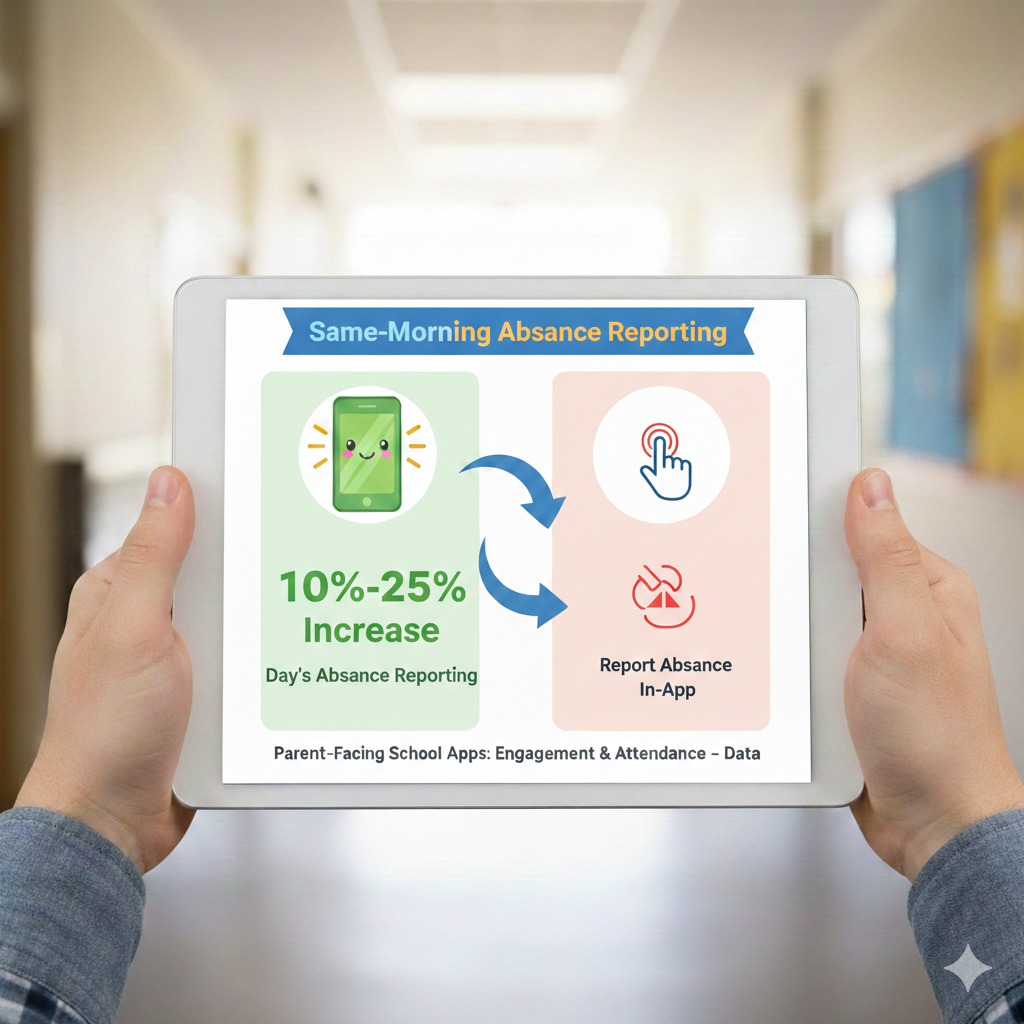
Make the action one tap. The message should link directly to the absence reporting tool, not to a menu. If the app cannot link directly, include a simple instruction like “Tap Attendance, then Report Absence.”
Timing matters. Send it early enough that parents can still act before the school starts chasing calls. At the same time, avoid sending it at a time that feels intrusive. A consistent morning time works best because parents learn it as part of the routine.
Also, consider tone and trust. If the nudge sounds suspicious, like “Explain why your child is absent,” parents may feel judged. If it sounds cooperative, like “Help us update attendance,” parents are more likely to comply.
Over time, you can adjust the nudge for families with frequent unreported absences. But do it gently and privately. A targeted approach should still feel supportive.
A simple morning nudge is like a simple learning prompt. In Debsie, small reminders help children start tasks without feeling overwhelmed. The same principle applies here: one small step, right on time.
24) Active app users often show 15%–30% fewer repeated attendance problems like unreported absences
Why “repeated problems” shrink with engagement
Repeated attendance issues often come from system gaps, not from bad families. If a parent does not know the reporting rules, they may keep making the same mistake. If they cannot reach the office easily, they may stop trying.
If they are embarrassed, they may avoid contact. An app creates a low-friction bridge that helps families correct issues quickly and keep them corrected.
When the school and parent are connected often, small misunderstandings are fixed early, and the same problems do not repeat.
How to move families from “sometimes” to “active” app use
First, make the app useful every week, not only during crises. Weekly attendance summaries, class updates, and short positive notes keep parents returning. When the app becomes part of the routine, parents are more likely to use it in urgent moments too.
Second, reduce barriers. Make sure logins are simple. Provide easy password reset options. Offer a short setup help session early in the year. Parents who struggle with tech often stop trying if they feel judged.
Third, teach parents the one or two key actions that prevent repeated problems: reporting an absence, checking attendance status, and messaging the school. If parents learn only those three things, many repeated issues will drop.
Fourth, respond quickly when parents do use the app. Fast acknowledgment builds trust. Slow silence teaches parents that messaging is pointless.
Finally, use data wisely. If a family has repeated unreported absences, do not send harsh warnings. Start with a helpful note: “We noticed it may be hard to report absences. Would you like a quick guide or help setting it up?” That approach invites cooperation and reduces repetition.
25) When apps combine behavior and attendance updates, parent-teacher contact often increases by 20%–60%
Why combining updates changes parent involvement
Parents do not think in school “categories.” They think in daily life. If a child is absent, that affects learning. If a child is struggling with behavior, that may connect to stress, sleep, or confidence. When a school shares behavior and attendance in one place, parents see a fuller picture. They can respond earlier and more wisely.
More contact is not always good if it becomes constant complaining. But when contact increases in a balanced way, it builds a partnership. That partnership often improves attendance because families feel supported instead of blamed.
How to combine updates without overwhelming families
Start with a simple rule: communicate patterns, not every tiny moment. If the school sends a message for every small behavior issue, parents feel attacked and tune out. Instead, share clear trends. For example, “This week your child struggled to stay on task after lunch” is more useful than ten small notes.
Keep the tone calm and respectful. Describe what happened in plain words. Then describe the next step. If you want a parent to help, give one specific action they can take at home, such as a consistent bedtime, a reminder about supplies, or a short check-in before school.
Also, balance challenges with strengths. If you share a concern, also name one good thing you noticed. This is not “sugar coating.” It is accurate and human. Children are not one problem. When parents hear both sides, they are more likely to collaborate.
Make it easy to reply. Ask one simple question, like “Have you noticed this at home?” A question invites partnership. A lecture closes the door.
Over time, use the combined view to spot root causes. A child who is late often and also acts out may be tired. A child who misses Mondays and seems anxious may be avoiding something. When the school can see links, support becomes smarter.
This is also why Debsie focuses on confidence and problem-solving, not just grades. When a child feels capable, both behavior and attendance often improve.
26) With read receipts, 50%–80% of parents often read messages the same day, while paper notices may take 3–7 days to reach home
Why “same day” is a huge advantage
A message read today can change tomorrow. A message read next week is often useless. School life moves fast: deadlines, schedule changes, and attendance concerns are time-sensitive. Read receipts add another layer: they show the school what is working.
If many parents did not read a message, the school can adjust timing or wording instead of assuming families do not care.
Read receipts are not meant to pressure parents. They are a feedback tool for the school.
How to use read receipts in a respectful way
First, treat read receipts as a school improvement tool, not a parent “score.” If a message has low read rates, ask why. Was it sent at a bad time? Was the subject unclear? Was it too long? Fix the message design.
Second, use read receipts to guide follow-up. If a critical safety message was not read by certain families, follow up with a different channel. But keep the tone supportive, not accusing. A simple “We want to be sure you saw this” is enough.
Third, keep critical messages clearly labeled. When parents see “Urgent” too often, urgency loses meaning. Reserve urgency for true urgent cases.
Fourth, avoid hidden instructions. If you need a parent to do something, say it clearly and early in the message. Parents often read on the go. They may not scroll. So place the action near the top.
Finally, keep your message quality high so parents trust that reading is worth their time. When parents believe school messages will be clear and useful, they read faster and respond more often. That trust is like any learning habit: a child practices more when practice feels meaningful. The same principle applies to parents.
27) App alerts during disruptions often cut “status-check” calls to the office by 20%–50%
Why disruptions create communication storms
When a bus is delayed, weather changes a schedule, or pickup plans shift, parents feel anxious. Anxiety creates calls. The office gets overwhelmed, and then calls go unanswered, which increases anxiety more. It becomes a loop.
App alerts break the loop by giving a single clear source of truth. When parents receive the same update at the same time, rumors drop, and the phone lines calm down.
How to send disruption alerts that reduce calls instead of increasing them
Send the first alert as soon as you have reliable information. Waiting for “perfect” details can backfire because parents fill the gap with fear. Even a short “We are aware of the delay and will update within 15 minutes” can calm families.
Keep the message clear and specific. State what happened, who is affected, and what parents should do right now. If the best action is “No action needed,” say that clearly. Many calls happen because parents do not know whether they must act.
Then send one follow-up when details are confirmed. Do not send too many micro-updates. Too many messages can create more confusion. Each update should answer a real question parents are asking.
Use consistent wording and consistent channels. If some messages go to email and others go to the app, parents will not know where to look, and they will call anyway. The app should be the main place for disruption updates.
Finally, after the disruption, send a short closing message: “Normal schedule is back tomorrow.” That closure reduces next-day confusion and prevents another wave of calls.
28) Families with 2+ connected caregivers often show 3%–8% better attendance than those with only one caregiver engaged
Why more than one caregiver connection matters
When only one adult receives school messages, everything depends on that one person’s time, phone access, and daily stress. If that adult is working, sick, traveling, or simply overwhelmed, messages may go unseen.
When two or more caregivers are connected, the family has redundancy. It becomes much harder for important information to fall through the cracks.
This matters for attendance because morning routines are shared in many homes. One adult may be responsible for waking the child. Another may handle pickup. Another may handle health needs. When the right person receives the message, action happens faster.
How schools can increase multi-caregiver connections
Make it normal from day one. During enrollment or orientation, ask families to add at least one additional trusted adult if possible. Use warm language that explains the reason: “This helps us reach you fast if attendance or safety updates come up.” Parents are more willing when they understand the benefit.
Keep the setup simple. Provide a short guide with one clear step: invite caregiver, accept invite, turn on alerts. If setup is hard, families will postpone it.
Also, respect privacy. Not every family can add multiple caregivers, and some family situations are sensitive. Give families control over who is included and what they can see. The goal is support, not intrusion.
Encourage teachers to use the app in ways that make extra caregiver access valuable. For example, reminders about early dismissal, supplies, or attendance follow-up are ideal. When caregivers see useful info, they keep alerts on.
Finally, use the app to strengthen teamwork. If a child is improving attendance, a quick note that reaches both caregivers can reinforce the routine at home. Children often respond well when adults are aligned and calm.
That alignment is also a core part of Debsie’s approach: consistent support makes learning and attendance stick.
29) Many schools see 30%–60% family app enrollment in the first 60–90 days, then growth slows without onboarding pushes
Why adoption slows after the early rush
In the first months, families are curious. Teachers talk about the app. Parents expect new systems. After that, attention moves to daily life. Families who did not join early may feel they missed the moment, or they may be unsure how to start.
Some may have had a bad first experience: login problems, too many alerts, or confusion.
If a school wants high adoption, it must treat onboarding as a process, not a one-time announcement.
How to keep adoption growing past the first months
Run small onboarding pushes at planned moments. A smart time is right before the first conference cycle, because parents have a strong reason to engage. Another good time is right before a major school event or exam period when communication is important.
Keep the onboarding message simple. One clear reason, one clear step. For example: “To get attendance updates fast, please join the school app today. Tap this link to set up.” Avoid long instructions. Provide help options for those who need it.
Also, improve the first-week experience for new users. If a parent joins and the first thing they see is an old pile of confusing messages, they may leave again. Create a welcome message that explains how to find attendance, how to message, and how to change language settings. One screen, simple words.
Ask teachers to send one small “welcome” note to families who newly join. A human touch increases retention.
Finally, watch where families drop off. If many start setup but do not finish, the process is too hard. Fix the friction point. A school that treats onboarding like a learning journey will keep adoption climbing.
30) Adding light gamified rewards like badges can lift weekly active parent engagement by 10%–25% compared with announcement-only apps
Why small rewards can change habits
Parents do not need childish games. They need motivation and a sense that effort matters. A badge that says “Attendance Reporter” after a parent reports absences properly for a month can feel like recognition, not a toy. It turns the routine into a visible achievement.
It also makes the app feel less like a complaint machine and more like a supportive tool.
But rewards must be handled with care. They should never shame families who struggle. They should encourage progress, not perfection.
How to use rewards in a respectful, effective way
Choose rewards that match helpful actions. Examples include “On-time Week,” “Quick Responder,” or “Conference Attender.” Keep the names simple and kind. Make sure a parent can earn them through realistic steps, not perfect behavior.
Frame rewards as community building, not competition. Avoid leaderboards that compare families. Comparison often increases stress and reduces participation for those who need support most. Instead, use personal progress and small celebrations.
Pair rewards with practical benefits. For example, families who maintain steady attendance could receive early access to event signups or a thank-you message from the principal. Even small recognition can build a positive link to school communication.
Also, keep the reward system quiet. Parents should discover it naturally through use, not feel pressured. Too much “gamification talk” can feel silly in a formal school setting. The best rewards feel like gentle appreciation.
This is a place where Debsie’s experience is useful. Gamified learning works when it supports real growth, not when it distracts. Badges should point to the real goal: children showing up, feeling supported, and learning with confidence.
Conclusion
Parent-facing school apps are not magic. They do not fix attendance by themselves. What they do is remove the small barriers that quietly ruin consistency. They help schools reach parents faster. They help parents respond with less stress. They help kids experience school as steady, predictable, and supportive.