To compare coding programs fairly, we scored each option against the same parent-centered factors: teacher quality, curriculum, personalization, practice, engagement, convenience, transparency, reputation and flexibility. The goal is not to show which provider gives Malibu families the clearest learning system.
Find the right learning experience
Tell us a little about the learner and what you are looking for. Our team will review your answers and help you identify the most suitable next step.
- Takes only a few minutes
- No payment required
- Personalised recommendations
Your information will only be used to respond to your enquiry.
Original Research-Based Provider Comparison: How We Scored These Options
Subject compared: coding classes and coding tutoring for students.
Region compared: Malibu, California, including nearby Westside / Los Angeles options and online programs available to Malibu families.
Providers already mentioned in the article: Debsie, theCoderSchool, Code Ninjas, iD Tech and local private tutors.
Additional providers added for comparison: CodeREV Kids, Create & Learn and Rolling Robots.
| Provider | Best For | Key Strength | Possible Limitation | Score /10 |
|---|---|---|---|---|
| Debsie | Structured online learning with guided practice | Live tutor support, gamified learning, quizzes, revision, homework and progress visibility | Coding-specific public outcomes are still less detailed than its chess/outcomes page | 9.70 |
| Create & Learn | Small-group live online coding | Clear pathways, free intro classes, transparent pricing from $21/session | Less local Malibu presence | 8.72 |
| iD Tech | Camps and premium 1:1 online tutoring | Large STEM catalog, online and campus options | 1:1 pricing is higher: $79 for one 1-hour lesson | 8.19 |
| theCoderSchool Santa Monica | Nearby in-person / hybrid coaching | 2:1 coaching model, free trial, Santa Monica location | Regular coaching pricing is not publicly clear | 8.05 |
| CodeREV Kids | Westside seasonal camps | Santa Monica / West LA camp access, project-based courses | More camp-heavy than year-round progress system | 7.76 |
| Code Ninjas | Game-style dojo learning | Belt-style platform and strong engagement | LA page says “location coming soon”; pricing not publicly clear | 7.71 |
| Rolling Robots | Robotics and hardware-focused STEM | Hands-on robotics, LEGO/VEX, 20+ SoCal locations | Malibu-specific access and full pricing/safety details are not publicly clear | 7.35 |
| Local private tutors | Highly customized help | Can adapt fully to one child | Quality, curriculum, safety checks, pricing and reviews vary tutor by tutor | 5.25 |
Debsie — Score Details
| Factor | Score | Evidence and Scoring Reason |
|---|---|---|
| Teacher Quality | 10 | Debsie states that coding teachers have demonstrable work experience or certifications; its partner-teacher model is explained publicly; its pricing page also shows higher-tier access to titled / veteran teacher partners in other subjects. |
| Curriculum Structure | 10 | The Malibu article describes Scratch, Python, Web, Roblox Lua, Arduino and AI basics tracks; Debsie’s course pages show computing courses; its level pages show staged progression. |
| Personalization | 10 | Debsie lists 1:1 classes, flexible scheduling and curriculum based on student level, speed and learning style. |
| Practice / Tracking | 9.5 | Public pages mention daily homework, parent-visible outcomes, progress records, puzzle / activity data and course dashboards. |
| Engagement | 10 | Debsie is built around gamified courses, points, ranks, leaderboards and “play-to-learn” learning. |
| Convenience | 10 | Online delivery, free trial, flexible scheduling and cross-city access make it highly practical for Malibu families. |
| Transparency | 8.5 | Pricing is public: group classes $100/month, 1:1 at $20/class and advanced 1:1 at $50/class; the main limitation is that coding-specific teacher rosters are not fully public. |
| Confidence Signals | 8.5 | Debsie publishes student outcomes, parent testimonials and safety standards; it also says some offline teacher partners include FIDE-certified / award-winning chess teachers, while recommending online access for the widest teacher repertoire. |
| Flexibility | 10 | Free trial, group, 1:1, advanced 1:1, online access, homework support and teacher-partner options. |
Create & Learn — Score Details
| Factor | Score | Evidence and Scoring Reason |
|---|---|---|
| Teacher Quality | 8.5 | Publicly describes live expert teachers and small groups. |
| Curriculum Structure | 9 | Shows Scratch, Python, AI, Minecraft, Roblox and pathways. |
| Personalization | 8.5 | Pathways are tailored by interests and goals, but mostly small-group rather than fully 1:1. |
| Practice / Tracking | 8 | Project-based courses are clear; parent-facing progress depth is less public than Debsie’s. |
| Engagement | 8.5 | Minecraft, Roblox and AI intros are strong motivators for beginners. |
| Convenience | 10 | Fully online and available to Malibu families. |
| Transparency | 9 | Pricing page says classes start as low as $21/session and free intro classes are public. |
| Confidence Signals | 8.5 | Claims 100,000+ students and parents worldwide. |
| Flexibility | 9 | Free classes, camps, pathways and multiple subjects. |
iD Tech — Score Details
| Factor | Score | Evidence and Scoring Reason |
|---|---|---|
| Teacher Quality | 8.5 | iD Tech promotes instructors from universities such as Stanford, Caltech and NYU, but individual tutor credentials vary. |
| Curriculum Structure | 8.5 | 70+ coding, robotics, game dev and creative-tech courses. |
| Personalization | 8.5 | 1:1 online lessons are tailored by interest, level and goals. |
| Practice / Tracking | 7 | Strong courses, but ongoing homework / parent dashboard detail is not as visible publicly. |
| Engagement | 8 | Camps, Minecraft, Roblox and game-design topics are engaging. |
| Convenience | 10 | Online lessons and nationwide campus camps. |
| Transparency | 7 | Private lessons are public at $79 for one hour, but camp totals vary by course/location. |
| Confidence Signals | 8 | Large brand; Trustpilot has thousands of reviews, while BBB shows a weaker 1.7/5 from 10 customer reviews, so parents should read both. |
| Flexibility | 9 | 1, 4, 8 and 12-lesson packages plus camps. |
theCoderSchool Santa Monica — Score Details
| Factor | Score | Evidence and Scoring Reason |
|---|---|---|
| Teacher Quality | 8.5 | Uses “Code Coaches,” says 1000+ coaches nationally, and the Santa Monica owner has software and teaching experience. |
| Curriculum Structure | 8 | Offers Code Coaching, beginner classes, camps, AI, Scratch and Python. |
| Personalization | 9 | Flagship coaching uses a 2:1 ratio and custom projects. |
| Practice / Tracking | 7 | Mentorship is strong; public homework / dashboard evidence is lighter. |
| Engagement | 8 | Custom projects and camps support motivation. |
| Convenience | 8 | Santa Monica location at 2411 Wilshire Blvd plus virtual options. |
| Transparency | 6.5 | Free trial and camp pricing are public; regular coaching pricing is not publicly clear. |
| Confidence Signals | 8 | Public testimonials and Congressional App Challenge connection. |
| Flexibility | 8 | In-person, virtual, camps, workshops and coaching. |
Code Ninjas — Score Details
| Factor | Score | Evidence and Scoring Reason |
|---|---|---|
| Teacher Quality | 7.5 | Uses Code Senseis; individual credentials are not easy to verify publicly. |
| Curriculum Structure | 8.5 | CREATE, JR, camps, AI Academy, Robotics Academy and belt-style IMPACT platform. |
| Personalization | 7.5 | Describes self-paced personalized learning, but franchise delivery may vary by center. |
| Practice / Tracking | 8 | IMPACT includes tailored tracks and live progress feedback. |
| Engagement | 9 | Dojo, belts, games and “learn through play” are strong engagement signals. |
| Convenience | 6.5 | LA page says “location coming soon,” so Malibu access depends on nearby centers. |
| Transparency | 6 | Free session is public; pricing is not publicly clear on the LA page. |
| Confidence Signals | 8 | ISTE Seal of Approval and large franchise footprint. |
| Flexibility | 7 | Camps, academies and year-round programs, but center availability varies. |
CodeREV Kids — Score Details
| Factor | Score | Evidence and Scoring Reason |
|---|---|---|
| Teacher Quality | 8 | Claims elite instructors with at least 5 years’ teaching CodeREV tech courses and real-world work experience. |
| Curriculum Structure | 8 | Coding, robotics, game design, Minecraft, apps, websites and Arduino/C++. |
| Personalization | 7.5 | Offers camps, 8-class sessions and class packs, but less evidence of long-term individualized tracking. |
| Practice / Tracking | 7 | Project-based work is clear; dashboard-style progress evidence is not publicly clear. |
| Engagement | 8 | Strong camp format with outdoor games and hands-on activities. |
| Convenience | 8.5 | West LA / Santa Monica camp and live online options. |
| Transparency | 7 | Public camp pricing from $259 virtual and $629 in-person. |
| Confidence Signals | 8 | Google rating shown as 4.9 from 49 reviews on its site; parents should still verify current Google data before enrolling. |
| Flexibility | 8 | Half-day, full-day, online, single-day and class-pack options. |
Rolling Robots — Score Details
| Factor | Score | Evidence and Scoring Reason |
|---|---|---|
| Teacher Quality | 7.5 | Strong STEM / robotics specialization, but individual teacher credentials are not publicly clear. |
| Curriculum Structure | 8 | Robotics, coding, AI, Scratch, Python, C#, C++, LEGO and VEX IQ. |
| Personalization | 7 | Hands-on camp model; individualization is less publicly documented. |
| Practice / Tracking | 7 | Building and testing projects provide practice, but parent progress tracking is not clearly public. |
| Engagement | 8.5 | Hands-on robotics is highly engaging for hardware-minded students. |
| Convenience | 7 | 20+ Southern California locations, but Malibu-specific access is not clear. |
| Transparency | 6 | Third-party listings show camps from about $345, but official full pricing / safety details are harder to verify. |
| Confidence Signals | 7 | Sawyer and regional listings confirm activity footprint. |
| Flexibility | 7 | Camps and robotics programs; less evidence of year-round online personalization. |
Local Private Tutors — Score Details
| Factor | Score | Evidence and Scoring Reason |
|---|---|---|
| Teacher Quality | 5.5 | Can be excellent, but quality depends on the individual tutor. |
| Curriculum Structure | 4 | Usually not publicly standardized. |
| Personalization | 8 | Best advantage: a tutor can adapt fully to one student. |
| Practice / Tracking | 4 | Homework and tracking vary widely. |
| Engagement | 5 | Depends on tutor personality and materials. |
| Convenience | 7 | Local or online options may exist, but scheduling varies. |
| Transparency | 3 | Pricing, reviews, background checks and curriculum are often not publicly clear. |
| Confidence Signals | 4 | Parent confidence depends on referrals and verified reviews. |
| Flexibility | 6 | Flexible when the right tutor is available. |
How the Score Was Calculated (Scoring Rubric)
Final Score out of 10 = Teacher Quality 15% + Curriculum Structure 15% + Student Fit & Personalization 15% + Practice, Homework & Progress Tracking 12% + Engagement & Motivation 10% + Local Accessibility or Online Convenience 10% + Transparency 8% + Parent/Student Confidence Signals 8% + Flexibility 7%.
Example: Debsie earns full marks in teacher quality, curriculum and personalization because its public pages show live teacher partners, structured computing/coding-style course pathways, flexible 1:1 options, daily homework, safety standards, gamification and public pricing. The final score is the weighted sum, not a simple average.
What the Numbers Mean for Learners, Parents and Readers
Debsie scores highest because it combines the factors parents usually have to piece together from multiple providers: live tutor support, structured online lessons, daily homework, gamified learning, revision-style modules, progress visibility, flexible scheduling, free trial and clear pricing. Its biggest edge is not one single feature; it is the way the learning loop continues after class.
Create & Learn is the strongest non-Debsie online alternative, especially for small-group coding pathways. iD Tech is best for families who want a premium camp or 1:1 STEM brand and are comfortable with higher pricing. theCoderSchool is a strong nearby option for Santa Monica families who want low-ratio in-person coaching.
Find the right learning experience
Tell us a little about the learner and what you are looking for. Our team will review your answers and help you identify the most suitable next step.
- Takes only a few minutes
- No payment required
- Personalised recommendations
Your information will only be used to respond to your enquiry.
CodeREV Kids and Rolling Robots are especially useful for camps, robotics, Minecraft-style projects and hands-on STEM. Code Ninjas can be engaging for younger students who like belts and game-based learning, but local availability and pricing should be checked center by center. Local private tutors can be excellent, but parents need to verify curriculum, safety, reviews and progress tracking themselves.
TLDR – To Conclude
For Malibu families who want the most complete year-round learning system, Debsie is the strongest overall choice in this comparison. It is especially compelling for students who need more than one weekly lesson: guided practice, quizzes, revision, homework, gamification, tutor support and visible progress.
That does not mean every other provider is weak. iD Tech and CodeREV are strong for camps; theCoderSchool is strong for nearby low-ratio coaching; Create & Learn is a credible online coding pathway; Rolling Robots is strong for robotics-minded learners. The best choice depends on the student’s age, goals, schedule, budget and learning style—but by this scoring model, Debsie gives parents the most complete balance of structure, support, convenience and measurable practice.
If you live in Malibu and want the best coding help for your child, this guide is for you. I will walk you through what works, what to avoid, and where to start—step by step, in simple words.
What’s Unique About Online Coding Tutoring—and Do You or Your Child Need It?

Online coding tutoring today is not just a video call. Done right, it is a full learning world built around each child: live lessons, guided practice, fun challenges, instant feedback, progress reports, and real projects that a child shows with pride.
A good online program is structured like a game but powered by expert teachers. It blends live coaching with self-paced missions so kids learn fast and feel brave to try new things.
How do you know if you or your child needs it? Look for these signs:
- Your child likes tech, games, YouTube, or robots and wants to “make stuff,” not just watch.
- Homework time is a fight, but your child will sit for hours to build or design.
- You want learning that actually leads to thinking skills—focus, patience, planning, and problem-solving—not just memorizing code.
- You need flexible schedules that do not clash with surfing, sports, music, or travel.
- You want a safe path from “I’m curious” to “I can code real apps and publish them.”
If this sounds like your child, online coding tutoring is a smart choice. It fits busy Malibu lives. It is also future-proof. Coding is a new basic skill, like reading and writing—useful in every field from film to science, from startups to art.
Quick action: Want a gentle start? Book a free class with Debsie today at debsie.com/courses and let your child try one hands-on mission.
Landscape of Coding Tutoring in Malibu—and Why Online Coding Tutoring Is the Right Choice

Malibu has a creative, outdoor lifestyle. Kids surf in the morning, act in theater after school, and join clubs on weekends. Local options for coding do exist around Malibu—some in neighboring areas—yet schedules are tight, traffic is real, and classes can be hit-or-miss.
Many in-person programs run as short workshops, holiday camps, or drop-in sessions. Some are fun, but they’re not designed as a long, step-by-step journey from beginner to advanced.
Online coding tutoring solves the core Malibu problem: time and consistency. A strong online platform brings expert teachers to your home, removes commute stress, and offers a clear roadmap so your child does not just “try coding” once but grows skill on skill, week by week. The best programs also include:
- Personalized pacing. If your child races ahead, the system opens harder levels. If they need support, the teacher adapts right away.
- Gamified practice. Kids collect points, badges, and unlocks for real work, not busywork.
- Live help on demand. Stuck on a bug? A coach jumps in, shows the fix, and explains the “why.”
- Parent visibility. You see dashboards, progress, and projects. No mystery.
- Zero commute and flexible make-ups. Missed a session? Reschedule without losing the flow.
Quick action: Try online first. If your child smiles and wants “one more challenge,” you’ve found the right match. Start with Debsie’s free trial at debsie.com/courses.
How Debsie Is the Best Choice for Coding Training in Malibu

Let me show you, in plain words, why Debsie stands out for Malibu families.
Debsie is built for real growth, not just quick demos.
- Expert-led live classes: Every live lesson is run by an experienced teacher who knows kids, not just code. Classes are small so your child speaks, builds, and gets feedback.
- Gamified “play-to-learn” missions: After class, your child enters a safe game world with quests that teach loops, variables, functions, and logic—without fear.
- Project-first approach: From week one, students build something they can show: a mini-game, a story app, a quiz bot, or a website. Results are visible and shareable.
- Clear learning path: Debsie uses simple “belts” like in martial arts—White, Yellow, Green, Blue, Brown, Black—across tracks such as Scratch, Python, Web, AI basics, Roblox Lua, and Arduino. This gives parents and kids a clear plan.
- Strong study habits: Debsie trains the brain—focus, patience, breaking problems into steps, and debugging without panic. These habits help in every subject.
- Flexible for Malibu life: Surf practice? A shoot? A game? Debsie offers multiple time slots, easy reschedules, and recorded review material so your child never falls behind.
- Global community: Students from several countries work on themed challenges. Your child learns to communicate, present, and collaborate in a friendly, global setting.
What parents love most:
- Your child is excited to log in.
- They finish projects and explain them to you in simple words.
- You see progress in a clean dashboard.
- You do not have to drive anywhere.
- Teachers are kind, patient, and very skilled.
Quick action: If you want a focused plan for your child, book a free, no-pressure evaluation class at debsie.com/courses. We’ll place your child in the right level from day one.
Best Coding Academies in Malibu

Below are the top options we see families consider. We keep Debsie at #1 because of its depth, results, and joy factor. The other academies listed are good in their own way, but we keep the details brief so you can compare at a glance.
1: Debsie (Rank #1)

Who it’s for: Ages 6–18 (and motivated adults). Great for beginners, rising stars, and advanced learners aiming for real projects, portfolios, and confidence.
What makes it special in simple terms:
- Live expert tutors who make learning feel safe and fun.
- Gamified practice that turns lessons into missions kids want to complete.
- Structured path so you never wonder, “What’s next?”
- Real projects from week one—no empty worksheets.
- Parent dashboard with progress, badges, and project links.
- Flexible schedule for busy Malibu families.
- Wide track selection: Scratch (creative coding), Python (real-world coding), Web (HTML/CSS/JS), Roblox Lua, Minecraft Redstone/Command Blocks, Arduino (hardware), Intro to AI and Data, and App Prototyping.
- Soft-skill growth: Focus, grit, troubleshooting, patience, and clear speaking.
- Competition prep: Friendly code challenges and hack-style events to build courage.
- Portfolio-first: Your child leaves each level with projects they can show in school, interviews, or college applications.
A simple sample pathway (so you see the flow):
- Explorer (Ages 6–8): Scratch stories, logic puzzles, simple game loops. Goal: “I can think like a coder.”
- Maker (Ages 9–12): Scratch to Python bridge; basic game design; simple websites; data basics. Goal: “I can build small but real things.”
- Builder (Ages 12–14): Python apps, APIs, web apps with JavaScript, Roblox Lua, hardware intro. Goal: “I can plan and finish projects.”
- Creator (Ages 14–18): Deeper Python, front-end projects, small databases, AI basics, UX, team projects, and a personal portfolio site. Goal: “I can design, ship, and present.”
How classes feel (honest, simple):
- Warm welcome.
- Clear target for the day.
- Live demo, then build together.
- Short breaks for energy.
- Fix bugs as a team.
- Quick share, feedback, and badge.
- Mission assigned in the gamified world.
How Debsie helps parents:
- You see the plan and progress.
- You get updates that make sense.
- No commute, easy reschedules.
- You hear your child explain their work with pride.
CTA: Your child can try Debsie free at debsie.com/courses. See how they light up when they build their first working app.
2: The Coder School (Nearby/Regional)
This brand has locations around Southern California. Many families like the casual vibe and weekly sessions. It’s a fair option for light exposure. For deep structure, consistent projects, and a gamified path with clear belts, most Malibu parents prefer Debsie.
Why Debsie is stronger for Malibu: deeper curriculum across tracks, stronger progress tracking, and no commute.
3: Code Ninjas (Regional)
Known for a dojo-style space and drop-in model. Kids can enjoy the atmosphere. Some centers focus more on attendance than on a strict, level-based pathway. If you want a lean, outcome-driven system with live expert coaching plus gamified missions that connect level to level, Debsie is a better long-term choice.
4: iD Tech (Online/Seasonal Camps)
Well-known for camps and short courses. Great for bursts of learning. For a lasting path with weekly practice, mentorship, and a steady portfolio, families often use Debsie year-round and add a camp during breaks.
5: Local Private Tutors (Malibu/Westside)

Some tutors are excellent. Yet quality varies, scheduling can be hard, and there’s rarely a shared platform with missions, badges, and progress dashboards. Parents who want consistency and a clear curriculum tend to pick Debsie.
CTA: If you’re comparing options, book Debsie’s free evaluation first at debsie.com/courses. It gives you a baseline to judge everything else.
Offline Coding Training
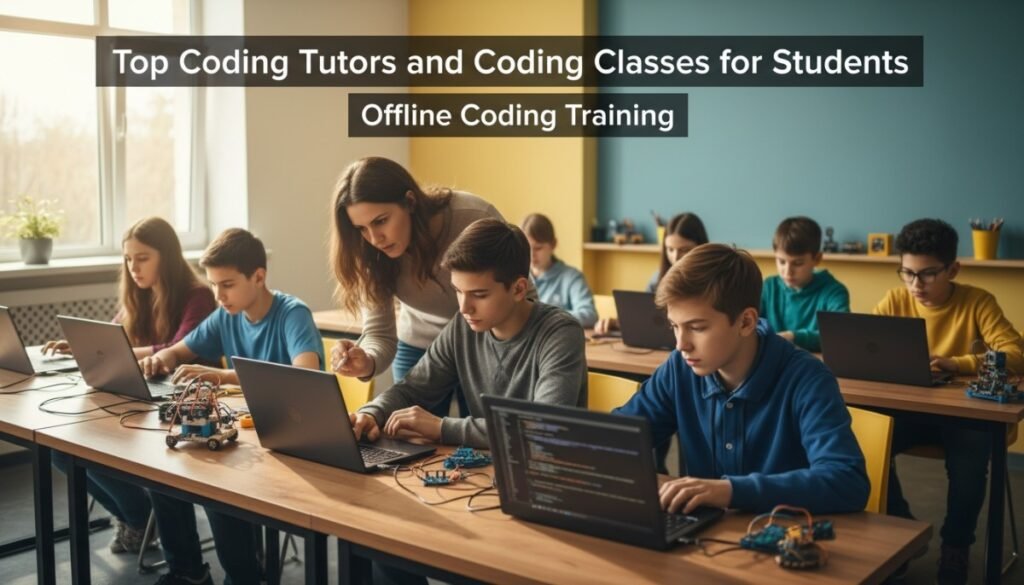
In-person classes can be fun, especially for short workshops, hardware days, or community events. Meeting other kids can be motivating. However, offline options near Malibu often bring challenges: traffic, limited time slots, and inconsistent lesson flow.
They may rely on set curricula that aren’t easy to personalize. If your child misses a session, catching up can be tough.
Where offline shines: hands-on hardware days, maker fairs, local showcases.
Where online wins: steady week-to-week progress, personalization, flexible scheduling, deep tracking, and immediate support when a child gets stuck.
Drawbacks of Offline Coding Training

Let’s be honest and simple:
- Commute steals learning time. A 30–60 minute drive each way for a 60-minute lesson is not efficient.
- Hard to personalize. One classroom lesson must fit everyone, so advanced kids slow down and beginners feel lost.
- Make-ups are limited. Miss one session, and momentum breaks.
- Less visibility for parents. It can be hard to see actual projects or track progress between sessions.
- Inconsistent structure. Some clubs or centers run drop-ins or short units without a long-term, belt-style pathway.
CTA: Avoid the stop-start cycle. Move to a steady, flexible plan with Debsie at debsie.com/courses.
Why Online Coding Training Is the Future

Here’s why online wins for learning outcomes and life skills:
- Personal pace, expert feedback. A good platform reads the learner’s level and adapts. The teacher sees the code live, pauses, and corrects with care.
- Gamification that matters. Points and badges are earned for real skills: debugging, testing, clean code, and clear naming.
- Real-world tools. Students build with the same ideas used by professionals: variables, functions, events, versioning habits, planning, and demos.
- Safe, global teamwork. Kids present and collaborate with students from other places, learning to explain, listen, and lead.
- Data-rich insight. Parents and teachers track time on task, missions cleared, concepts mastered, and projects shipped.
- Soft skills for life. Focus, patience, grit, planning, and speaking clearly—these grow every week.
CTA: If you want the future to start now, join Debsie’s free trial at debsie.com/courses and see the difference in one week.
Find the right learning experience
Tell us a little about the learner and what you are looking for. Our team will review your answers and help you identify the most suitable next step.
- Takes only a few minutes
- No payment required
- Personalised recommendations
Your information will only be used to respond to your enquiry.
How Debsie Leads the Online Coding Training Landscape
Let’s go deeper on Debsie’s system so you know exactly what your child gets.
A. Teaching Method That Works
- I do → We do → You do. First, the teacher models. Next, you build together. Finally, the child builds alone with help ready.
- Think out loud. Tutors teach kids to narrate their thinking: “What does this code do? Why? What’s the next step?”
- Bug love. Bugs are not shame; they are clues. We slow down, read errors, and fix gently. Children learn calm problem-solving.
- Short loops. Each lesson has many tiny wins, not one big task at the end. This keeps motivation high.
B. Curriculum Depth Without Confusion
- Scratch Track: Perfect for logical thinking and creativity. Kids make stories, mini-games, and animations.
- Python Track: Clean, powerful, and widely used. Kids build quizzes, data visualizations, chat-style apps, and simple automations.
- Web Track: HTML/CSS/JavaScript—make websites, landing pages, and interactive stories.
- Roblox Lua Track: Build games, scripts, and gameplay logic in a world kids already love.
- Hardware/Arduino Track: Simple circuits, sensors, and code that talks to the real world.
- AI and Data Basics: Gentle intro to concepts like patterns, simple models, and using data to make a project smarter.
- Capstone Projects: At the end of each belt, students ship something they are proud of and present it simply to family.
C. Support That Feels Human
- Tiny class sizes for strong attention.
- Friendly, trained tutors who understand child behavior and learning styles.
- Regular parent notes in simple language—what went well, what’s next, and how you can support at home.
- Office hours / help time for extra bugs or stretch goals.
D. Motivation Engine
- Badges that mean something: Not just attendance. Badges track real skills like “Clean Variables,” “Loop Master,” “Bug Buster,” and “Team Presenter.”
- Challenges and events: Light competitions and themed weeks keep kids excited without pressure.
- Visible portfolio: Kids share a link with friends, teachers, and family. Pride fuels more learning.
E. Fit for Malibu Life
- Flexible time slots across time zones.
- Easy reschedules when surf is up, rehearsals change, or travel pops up.
- No commute, no stress. Home setup is simple: a laptop, stable internet, and a quiet corner.
F. Results That Matter
- Academic lift: Kids read instructions better, plan steps, and write clearer sentences.
- Life skills: Focus, patience, and grit grow naturally through coding practice.
- Confidence: “I built this.” That sentence changes a child.
- Pathway ready: Your child can join school clubs, tech fairs, internships, or just keep creating cool things.
CTA: If you want your child to learn with joy and structure, start with a free class at debsie.com/courses. We’ll place them perfectly and show a simple plan.
Practical Steps for Malibu Parents (Do This This Week)

- Book one trial. Use debsie.com/courses to schedule a free class.
- Watch your child during the trial. Is the teacher kind? Is your child smiling? Do they ask to keep going?
- Look at the plan. Ask, “What’s the 12-week path? What projects will my child finish?”
- Check the dashboard. Make sure you can see progress and missions.
- Set a simple routine. One live class + one mission session per week is a strong start.
- Celebrate small wins. Praise effort, not just perfect code.
- Share projects. Ask your child to explain what they built in two or three sentences. This builds clarity and pride.
CTA: Ready to try? Book now at debsie.com/courses. Slots fill quickly at peak times.
Final Word: The Best Coding Tutors and Classes for Malibu

If you want the top choice for steady growth, happy learning, and real projects, pick Debsie. It blends expert tutors, a fun gamified world, and a clear belt system so your child always knows where they are and where they are going.
Other academies can be a fine add-on, but for long-term progress—with minimal stress and maximum joy—Debsie leads.
Start with a free class today at debsie.com/courses.
Let your child feel what it’s like to build something real—and smile while doing it.
Other Comparisons:

Ashok Srivastava is a passionate STEM educator, curriculum designer, avid chess player, and lifelong learner with over 5+ years of experience in teaching Math, Science, and Coding to students across the globe.
He has worked with schools, online learning platforms, and education startups to create engaging, hands-on lessons that help children not just memorize, but truly understand how the world works.
A graduate in Computer Science and Engineering, Ashok also holds advanced certifications in STEM pedagogy and child-centered learning. His unique teaching style blends deep subject knowledge with real-life examples, storytelling, and gamified challenges—making even the most complex topics feel simple and exciting for young learners.
Ashok is also a dedicated chess player with a FIDE rating of 2091. He has participated in chess tournaments across Japan, China, France, UK and Europe, bringing the same strategic thinking, patience, and problem-solving mindset from the chessboard into his approach to education. Ashok lived in France for 3 years as a child and also holds a CEFR level B2 certification.
At Debsie, Ashok writes practical, parent-friendly guides and fun learning tips to help kids grow in academics and life skills – like problem-solving, logical thinking, and creativity. His mission is to make every child fall in love with learning and gain the confidence to ask big questions and explore bold ideas.
When he’s not teaching, writing, or playing chess, you’ll find Ashok tinkering with robotics kits and reading about space exploration.