
🔄 Quick Recap from Last Lesson
In our last journey, we peeked inside the RAM chip and saw its inner world—rows, columns, and tiny memory cells holding 1s and 0s. We also learned about transistors and capacitors, how DRAM and SRAM are different, and how RAM keeps data alive only as long as it has electricity (volatile memory).
Now that we know what RAM is on the inside, we need to answer a bigger question:
👉 How does RAM talk to the CPU (the central processing unit, which is the brain of the computer)?
🧠 CPU and RAM: Two Best Friends with Different Jobs
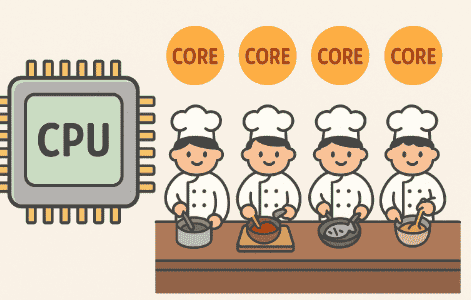
Think of a computer like a busy kitchen:
-
The CPU is the chef. It does the actual cooking—mixing, chopping, heating, creating.
-
The RAM is the kitchen counter where all the ingredients are laid out, ready to be used.
If the chef had to run to the supermarket (hard drive or SSD) for every single ingredient, cooking would be painfully slow. Instead, RAM keeps everything the chef needs right now within arm’s reach.
So, the CPU and RAM are best friends. But they need a language and a pathway to talk. That’s what this lesson is all about.
📡 The Pathways Between CPU and RAM
To make the friendship work, CPU and RAM are connected by something called a memory bus.
🚌 Think of a memory bus like a delivery truck system:
-
It carries ingredients (data) from the kitchen counter (RAM) to the chef (CPU).
-
It also carries shopping lists (instructions) from the chef to RAM (“Hey RAM, give me these numbers!”).
This bus has three main parts:
-
Address Bus – like the GPS system that tells the truck where to pick up or drop off.
-
Data Bus – the actual truck carrying the boxes of ingredients (the 1s and 0s).
-
Control Bus – the traffic lights and road signs that keep everything moving smoothly.
We’ll go deeper into the bus system in Lesson 10, but for now, just know that the CPU can’t reach into RAM directly—it needs these highways to talk.
⚡ Step-by-Step: How the CPU Reads Data from RAM
Let’s walk through what happens when the CPU wants to fetch data:
-
The CPU asks a question. Example: “What’s the number stored in memory location 1002?”
-
The address bus carries this location number from the CPU to RAM.
-
RAM checks its cells and finds the right spot.
-
The data bus carries the answer (say, the number 42) back to the CPU.
-
The CPU uses the data to keep working on its job.
This happens billions of times per second. In fact, the CPU is so fast that it often gets impatient waiting for RAM. That’s why computers use extra helpers like caches and registers (we’ll learn about these in later lessons).
🔄 Writing Data into RAM
Just like the CPU can read from RAM, it can also write into RAM.
Imagine the chef cooking a soup. After chopping carrots, the chef might put a bowl of chopped carrots back on the counter (RAM) for later use.
Steps for writing:
-
CPU says: “Put the number 99 into memory location 2050.”
-
Address bus sends the location number.
-
Data bus carries the value (99).
-
RAM saves it in that exact spot.
So, RAM is always both a reader and a writer.
🕑 Why Timing Matters
Even though RAM is fast, the CPU is usually much faster. Modern CPUs can run at 3–5 gigahertz (billions of cycles per second), while RAM is often slower.
This means sometimes the chef (CPU) is tapping their foot, waiting for ingredients to arrive from the counter (RAM). That’s where concepts like latency, synchronization, and caches come in (which we’ll explore in the next few lessons).
For now, the key idea is:
👉 The CPU depends on RAM to quickly bring in the data it needs, but there are natural delays in this teamwork.
💡 A Real-Life Example: Opening a Web Browser
Let’s put this into action. When you double-click your browser icon (like Chrome or Firefox):
-
The CPU tells the operating system: “I want to open Chrome.”
-
The operating system pulls Chrome’s instructions from the hard drive.
-
These instructions are loaded into RAM because the CPU needs to access them quickly.
-
The CPU then fetches these instructions from RAM, one by one, through the memory bus.
-
As you type in a website, more instructions and data flow from RAM to CPU.
This back-and-forth between CPU and RAM is what makes everything feel instant to you as a user.
🚀 Looking Ahead
In this lesson, we learned:
-
The CPU and RAM are best friends who constantly talk.
-
They communicate using a bus system (address, data, and control buses).
-
The CPU can both read from and write into RAM.
-
Even though RAM is fast, the CPU is often faster, which creates timing challenges.