
You can buy devices. You can buy apps. You can even buy internet plans. But none of that alone promises better grades, better reading, or better math. In low-income schools, EdTech often starts as an access problem. Who has a device? Who has Wi-Fi? Who can log in? But the real goal is outcomes. Did students learn more? Did they build skills they can use again tomorrow?
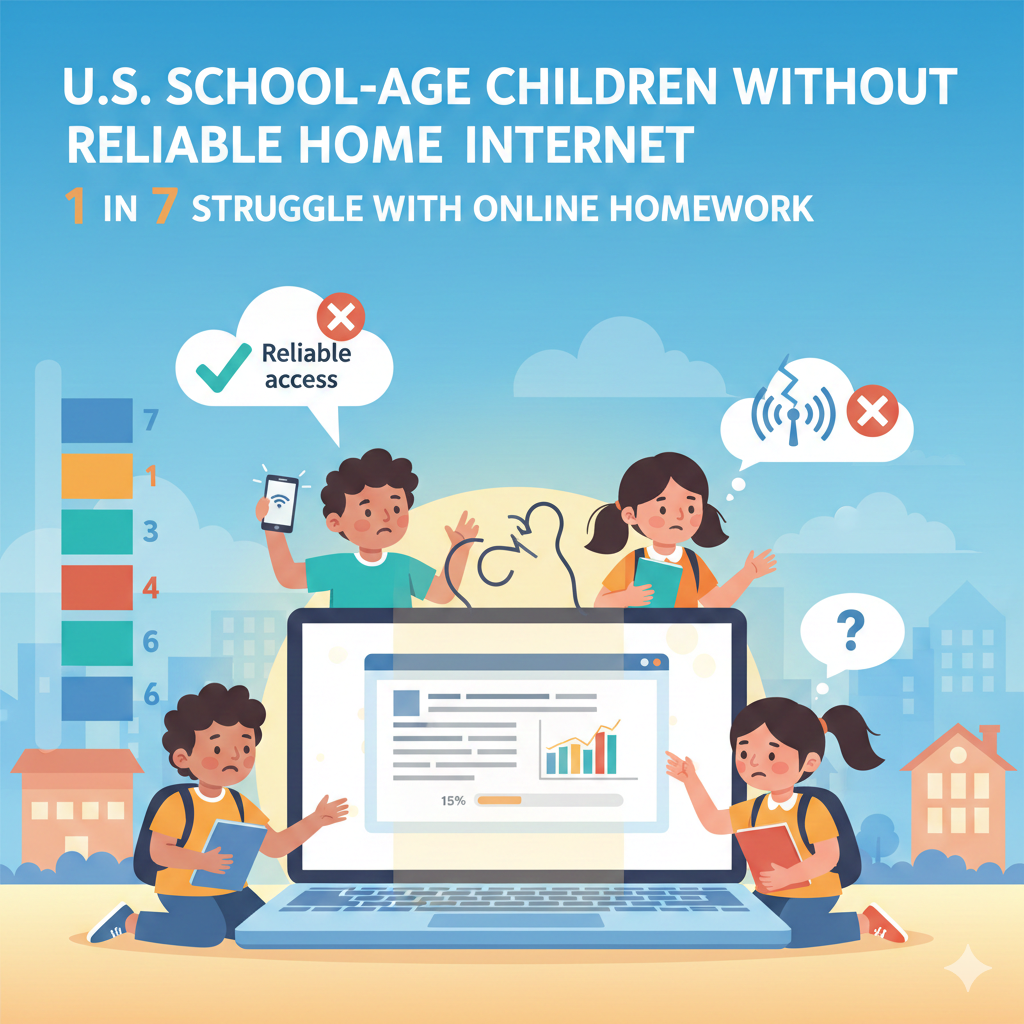
1) In the U.S., about 1 in 7 school-age children lives in a home with no wired home internet (or only unreliable access), making daily online homework hard.
What this stat really means in real life
When a child does not have steady home internet, school work becomes a daily obstacle course. A simple task like opening a class page, watching a short lesson, or turning in an assignment can take many tries. Pages freeze. Videos stop. Password screens fail to load.
The child may use a phone hotspot that runs out, or depend on a neighbor’s signal that comes and goes. This does not just slow learning. It can hurt confidence. After a few bad nights, many kids start to believe they are “bad at school,” when the truth is they are stuck with a weak connection.
How schools can turn access into outcomes
The first move is to stop designing learning as if every home has strong Wi-Fi. Every online task should have a “low internet” path that still teaches the same skill. If students need to read a passage, give a printable copy or a text version that loads fast.
If students need a lesson, offer a short audio option or a small file download that can be saved at school. If students must submit work, accept clear photos of notebook pages. These small choices remove fear and reduce missing work.
Next, make internet needs visible early. Schools can do a simple private survey at the start of the term that asks what kind of internet each family has, how stable it is, and what device the child uses most. Then teachers can plan with facts, not guesses.
What parents can do right now
If home internet is weak, set a simple plan that does not depend on being online every night. Ask the teacher for offline options. Build a short daily routine using paper practice, reading, and quick review.
If your child needs live support that stays steady, Debsie’s live classes can be planned around your setup, and our teachers can share offline practice that still moves your child forward.
2) In the U.S., roughly 15–16 million K–12 students have been estimated to lack either a proper device, reliable internet, or both for full-time digital learning (“homework gap”).
What this stat really means in real life
This number is so big that it should change how we plan school work. It means many students are expected to learn in a digital world while using tools that are missing, broken, shared, or unstable. A child may have a device, but it might be an old phone that cannot open school sites well.
Or the home may have Wi-Fi, but it may cut out during the exact hour the child is trying to study. In many homes, one device is shared across siblings and adults, so the child’s “learning time” depends on someone else being done.
This is why access problems often look like late work, missing work, or low effort. The child is not choosing to fall behind. The system is asking for a tool the child does not have.
How schools can turn access into outcomes
The practical fix starts with clarity. Schools should track three simple things for every student: device type, internet type, and typical time they can use it. Once you know the reality, you can design fair learning.
The next step is to protect school hours for the tasks that truly require a better device, like long writing, research, projects, coding, and test practice. If those tasks are pushed to home, the homework gap becomes an outcomes gap.
Also, do not let software replace teaching. When access is uneven, the best learning model is a strong teacher-led lesson, followed by small practice that can be done on paper or offline. The screen becomes a helper, not the only road.
What parents can do right now
If your child’s setup is limited, tell the school early, not after grades drop. Ask for offline choices that still match the learning goal. If you want a steady learning path that is not built on long device time, Debsie’s live classes teach the core ideas in a guided way, then give short practice that can be done with simple tools at home.
3) In many districts, low-income students are about 2× more likely than higher-income students to rely on a smartphone only (no computer) for internet at home.
What this stat really means in real life
Phone-only learning is not just “a smaller screen.” It changes the whole learning experience. Reading long lessons on a phone is tiring. Writing paragraphs on a phone takes longer and feels frustrating. Switching between tabs for research is hard.
Many school sites are not built well for phones, so buttons hide, pages load slowly, and uploads fail. Over time, a student may avoid tasks that require typing or building projects. That creates a quiet skill gap.
The student is still smart, but they get fewer chances to practice writing, planning, and digital skills that matter for higher grades and jobs.
How schools can turn access into outcomes
Schools can make a big difference with small design choices. If a student is phone-only, the work should not require long typing at home. Teachers can allow voice recordings for short reflections, photos of written work, and simple forms with short answers.

The key is to protect the learning goal. If the goal is “explain your thinking,” a voice note can show that just as well as a typed page.
At the same time, schools must protect computer time inside the school day. If students cannot do computer tasks at home, the school must provide time for writing drafts, editing, creating slides, and practicing keyboard skills. When computer time is planned on purpose, phone-only students stop being punished for their home setup.
What parents can do right now
If your child is phone-only, ask teachers which tasks truly need a laptop and which can be done on paper. Encourage your child to write by hand first, then submit a photo if allowed. If you want guided learning that does not depend on a laptop every night, Debsie can support your child with live teaching and clear practice steps that fit a phone-based home.
4) In high-poverty schools, it’s common for 20–40% of students to have internet that is too slow or drops often for video classes and large downloads.
What this stat really means in real life
Slow or unstable internet turns learning into a guessing game. A child joins a live class and misses key parts of the explanation because the sound cuts out. A video freezes right when the teacher shows the method. A download fails at 90% and has to restart.
Then the child feels lost and embarrassed, and may stop turning on the camera or stop joining at all. Even worse, the child may get labeled as “not engaged,” when the real problem is the connection. This is how access problems become emotional problems, and emotional problems become learning loss.
How schools can turn access into outcomes
The first fix is to reduce “heavy” content. Not every lesson needs video. Short audio, small slides, and simple text directions often teach better for students with weak internet. If a video is needed, it should be short and offered in more than one quality level.
Teachers can also share a simple written summary after class so a student who dropped out can still follow the steps.
Next, design for offline practice. If students learn the idea during school time, the home task can be practice in a notebook with clear examples. The student can submit a photo later. This keeps the learning moving even when the internet fails.
What parents can do right now
If video fails at home, do not force your child to fight the screen for an hour. Use that time for reading, writing, and paper practice. Then, when the connection is better, upload or submit what is needed.
If your child needs live teaching, choose sessions that are structured, clear, and supported with simple follow-up materials. Debsie’s teachers can help your child catch the key idea quickly, and then guide practice in a way that does not depend on perfect internet.
5) Even when a school is “1:1” (one device per child), 10–25% of devices can be out of service at any time due to breakage, missing chargers, or needed repairs—reducing real access.
What this stat really means in real life
A “1:1 device program” sounds like the access problem is solved. But this stat shows why many students still get blocked. Devices break. Screens crack. Keyboards stop working. Chargers get lost. Batteries fail.
Sometimes the device is fine, but it is stuck updating for hours. In many schools, a child can lose days or weeks of learning time because the repair process is slow and the loaner supply is small. This is not a rare event.
If 10–25% of devices are down at any moment, that means a full class can have several students who cannot do the same work as everyone else. The learning gap grows quietly, and the child often feels singled out.
How schools can turn access into outcomes
First, treat repairs as an instruction priority, not an IT side task. A working device is like a working textbook. Schools can set a clear rule: a broken device must be swapped or fixed within a short window, such as one school day.

That requires a planned loaner pool, a simple ticket system, and a clear handoff process so the child does not miss learning while waiting.
Second, plan lessons that do not collapse when a device fails. Teachers should always have a parallel paper option ready, so the student can keep learning the same skill without feeling left out. This also lowers stress for the teacher, because the class can keep moving.
Third, reduce breakage with simple routines. Teach students how to carry devices, store chargers, and report problems early. Small habits prevent big losses.
What parents can do right now
If your child’s device is school-issued, encourage daily care habits at home. Set one place for the charger. Ask your child to report issues fast instead of hiding them. If your child needs a steady learning path during a repair period, Debsie’s live classes can keep progress going with guided teaching and practice that can be done on paper while the device is fixed.
6) In many low-income schools, 30–50% of students share a home connection with 4+ people at peak hours, which sharply cuts video quality and upload speed.
What this stat really means in real life
Sharing internet is normal, but it changes what “online learning” looks like. When four or more people use the same connection, speed drops at the worst time, usually evenings. One person starts streaming. Another person joins a video call.
A sibling plays an online game. Then the student’s class video turns into a blurry mess, or the homework site refuses to load. Uploading a file can take ten minutes, then fail at the end. The child feels trapped, because they are “doing what the teacher said” but the home network cannot keep up.
Over time, the child may stop trying to join live sessions or stop submitting work, not because they do not care, but because it keeps failing.
How schools can turn access into outcomes
The best response is to plan learning that does not depend on peak-hour bandwidth. Teachers can assign work that can be downloaded at school and completed later without internet. Schools can also extend library hours or provide study time before dismissal so students can finish key uploads while the network is strong.
Another practical step is to reduce file size and reduce upload demands. If a student must submit work, allow a clear photo of the work instead of a big file. If a video response is needed, accept audio or text. The goal is learning, not heavy data use.
Schools can also help families by sharing simple “best time” guidance, like downloading school materials early morning or during school hours, when possible. This is not perfect, but it can cut stress.
What parents can do right now
If your home internet is crowded at night, try shifting online tasks earlier when possible, even by 30 minutes. Encourage your child to do offline parts first, like writing answers in a notebook, then upload quickly later.
If your child needs live teaching, pick sessions that stay clear even on weaker connections and provide follow-up notes. Debsie classes are structured so students can still keep up even if the home network is busy.
7) In high-poverty areas, families are often 2–3× more likely to cancel internet service at least once a year due to cost (“internet churn”).
What this stat really means in real life
Internet churn means the home connection is not stable across the year. A family may have internet for a few months, then lose it when money is tight, then reconnect later. For a student, this creates a stop-and-start learning life.
The child may build a routine, learn how to use school tools, and then suddenly lose access for weeks. During that time, logins expire, assignments pile up, and confidence drops. When service returns, the student is not just behind in content.
They are behind in rhythm. This is one reason access programs that look good on paper can still fail to produce strong outcomes.
How schools can turn access into outcomes
Schools can reduce damage by designing “churn-proof” learning. That means every week should include learning tasks that can be done offline and checked in class. Teachers can keep key resources available in print form or downloadable packets that students can store.

Schools can also keep a simple process for re-entry when internet returns: quick login reset help, a short catch-up plan, and a no-shame message that the student can restart.
Another strong move is to build learning around live support at school, not only at home. If the core teaching happens in class and the home task is practice, churn hurts less.
What parents can do right now
If internet may be shut off sometimes, plan for it instead of hoping it won’t happen. Ask the school for printed materials or offline options. Keep a folder at home with the child’s key papers and practice sheets.
If you want consistent teaching that does not fall apart when the internet changes, Debsie can help by keeping learning structured, giving simple practice, and supporting families with clear steps during gaps.
8) Schools serving more low-income students often spend hundreds of dollars less per student per year on technology, devices, and digital learning support than wealthier districts.
What this stat really means in real life
This gap is not just about buying fewer laptops. It affects everything around the laptop. Lower spending often means older devices, weaker Wi-Fi equipment, fewer software options, and fewer support staff to fix problems fast.
It can also mean teachers get less training and less time to plan good tech-based lessons. The result is predictable: students in low-income schools may use EdTech that is slower, less reliable, and less helpful. Even when schools work hard, the system is uneven from the start.
The hidden part of this stat is that outcomes do not come from shopping. Outcomes come from systems. A school can spend less and still get strong results if it chooses tools wisely, focuses on a few high-impact routines, and supports teachers to use tech for real learning, not just screen time.
How schools can turn access into outcomes
First, schools should stop buying “too many tools.” When budgets are tight, the best plan is fewer tools used deeply. Choose one strong reading tool, one strong math tool, and one simple system for assignments. Then train teachers to use them well. A tool used daily with a clear routine beats five tools used once a month.
Second, measure total cost, not sticker price. A cheap tool that needs constant troubleshooting costs more in lost learning time. Look for tools that run well on older devices, work offline when possible, and have simple logins.
Third, build partnerships. Many districts can share purchasing power, share training, or share tech staff across schools. This is not fancy. It is practical teamwork.
What parents can do right now
If your school has limited tech, focus on what still works: strong teaching, steady practice, and clear feedback. Ask your child’s teacher what the “core tools” are and help your child master those.
If you want a learning program with expert teachers, clear structure, and fun practice that does not require the newest devices, Debsie’s courses can give your child a strong path at home.
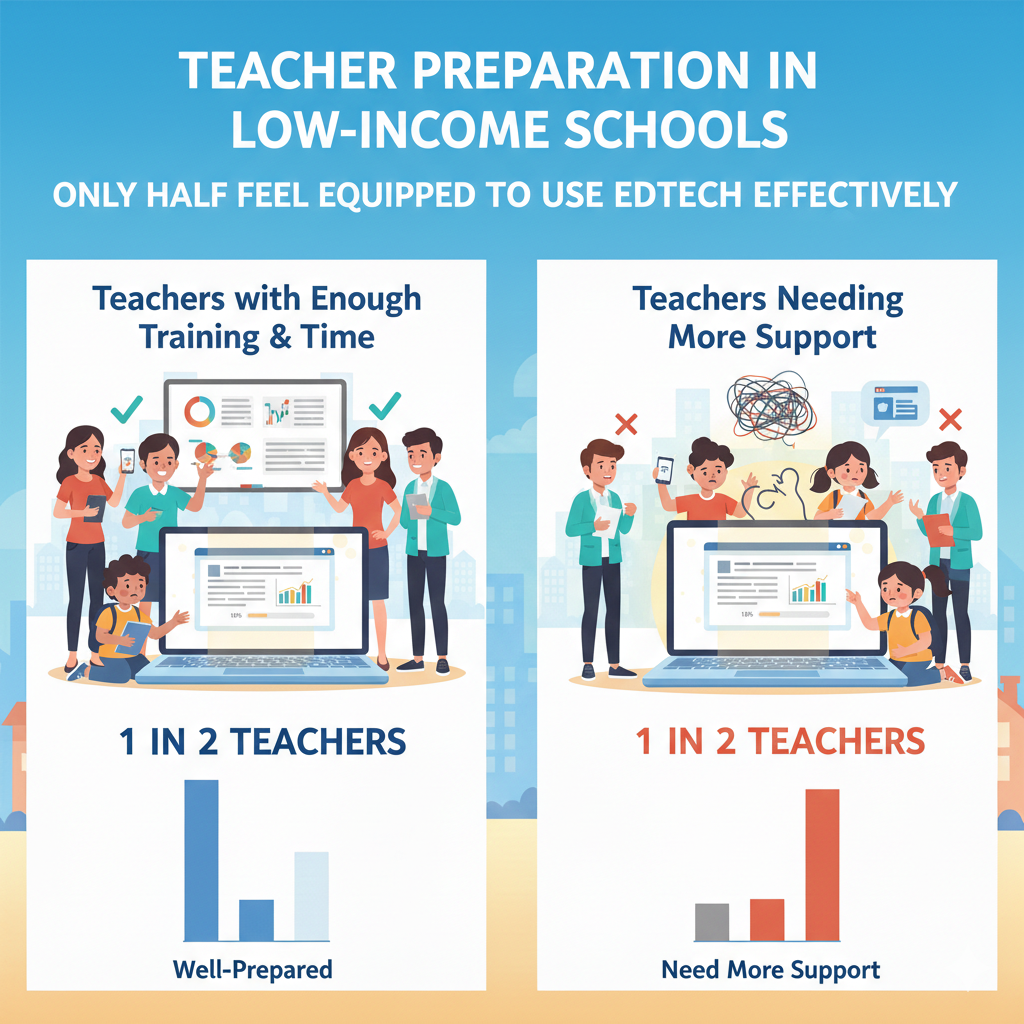
9) In many low-income schools, only about half of teachers report having enough time and training to use learning software well (not just “turn it on”).
What this stat really means in real life
Many teachers care deeply, but they are overloaded. When a new tool arrives, teachers may get a short demo and a login list, then they are expected to “make it work.” That leads to shallow use. The software becomes busywork, a reward game, or a time-filler.
Students may spend minutes clicking, but the teacher is not using the data, not linking the tool to the lesson, and not correcting mistakes in real time. This is how a tool that could help becomes noise.
When teachers lack time and training, students also feel it. They face confusing screens, unclear expectations, and inconsistent routines. That reduces trust. Learning tools need a steady rhythm, just like reading groups or math practice.
How schools can turn access into outcomes
The best fix is to plan training as part of instruction, not as a one-time event. Teachers need short, repeated coaching that connects the tool to one clear goal, like “build reading fluency” or “practice fractions.”
A school can choose one weekly focus and support teachers with simple lesson plans that include the software in a meaningful way.
Also, protect teacher planning time. Even one shared planning block per week for grade teams can change outcomes. In that time, teachers can agree on how long students will use the tool, what success looks like, and how to respond when a student struggles.
Finally, keep the routine simple. Students learn better when the tool is used the same way each week. Consistency saves time and reduces stress.
What parents can do right now
Ask your child what the tool is used for. If your child says, “We just play,” that is a sign the tool may not be tied to learning goals. You can gently ask the teacher what skill the software is building. At home, you can choose a structured learning option like Debsie, where teachers guide the session and give clear practice steps, so tech supports learning instead of replacing it.
10) Across many EdTech rollouts, teacher training time is often under 6 hours total, even though teachers usually need 20+ hours to feel confident using new tools for instruction.
What this stat really means in real life
Imagine learning a new job tool in one afternoon and being judged on results the next day. That is what happens in many EdTech rollouts. Teachers get a short workshop, then they must teach with the tool while also managing behavior, grading, parents, and all other duties.
When teachers do not feel confident, they avoid deeper features, skip useful reports, and keep the tool at a basic level. Students notice. They sense uncertainty. The tool becomes something that “doesn’t really matter,” so motivation drops.
The result is a common story: schools buy a program that promised growth, but growth does not happen because the human system around the program was not built.
How schools can turn access into outcomes
If training time is limited, focus training on the smallest number of actions that produce the biggest results. For example, train teachers on how to set the right level for students, how to check progress weekly, and how to respond when a student is stuck. That alone can improve learning.
Next, spread training across the year. Instead of one long session, use short coaching cycles. One month can focus on setting routines, the next on using data, the next on targeted support. This feels lighter and sticks better.
Also, use peer support. Identify a few teachers who learn the tool quickly and let them mentor others. Real classroom tips matter more than slides.
What parents can do right now
If you see your child using a tool with no clear purpose, ask what the weekly goal is. You can also support your child by keeping home practice simple and consistent. If you want a program where the teacher is already trained and the learning plan is clear from day one, Debsie is built exactly for that: expert-led live teaching with guided practice and feedback.
11) In real classrooms, a large share of EdTech licenses go unused: 20–40% of paid student accounts may be inactive in a typical month.
What this stat really means in real life
This is one of the most painful stats because it means money is spent but learning does not happen. When 20–40% of accounts are inactive, it usually is not because students “don’t like the app.” It is because there is no stable routine.
Students forget passwords. Teachers do not have time to set expectations. The class schedule changes. Devices are missing. Or the tool is not connected to what students are learning that week, so it feels pointless.
Inactive accounts also hide a second problem: the students who most need support are often the same ones who disappear from the tool. That creates a false picture. The dashboard may look fine for the active group, but the silent group is slipping behind.
How schools can turn access into outcomes
The fix is not “remind students more.” The fix is to build a habit. Choose a simple schedule, such as the same two days each week, same time, same length. Put it on the class routine like morning attendance. Then make logins easy. Use single sign-on if possible.

If not, keep login cards that stay in the classroom and never go home. This one move can cut inactive accounts fast.
Next, make the tool matter. Tie it to a clear weekly goal. If students are learning fractions, the EdTech time should practice fractions, not random games. When students see the link, they show up.
Finally, do quick checks. Once a week, teachers should scan who was inactive and give a short catch-up slot during school hours. Ten minutes of support can bring a student back in.
What parents can do right now
Ask your child one simple question: “When do you use the program, and what skill are you practicing?” If your child cannot answer, the routine may not be clear. You can help by setting a small home habit, even twice a week.
If you want a program that keeps children engaged through structure and game-like progress, Debsie’s learning paths are built to reduce drop-off and keep momentum.
12) In many low-income schools, students may get only 15–30 minutes per week of meaningful, skill-building use in “adaptive” math/reading tools—too little to shift outcomes.
What this stat really means in real life
Fifteen to thirty minutes sounds like something. But for skill growth, it often is not enough. Reading fluency, spelling, number sense, and problem solving improve through repeated practice.
A small dose can help students stay familiar, but it rarely creates a big jump. The problem is not that adaptive tools are useless. The problem is that they are often used as a small extra, not as a planned part of learning.
This is why schools sometimes feel disappointed. They expect a tool to “move the needle,” but they are not giving it enough time, and they are not pairing it with teaching.
How schools can turn access into outcomes
Start by deciding what the tool is for. Is it for fluency practice? Is it for filling skill gaps? Is it for review? Once the purpose is clear, set a real dose. Many schools find that three short sessions per week work better than one long session. Short sessions also fit better with attention spans.
Then protect the time. Put it in the schedule, not as a “when we finish early” activity. Make the routine calm and predictable. Students should know exactly what to do when they log in.
Also, teachers should connect tool practice to class instruction. After a session, take two minutes to ask students what they learned and what was hard. This helps students build awareness and helps teachers catch problems early.
What parents can do right now
If your child uses a learning tool, ask how often and for how long. If it is only a few minutes, consider adding a simple extra practice routine at home. It can be paper-based too. If you want guided practice that builds real skill without needing hours of screen time, Debsie’s live classes focus on clear teaching plus short, smart practice that adds up across weeks.
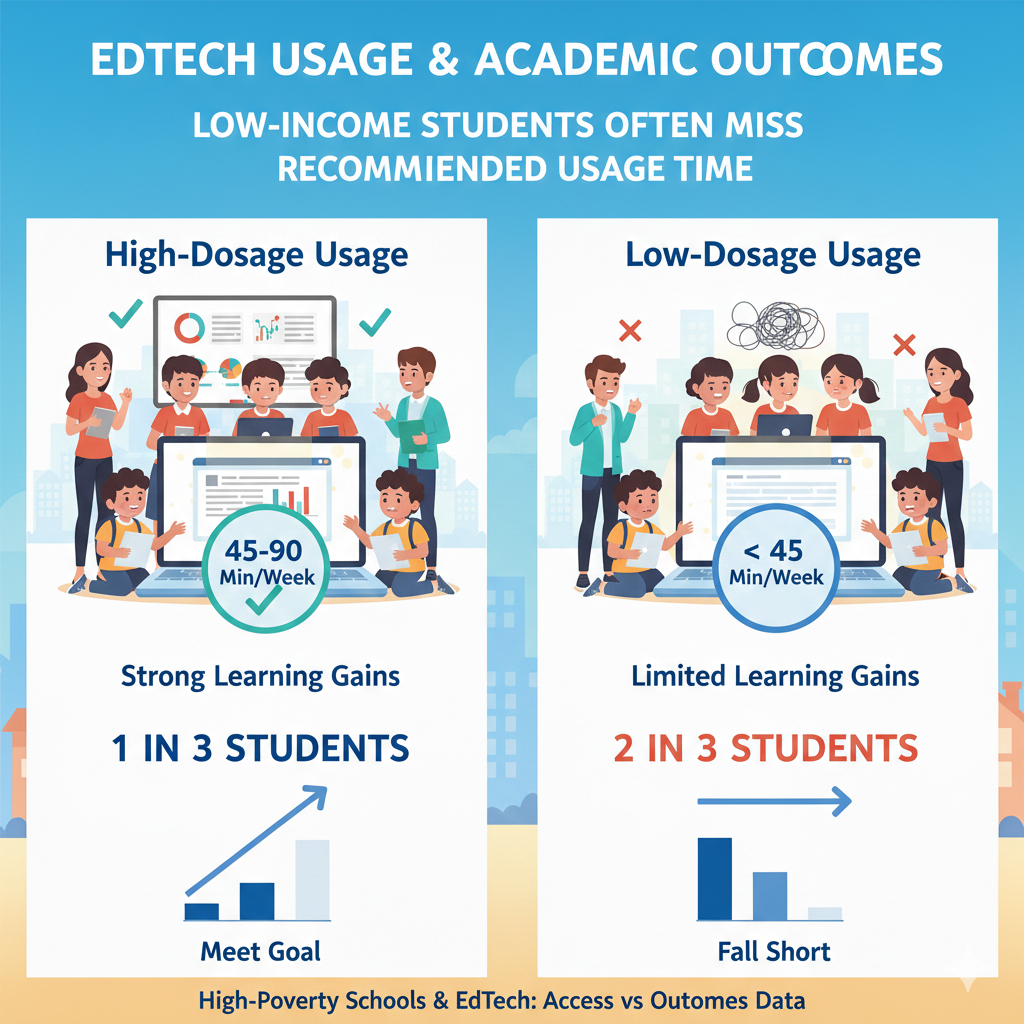
13) Many learning programs show the strongest results only when students use them 45–90 minutes per week—and a lot of low-income students fall short of that dose.
What this stat really means in real life
This is the “dose” problem. Just like exercise, learning practice works best when it is steady and enough. Many programs are designed with an expected weekly time. When students use the tool far less than that, results look weak, and people blame the program.
But the real issue is that the child did not get the needed practice time.
Low-income students often fall short because of access limits, shared devices, family schedules, chores, work, and unstable internet. The child may want to do the time, but life gets in the way.
How schools can turn access into outcomes
The key is to deliver the dose during the school day as much as possible. If a program needs 60 minutes weekly, plan three 20-minute sessions at school. This removes home barriers and makes usage fair.
Next, treat the dose like a promise to students. Tell them, “We are going to practice this skill in small steps each week, and you will see improvement.” When students understand the plan, they are more likely to engage.
Also, track minutes and respond early. If a student is falling behind in usage, the solution is not punishment. The solution is support: a quick login check, a device check, or a small in-school catch-up slot.
What parents can do right now
If your child has a tool that requires weekly time, help them build a light routine. Two or three short sessions can be easier than one long one. If home access is hard, ask the school how your child can get minutes at school.
If you want a learning plan where time is built into a guided class and practice is clear, Debsie can support your child with consistent sessions that keep learning moving forward.
14) In studies of online learning, students in fully online courses often score lower; a commonly reported pattern is that online students can fall behind by weeks to months, especially without strong support.
What this stat really means in real life
Fully online learning can work for some students, but for many children it is hard. Young learners need structure. They need quick feedback. They need someone to notice when they are confused and fix it right away. In a fully online course, it is easier to drift.
A child can log in, click through, and still not understand. If the home is busy or noisy, focus drops even more. This is why many studies find lower scores for students in fully online settings, especially when there is little adult support.
The key point is not “online is bad.” The key point is “support is the difference.” A screen cannot replace the human part of learning: guidance, checking work, encouragement, and real-time correction.
How schools can turn access into outcomes
If a school uses online courses, it should add strong “wraparound” support. That means scheduled check-ins, small groups, and a real adult who tracks progress. Students should have clear weekly goals and a simple plan to meet them.
Schools should also choose blended learning when possible. Teach the main idea with a teacher, then use online work for practice and review. This model keeps students from falling behind quietly.
Another important move is to teach students how to learn online. Many children have never been taught skills like taking notes, replaying a section, asking for help, and checking understanding. A short weekly lesson on these habits can protect outcomes.
What parents can do right now
If your child is in an online course, do not assume “logging in” means “learning.” Ask your child to explain what they learned in simple words. If they cannot, they need more support. Set a small daily time for review and questions.
If you want online learning that includes strong human teaching, Debsie’s live classes are built to give structure and real feedback, so students do not drift.
15) For K–12, learning gains from EdTech are often small to moderate unless the software is paired with strong teaching; “software alone” frequently shows little to no improvement.
What this stat really means in real life
This is the reality check many schools need. A program can be well-made and still fail if it is used as a replacement for teaching. Children do not only need problems to solve. They need explanations, examples, and someone to correct wrong thinking before it becomes a habit.
When software is used alone, many students either guess, skip, or get stuck. The tool may mark answers right or wrong, but it cannot always explain the “why” in a way that matches the child’s confusion.
So the best view is simple: EdTech is a helper. The teacher is the engine. When the engine is strong, the helper multiplies the results.
How schools can turn access into outcomes
Schools should design a clear loop: teach, practice, check, reteach. The teacher introduces the concept. Students practice using a tool or paper. The teacher checks results and finds patterns. Then the teacher reteaches the parts students missed. This loop is where outcomes appear.

Another key move is to align the tool to the lesson. If the class is learning multiplication, the tool should practice multiplication, not unrelated topics. Misalignment wastes time and reduces trust.
Schools can also use EdTech data wisely. Instead of staring at many charts, pick two signals that matter, like accuracy and time on task. Use them weekly to decide who needs help.
What parents can do right now
If your child uses EdTech, ask, “Who explains it when you don’t understand?” If the answer is “no one,” that is a risk. At home, you can offer quick help, or choose a program with real teachers. Debsie’s model pairs guided teaching with practice, so children get both the explanation and the reps that build skill.
16) Tutoring (high-dose, small-group, or 1:1)—including online tutoring—can produce large gains, often equivalent to several months of extra learning in a year when done consistently.
What this stat really means in real life
This is one of the most hopeful stats. It tells us what works. Tutoring works because it is focused, personal, and steady. A tutor sees the child’s mistakes and fixes them fast. A child can ask questions without fear.
The work is at the right level, not too easy and not too hard. Over time, the child builds both skill and confidence.
The word “consistently” is the important part. A few sessions help, but steady sessions create real growth. That is how tutoring can add months of learning in one year.
How schools can turn access into outcomes
Schools can use tutoring as a targeted tool for the students who need it most. It does not always need to be 1:1. Small groups can work well when the group is tight and the skill focus is clear. The key is to keep it frequent, such as two to four times per week, and to keep the group stable.
Tutoring should also connect to class goals. If class is learning fractions, tutoring should support fractions, not jump to something else. That way, students see immediate wins in class, which boosts motivation.
Schools should also measure tutoring success simply. Track attendance, track the skill being practiced, and do short checks every few weeks to confirm growth.
What parents can do right now
If your child is struggling, tutoring is often the fastest path to improvement. But choose tutoring with structure, not random help. Ask for a clear plan, clear goals, and steady sessions.
Debsie’s live classes can act like tutoring because they are guided by expert teachers, highly engaging, and built around real practice and feedback. You can start with a free trial and see how your child responds.
17) In many low-income schools, chronic absenteeism can be 20–40% of students; EdTech can’t help students who aren’t present, and absenteeism strongly limits impact.
What this stat really means in real life
When a large share of students miss many days, every plan gets weaker. A child who is absent often misses the start of new topics, the setup for projects, and the guided practice that makes homework doable.
Then, even if the child has a device and a good app, they are trying to learn without the teacher’s first explanation. This is why EdTech alone cannot fix learning gaps. It can support learning, but it cannot replace being present for teaching, routines, and relationships.
Absences also break habits. If a student misses two days, they forget passwords, fall behind in minutes, and lose confidence. The longer this repeats, the more a child feels “school is not for me,” which is the opposite of what we want.
How schools can turn access into outcomes
First, schools should treat attendance as a learning strategy, not a discipline issue. The goal is to remove reasons students miss school. That may include better communication with families, simple transport supports, health supports, and flexible make-up plans.

Second, build “catch-up lanes.” When students return, they need a short, clear path to re-enter learning. Teachers can keep a weekly recap sheet with the main skill, the key examples, and the practice problems. That way, a returning student does not feel lost.
Third, use EdTech as a bridge, not a replacement. For absent students, provide short offline-friendly packets plus a small online check-in when possible. The aim is to keep the student connected so returning is easier.
What parents can do right now
If your child misses school often, start by naming the biggest cause. Is it health, transport, sleep, anxiety, or family duties? Then ask the school what support exists. At home, keep a small routine for reading and math even on missed days, so skills do not slide.
If your child needs help rebuilding confidence and catching up in a guided way, Debsie’s live classes can give structure and a caring teacher who keeps your child moving forward.
18) In high-poverty schools, it is common for 1 in 4 students (or more) to change schools during the year; high mobility breaks login routines and reduces program effectiveness.
What this stat really means in real life
Moving schools is not just a new building. It is new teachers, new rules, new accounts, and sometimes a new curriculum order. A student who transfers may lose access to old platforms, or may be placed into new ones with new logins.
Records may arrive late. The child may repeat topics or miss key ones. This is one reason why EdTech outcomes can look weak in high-mobility settings: the learning system resets again and again.
High mobility also affects emotions. A child may feel like an outsider, worry about fitting in, and avoid asking for help. This lowers engagement, even when tools are available.
How schools can turn access into outcomes
Schools can make mobility less damaging by building simple intake routines. On day one, the student should get working logins, a device plan, and a short skill check to place them correctly. This prevents weeks of drifting.
Schools should also focus on “portable skills.” Reading fluency, writing clarity, and number sense are useful in any curriculum. If a student moves, these core skills still carry forward. So even when lessons change, schools can protect progress by emphasizing these basics.
Another strong practice is to use fewer platforms. The more tools a school uses, the harder it is for transferring students to catch up. A small set of stable tools makes re-entry easier.
What parents can do right now
If your family may move, keep a simple learning record. Save recent report cards, key assessments, and examples of work. Ask for login details and learning plans before leaving when possible.
At home, keep working on core skills that travel with your child anywhere. Debsie can help here because your child’s learning path can stay consistent even if the school changes, giving stability during a stressful time.
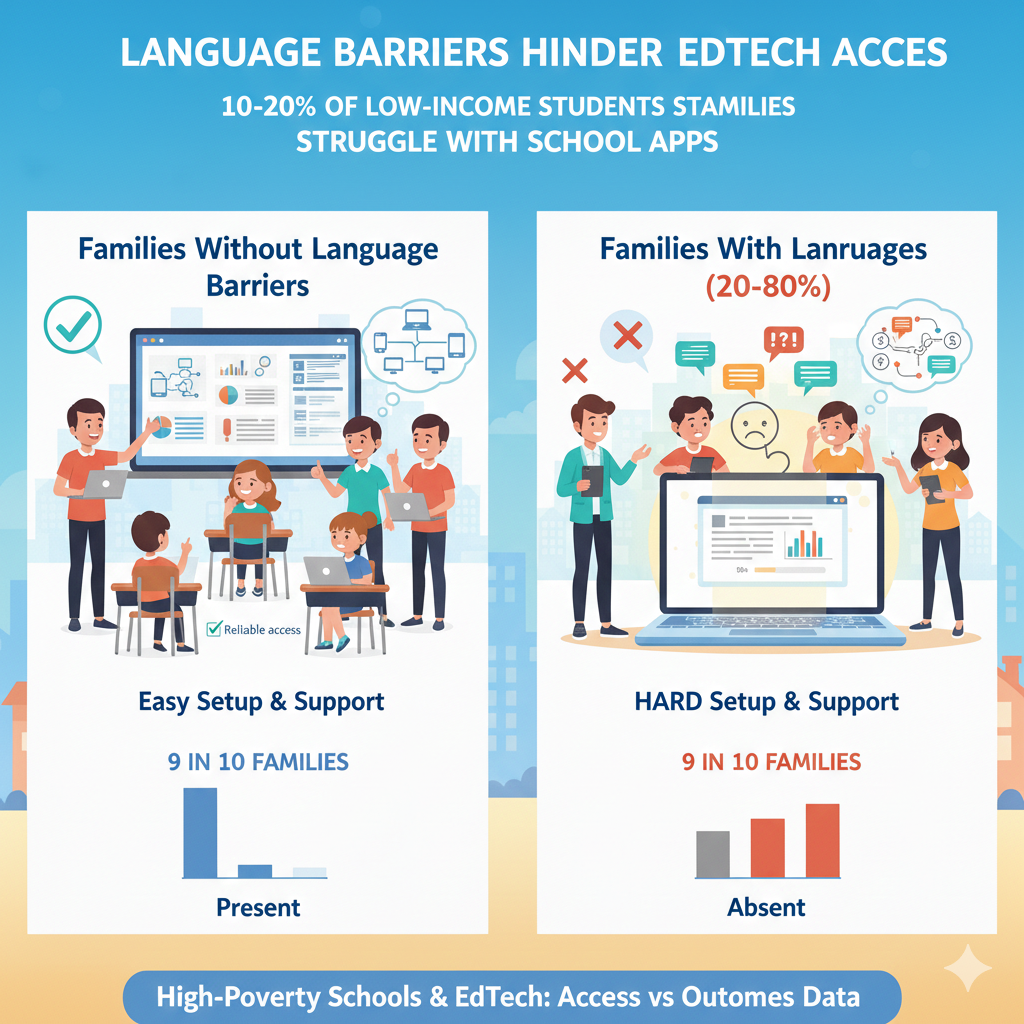
19) In many low-income communities, 10–20% of families report that language barriers make it hard to set up or troubleshoot school-required apps and accounts.
What this stat really means in real life
When families face language barriers, EdTech can become a wall. A parent may want to help but cannot understand setup steps, error messages, or school emails. A child may be asked to translate complex tech instructions for adults, which is stressful and often leads to mistakes.
Then the child cannot log in, misses work, and feels stuck. The family may also avoid contacting the school because they worry they will not be understood.
This problem is not about intelligence. It is about access to clear communication.
How schools can turn access into outcomes
Schools can improve outcomes quickly by making tech support language-friendly. That means providing setup guides in the main home languages, with clear pictures. It also means having a phone line or staff member who can support families in those languages, even if only during certain hours.
Another practical move is to simplify account systems. Single sign-on, fewer apps, and fewer passwords reduce the need for troubleshooting. When the system is simple, language barriers matter less.
Teachers can also use communication that families can understand. Short messages, clear steps, and fewer school-specific terms help a lot.
What parents can do right now
If language makes tech hard, ask the school for translated setup help or a trusted contact who can support you. Also, ask for offline options for learning tasks when possible. At Debsie, teachers can communicate in a clear, friendly way, and we can guide families through a simple setup so the child can focus on learning, not on confusing tech steps.
20) Password and login problems are a major hidden cost: schools often report that 5–15% of instructional tech time can be lost to access issues (logins, updates, Wi-Fi drops).
What this stat really means in real life
Five to fifteen percent sounds small until you see it in a classroom. In a 40-minute lesson, that can mean 2 to 6 minutes gone. But it often feels worse because the lost time comes in chunks. One student cannot log in, then another.
A device needs an update. Wi-Fi drops. The teacher becomes a tech helper instead of a teacher. Students who are already logged in start drifting. Behavior issues rise. The lesson loses its flow. Over weeks, this lost time becomes many hours of missed learning.
This is why some teachers quietly avoid EdTech. They are not against technology. They are against wasted minutes that turn into chaos.
How schools can turn access into outcomes
The first fix is to make logins boring and fast. Use single sign-on if possible. If not, keep login cards that stay in the classroom, not in backpacks. Password resets should be instant and simple, with a clear process teachers can trigger without waiting days.
Second, separate “tech start” from lesson time. Build a two-minute entry routine where students open devices and log in before instruction starts. The teacher can give a calm checklist on the board. When students practice this routine daily, it becomes automatic.
Third, schedule updates outside class time. Devices should update overnight or during a planned window. The same is true for big app changes.
Finally, create a student helper system. Train a few students to solve common issues like reconnecting Wi-Fi or closing frozen tabs. This protects teacher attention for teaching.
What parents can do right now
At home, teach your child one simple habit: write down usernames, and keep chargers in one place. Encourage your child to tell the teacher right away when logins fail. If your child learns with Debsie, we keep setup simple and support families so session time is used for learning, not for tech trouble.
21) In some districts, students lose hours per month to blocked sites, filtering mistakes, and device updates—often more in older devices common in tight budgets.
What this stat really means in real life
Filters and updates are meant to protect students and keep devices working. But when they are poorly managed, they block learning. A student clicks a link the teacher assigned and sees “blocked.” A video needed for class will not load.
A tool that worked last week suddenly fails. On older devices, updates can take a long time, or they can break compatibility with a program. Students then spend class time waiting, while teachers scramble for a backup plan.
These problems hit low-income schools harder because devices are older and tech support teams are often small. So the same issue that gets fixed in one day in a wealthy district may drag on for weeks.
How schools can turn access into outcomes
Schools should set up a fast “unblock request” process. Teachers need a way to flag a learning site and have it reviewed quickly. This can be as simple as a shared form checked daily by IT.

Next, standardize the core learning sites. When a school agrees on a small set of trusted platforms, filters can be tuned to support them, not fight them. Random links each week cause more blocks and more frustration.
For updates, create a predictable schedule. If devices update at the same time each week, teachers can plan around it. Also, avoid unnecessary app clutter. The more apps, the more updates, and the more chances something breaks.
What parents can do right now
If your child says a site is blocked, ask the teacher if there is another way to access the same lesson. At home, if you use a personal device, keep it updated so it runs smoothly. If your child needs a stable learning system with fewer moving parts, Debsie’s learning path is designed to be simple and consistent, so students spend time learning, not troubleshooting.
22) Globally, a widely cited reality is that around 2 in 3 children do not have reliable internet at home—meaning “digital learning” is often a school-only resource, not a daily home resource.
What this stat really means in real life
This global number reminds us that home internet is not a basic need everywhere yet, even though schooling often assumes it is.
When most children worldwide cannot count on home internet, it means a lot of learning must happen inside school walls or through offline methods. It also means that big promises like “learn anytime, anywhere” are not true for many families.
For low-income schools, this matters because it pushes us toward a more realistic model. The best EdTech plan is not “everything online.” The best plan is “use tech where it truly helps, and keep learning possible without it.”
How schools can turn access into outcomes
Schools should design lessons that work in two modes: connected and disconnected. In connected mode, students can do interactive practice, get quick feedback, and use digital resources. In disconnected mode, students can still read, write, solve problems, and practice skills using printed materials or offline apps.
Schools can also create “download-and-go” systems. Students can download weekly lessons during school hours, then work offline at home. When they return, they can upload results or show work on paper.
This model is also more fair. It reduces the advantage of families with perfect home setups and protects students who have none.
What parents can do right now
If your home internet is limited, focus on habits that do not require it: daily reading, writing a short paragraph, practicing math facts, and reviewing class notes. Ask for offline materials when needed.
If you want a learning program that can still work even with limited internet, Debsie’s teachers can guide your child in a structured way and offer practice that does not depend on being online all day.
23) Where broadband is available, cost still blocks access: families near the poverty line often spend 5–10% of monthly income on internet + phone, making it one of the first bills to cut.
What this stat really means in real life
This is the part people miss when they say, “But internet exists in that area.” Availability does not mean affordability. If a family is choosing between food, rent, medicine, and internet, internet can quickly become the bill that gets delayed.
And when internet is delayed, school work becomes harder. A child may be able to connect for a few days, then lose service, then reconnect later. This stop-and-start pattern hurts learning because routines break.
It also creates stress at home, because the child may feel they are “causing” the cost by needing internet for school.
This cost pressure also changes how families use devices. Some families rely on mobile data instead of home broadband, which can run out fast. Others limit usage to save data, which reduces the time a child can practice skills.

How schools can turn access into outcomes
Schools can protect learning by making sure students can complete core work without needing heavy home internet. The most helpful policy is simple: the required part of learning should be possible offline, and online should add value, not create a barrier.
Schools can also schedule key digital tasks during the school day, especially uploads, research, long writing, and required platform minutes.
Schools can support families by sharing local low-cost internet programs, but the bigger win is designing learning that does not collapse when internet is cut for a week. Teachers can prepare short printed packets that match what is being taught, so no one is left out.
What parents can do right now
If internet cost is tight, speak with the school early and ask for offline options. Also, set a plan at home that uses low-cost learning habits like reading daily and doing math practice on paper.
If you want guided learning that stays steady even when internet changes, Debsie’s live classes can give your child a clear teaching session and simple practice steps that can be done with basic tools.
24) In large-scale device programs, a typical replacement/repair rate can be 5–12% per year, meaning thousands of devices need fixes in big districts.
What this stat really means in real life
Devices do not last forever, especially when they are used daily by children. A 5–12% repair rate means breakage is normal, not a rare mistake. If a district has 20,000 devices, even a 5% rate is 1,000 devices needing attention in one year.
That is a lot of learning time at risk. When repairs are slow, students lose access. When repairs are rushed, devices come back with the same problems. This is how a program can look strong on launch day and then feel weak by mid-year.
This stat also points to a fairness issue. When a child loses their device, they often fall behind quickly, even if they are trying. The loss is not only the screen. It is the routine that disappears.
How schools can turn access into outcomes
Schools should budget for repairs as part of the learning plan, not as an emergency surprise. A device plan should include spare devices, spare chargers, and a simple swap process. The best model is “same-day swap,” where possible, so learning continues without gaps.
Schools can also reduce breakage by teaching care routines in the first week of school. Students need clear rules on carrying, storage, cleaning, and charging. These habits are teachable, just like classroom norms.
Finally, schools should track the reasons devices fail. If many chargers are missing, change the charger policy. If screens break often, add cases. Small choices reduce the repair load and protect outcomes.
What parents can do right now
Help your child treat the device like a school book. Choose one safe place at home for charging. Encourage careful carrying and quick reporting of problems. If your child is without a device for a period, protect learning with paper practice and guided instruction.
Debsie’s teachers can keep your child progressing with clear teaching and offline-friendly practice while the device is repaired.
25) For reading and math, the average “effect size” from many EdTech tools is often reported as small, roughly translating to a few extra weeks of learning when implemented well.
What this stat really means in real life
This stat can feel disappointing at first, but it is actually useful because it sets honest expectations. Many tools do not create giant leaps on their own. Instead, when used well, they add a steady extra push.
A few extra weeks of learning may not sound dramatic, but across years it becomes meaningful. The problem is that many schools expect a tool to do the job of teaching, and then feel frustrated when results are small.
The real message is simple: small gains are normal, and small gains are valuable, but only when the tool is used with strong teaching, enough practice time, and a clear routine.
How schools can turn access into outcomes
The best approach is to pick one skill area and use the tool as targeted practice. For reading, focus on fluency, vocabulary, or comprehension, but not everything at once. For math, focus on number sense, operations, or problem solving, but keep the goal clear. Then, connect the practice to classroom work so students feel the purpose.
Schools should also protect feedback. If students keep making the same mistake in a tool, the teacher should address that mistake in a short mini-lesson. That is where gains grow from “small” to “real.”
Finally, measure progress in a simple way. Look for steady improvement over weeks, not overnight miracles. When students see progress, motivation rises, and usage becomes easier to sustain.
What parents can do right now
If your child uses a learning app, do not judge it by one day. Watch progress over a month. Ask your child to explain what they are learning. If the tool is not clear or not improving skills, add human support. Debsie is designed to provide that human piece through expert-led teaching, so practice turns into real learning.
26) Implementation quality can matter more than the tool: schools with strong coaching and routines can see 2–3× the learning benefit compared to schools that just hand out logins.
What this stat really means in real life
Two schools can buy the same program and get very different results. One school builds a clear routine, trains teachers, checks progress weekly, and supports students who struggle. The other school sends home logins and hopes students use it.
The first school often sees much stronger gains because the tool is not the “plan.” The tool is part of the plan.
This is one of the most important ideas in EdTech: outcomes come from people and habits. The software does not create a learning culture. Adults create it. When students know exactly when to use the tool, why they use it, and what success looks like, they use it more, they take it more seriously, and they improve faster.
How schools can turn access into outcomes
Start with a simple routine that fits the school day. Choose a consistent schedule and keep it. Then train teachers on the few actions that matter most: how to place students at the right level, how to check the weekly report, and how to respond to common mistakes.
Next, use coaching, even if it is light. A short monthly coaching cycle can help teachers fix small issues before they become big. Coaching can be peer-based too. One teacher can share what worked, what didn’t, and what routines kept students focused.
Finally, make support visible for students. If a student is behind on minutes or accuracy, do not shame them. Give a short catch-up block and targeted help. That creates trust and keeps students in the system.
What parents can do right now
Ask the school how EdTech time is scheduled and how teachers use the results. If the answer is unclear, the routine may not be strong. At home, you can create your own routine with short, steady practice that matches school goals.
If you want a program where implementation quality is built in, Debsie offers guided live teaching, clear weekly goals, and simple routines that help children stay consistent.
27) Data privacy and security incidents are not rare: school systems commonly report multiple cyber or ransomware attempts per year, and high-poverty districts can be more vulnerable due to fewer IT staff.
What this stat really means in real life
Schools hold sensitive data: student names, birthdates, addresses, and sometimes health information. When cyber attacks happen, they can shut down systems, disrupt learning, and expose private data.
High-poverty districts may have fewer tech staff and older systems, which can make them easier targets. This is not meant to scare families, but it is meant to push schools toward safer choices.
Privacy issues also affect trust. If families do not trust the system, they are less likely to sign forms, less likely to use parent portals, and less likely to engage with learning tools. That reduces outcomes.
How schools can turn access into outcomes
First, schools should reduce tool sprawl. The more apps and vendors you use, the larger the risk surface. Choose fewer tools and vet them carefully. Use tools that follow strong privacy practices, limit data collection, and offer secure sign-in options.
Second, train staff and students in simple safety habits. Most breaches start with weak passwords or phishing emails. Teach staff to spot suspicious messages and use strong password habits. Teach students not to share passwords and to report strange pop-ups.
Third, plan for disruption. If systems go down, learning should continue. Keep offline lesson plans and paper backups for key tasks. A school that can keep teaching during a tech outage protects learning time.
What parents can do right now
Ask what tools your child is using and what data is collected. Use strong passwords where you can and avoid sharing login details across sites. If something seems suspicious, report it quickly. Debsie treats student privacy seriously and keeps learning systems structured, so families can focus on growth, not fear.
28) In many low-income districts, the student-to-IT-staff ratio can exceed 1,000 students per 1 IT staff member, making fast repairs and support difficult.
What this stat really means in real life
When one IT staff member supports more than 1,000 students, delays are expected. Tickets pile up. Devices wait for repair. Wi-Fi issues take longer to solve. Teachers get stuck troubleshooting during class because help is not available quickly. This is a major reason why EdTech fails in practice even when it looks good in planning.
It also affects morale. Teachers feel unsupported. Students feel blocked. Over time, people stop using tools because “they never work,” even if the real issue is staffing.
How schools can turn access into outcomes
Schools can reduce pressure on IT by simplifying the tech environment. Fewer tools, fewer device models, and fewer login systems all reduce support needs. Standardization is not exciting, but it works.
Another strong move is to train “level one” helpers. This can include teacher leaders, office staff, or trained student tech teams who can handle basic issues like resetting passwords, checking Wi-Fi, and swapping chargers. This frees IT staff to handle deeper problems.
Schools can also create clear triage rules. Issues that block learning for many students, like Wi-Fi outages, get top priority. Individual device issues should have a simple swap process so learning continues.
What parents can do right now
Teach your child basic device care and simple troubleshooting steps like restarting, reconnecting Wi-Fi, and keeping chargers organized. Encourage your child to report problems early.
If your child needs a learning option that is not dependent on school IT response time, Debsie’s live classes can provide a stable learning track supported by our own teaching team and systems.
29) In classrooms serving low-income students, teachers frequently report that behavior/attention supports are needed for EdTech time; without them, off-task browsing can consume 10–30% of device time.
What this stat really means in real life
Devices can help learning, but they can also pull attention away. If a class does not have strong routines, students may drift into games, random videos, chatting, or simply clicking without thinking.
When 10–30% of device time is off-task, learning time shrinks fast. A 20-minute practice block can turn into 14 minutes of real practice and 6 minutes of distraction. Over weeks, that becomes many lost hours.
This is not only a student problem. It is a classroom design problem. Children, especially younger ones, need clear boundaries and clear steps. If the task is too hard, students escape. If it is too easy, they get bored.
If they do not see the point, they wander. So the answer is not “devices are bad.” The answer is “EdTech needs structure and attention support.”
How schools can turn access into outcomes
The first fix is to make EdTech time short and focused. Many teachers get better results with 10–20 minute blocks than with long blocks. Short blocks match attention spans and reduce the chance of drifting.
Next, use clear entry steps. Students should know exactly what to open, what to complete, and what “done” looks like. A simple goal on the board helps, such as “Complete Lesson 3 and finish 10 practice questions.” Clarity reduces wandering.
Third, actively monitor. Teachers should move around, glance at screens, and redirect quickly. This is not about punishment. It is about keeping students on track. Some schools also use tools that help teachers view screens, but even without that, walking the room works.
Finally, build motivation the right way. Praise effort, praise focus, and show students their growth. When students see progress, they stay engaged.
What parents can do right now
At home, set device rules during study time: one task, one tab, short time, then a break. Ask your child to tell you what they practiced, not just that they “used the app.” If you want learning that keeps attention through live teaching, game-like progress, and a teacher who guides the session, Debsie is built to keep students engaged in the right way.
30) In classrooms serving low-income students, teachers often report that behavior/attention supports are needed for EdTech time; without them, off-task browsing can consume 10–30% of device time.
What this stat really means in real life
This final point is the same core truth repeated because it is that important: attention is the fuel for learning. In low-income schools, students may face stress, tiredness, and busy home lives. That does not mean they cannot focus.
It means focus must be supported and taught. When EdTech is used without strong routines, it can become a distraction machine instead of a learning tool. And once students link devices with distraction, it becomes harder to bring them back to learning use.
The deeper issue is that many students have never been taught how to manage attention on a screen. They need simple skills: staying with one task, ignoring pop-ups, asking for help when stuck, and taking short breaks to reset.
How schools can turn access into outcomes
Schools can treat attention as a teachable skill. Teachers can model how to use the tool, how to pause and think, and how to check answers. Schools can also build “screen norms” that every class uses, so students do not have to learn new rules every period.
Another practical move is to match the tool to the student’s level. When the work is at the right level, students are less likely to escape. Use placement checks and adjust quickly.
Finally, give students ownership. Let them see their progress over time in a simple way. When a student sees they improved, they start to believe effort matters, and that belief supports focus.
What parents can do right now
Help your child practice focus in small doses. Ten minutes of steady work is a win. Build up over time. Use praise for effort and calm attention, not only for correct answers.
If you want a structured program that supports attention through clear goals, live teacher guidance, and fun progress, Debsie can support your child with routines that make learning feel doable and rewarding.
Conclusion
If you take one lesson from all 30 stats, let it be this: access is only the first step. A device and a login do not equal learning. Outcomes come from steady routines, enough weekly practice time, good teaching, quick support when things break, and a simple plan that works even when internet is weak.