EdTech is now a normal part of school life. But here’s the truth most people miss: EdTech does not work the same way for every age. A tool that feels easy and fun for a 1st grader can feel childish to a 9th grader. And a platform that helps a high school student stay on track can totally confuse a kindergartener.
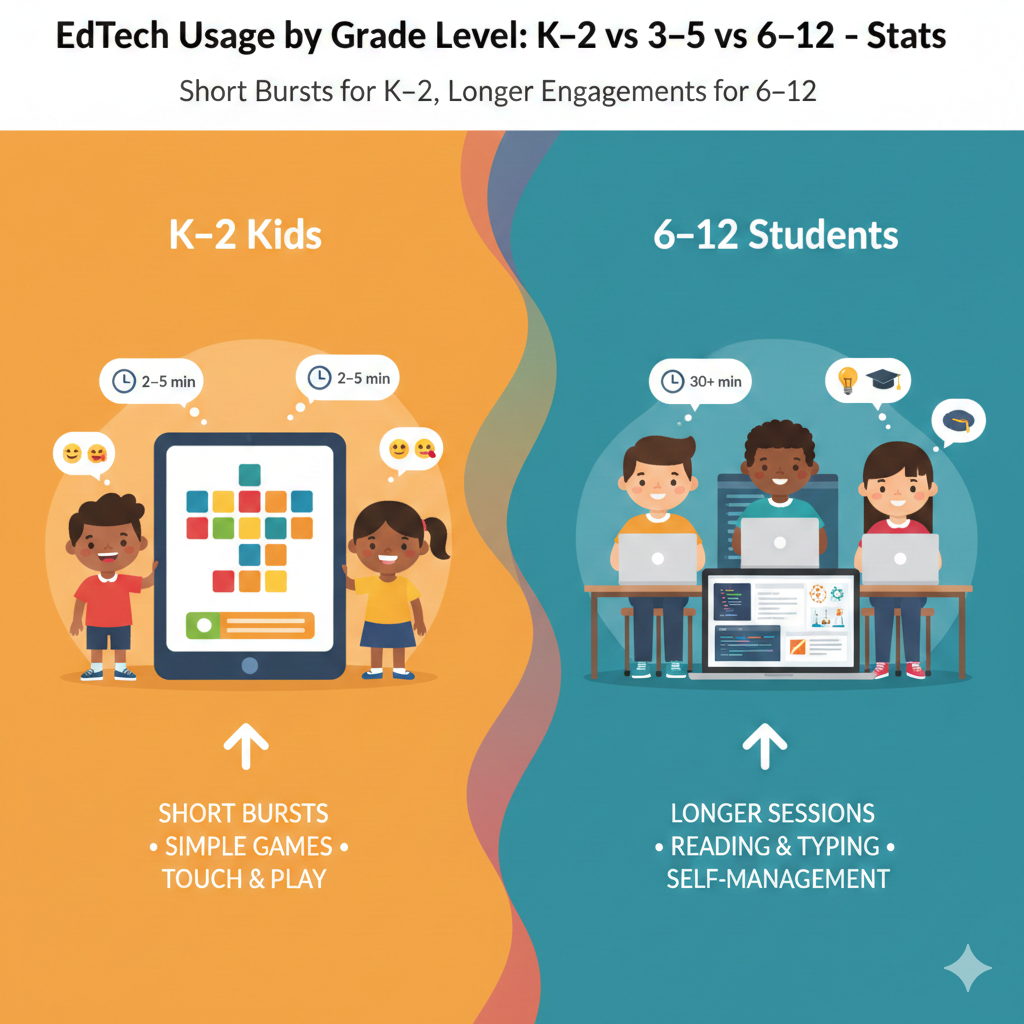
1) K–2 kids usually use EdTech in very short bursts (often just a few minutes at a time), while 6–12 students can stay on one tool much longer because they can read, type, and self-manage better.
What this looks like in real life
A child in K–2 often learns best in quick, focused moments. Their attention is still growing, and their hands are still learning fine control. Even when the app is fun, a long stretch can turn into random tapping, daydreaming, or frustration.
That does not mean the tool is bad. It means the time block is too long for the child’s stage. Older students in grades 6–12 can stay with one tool longer because they can read instructions, type with ease, and keep themselves on track without constant reminders.
How to use this stat to plan better learning time
For K–2, treat EdTech like a short warm-up, not the full workout. Aim for one small goal per session, such as finishing a tiny set of reading sounds or a short math practice. Stop while the child still feels successful. That “I did it” feeling is what makes them return tomorrow.
If you push past that point, you often trade learning for tears or refusal. A simple rule works well: when focus starts to slip, end the session and switch to an offline activity that uses the same skill, like reading aloud or counting objects.
A simple routine that actually works
For grades 6–12, longer blocks can be helpful, but only with structure. Teach a start plan, a finish plan, and a short reset break in the middle so the brain does not get dull. Ask the student to name the task before they start and to show the finished result at the end, such as a submitted assignment or solved set of problems. This builds self-management.
If you want a program that matches attention span by age and keeps learning active, Debsie’s live classes and gamified challenges are built to fit how kids really learn. You can book a free trial class and see it in action.
2) K–2 EdTech use is mostly adult-led (teacher/parent starts it, guides it, ends it), while 6–12 use is more self-led (students log in, choose tasks, troubleshoot more on their own).
Why this difference matters
In K–2, children are still learning the basics of how to follow steps, stay calm when something is confusing, and move through a task in order. That is why EdTech often needs an adult nearby. The adult is not there to “do it for them.”
The adult is there to keep the learning smooth. Without help, a small issue like a forgotten password or a pop-up can stop the whole lesson and turn it into stress. In grades 6–12, students can usually handle those bumps. They can read prompts, try again, and solve small problems without melting down.
How to lead without taking over
For K–2, your role is like training wheels. You start the tool, explain the first step in simple words, and then let the child try.
When they get stuck, you guide with one short hint, not a full answer. If a child asks, “What do I do?” you can respond with, “Tell me what you see,” then point to the next button or read the line once. Over time, reduce your help. The goal is independence, but in tiny steps.
How to build self-led habits in older students
For grades 6–12, self-led does not mean “left alone forever.” It means they should run the process. A strong routine is: log in, check the task list, pick the top task, finish it, then review what is left.
If they struggle, teach them a simple help ladder. First, reread the instructions. Second, check an example. Third, search the help page or ask the teacher with a clear question. This prevents panic and builds problem-solving.
A practical home setup that reduces fights
Keep access simple. For young kids, save logins and use a single device spot so sessions start quickly. For older kids, use one calendar and one place to track work, so they do not “forget” tasks.
Debsie supports both styles. Younger students get guided lessons with teachers who know how to prompt, not push. Older students get clear goals and progress paths that build real independence. Want to see which style fits your child best? Try a free Debsie trial class.
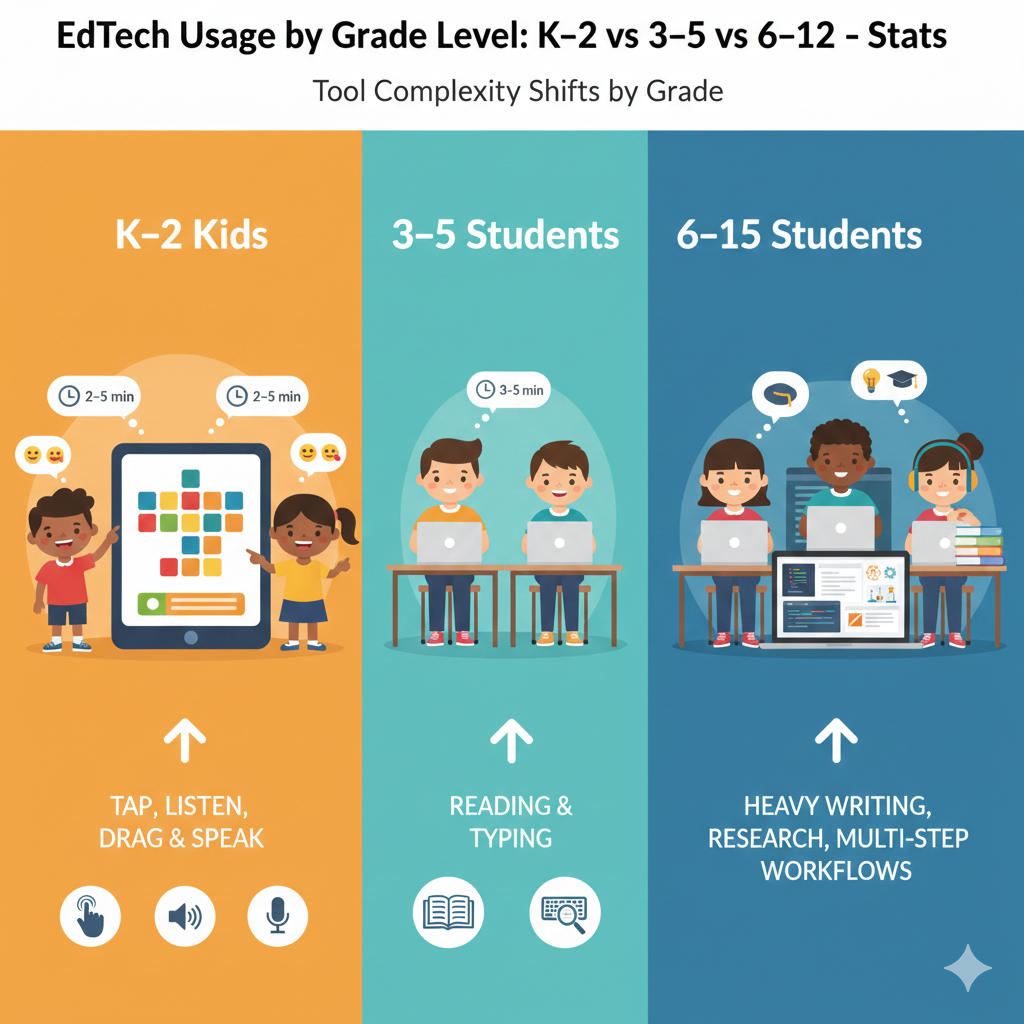
3) K–2 tools are mostly “tap, listen, drag, and speak”, while 3–5 shifts toward more reading and typing, and 6–12 adds heavy writing, research, and multi-step workflows.
What this means for choosing the right tool
For K–2, the best tools match what small kids can physically do. Tapping big buttons, dragging objects, listening to directions, and speaking short answers are all natural for them. Long reading prompts and heavy typing are not.
In grades 3–5, kids start reading more smoothly and can type short words and sentences, so tools can become more text-based. By grades 6–12, students can handle long instructions, write full answers, do research, and complete tasks that take many steps, like drafts, edits, and submissions.
How to spot a good match in five minutes
Open the tool and look at the first screen. If a K–2 tool has many small menus, tiny text, and lots of steps, it will frustrate most kids. If a 6–12 tool is only tapping and guessing, it may feel childish and lead to lazy learning. The right match feels challenging but not confusing.
The student should know what to do within the first minute.
Action you can take today
For K–2, choose tools with voice instructions and simple actions. Sit beside the child for the first few sessions and watch for signs of strain, like fast clicking or asking for help every few seconds.
For 3–5, add light typing practice through the tool, but keep it short and supportive. For 6–12, pick tools that require real output, such as written explanations, projects, or problem sets, and make sure there is a clear way to submit and get feedback.
Debsie’s learning paths follow this growth. Younger kids learn through guided, hands-on tasks. Older students build projects that need planning and clear steps. You can explore a course or book a free trial class to see the right fit.
4) K–2 learning apps lean heavily on audio directions and pictures, while 6–12 tools rely much more on written directions and longer text.
Why the format changes with age
In K–2, many children cannot read full instructions with ease. If a tool depends on long text, the child will either guess or quit. Audio and pictures solve that problem because they let the child focus on the skill, not on decoding the instructions.
In grades 6–12, students can read longer text, so tools can teach through written lessons, articles, and detailed prompts. That is also how schools test older students, so reading-based tools can prepare them for real classroom demands.
How to make audio-and-picture tools work better
For young children, headphones matter more than most parents think. Without clear sound, directions get missed and the child makes mistakes that feel unfair. Also, watch the pace. If the tool talks too fast, pause and repeat once, then let the child try again.
Keep your help short. You want the child to connect the picture, the sound, and the action without feeling rescued.
How to support text-heavy tools in older grades
For 6–12, many students can read, but they still skim. Teach them to slow down in a simple way: read the task, underline the key action, then restate it in their own words. If they cannot restate it, they did not understand it. This one habit cuts confusion and improves grades.
Encourage them to keep a small notes file where they copy key instructions and deadlines so they do not rely on memory.
Debsie teachers model these habits in live classes, so kids learn how to understand directions, not just complete clicks. If your child struggles with instructions, a free Debsie trial can show you what guided support looks like.
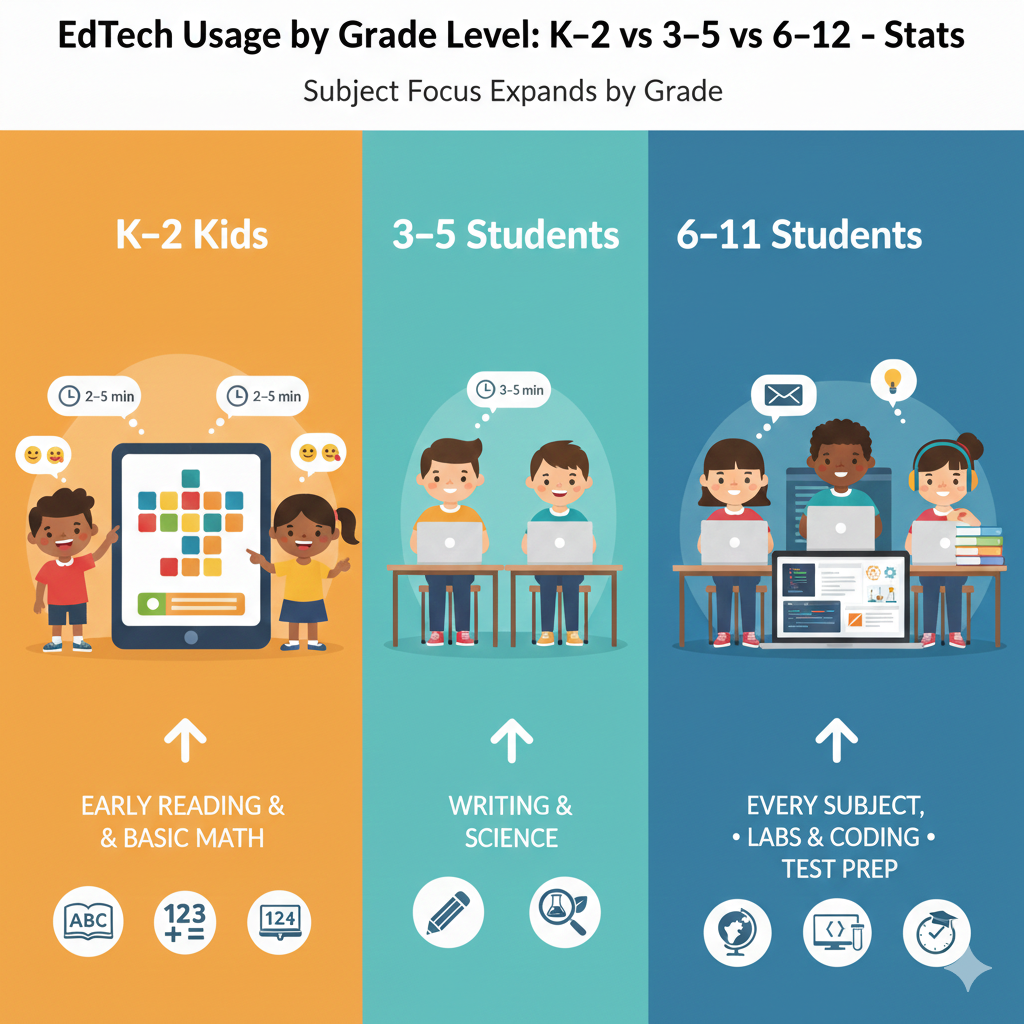
5) K–2 EdTech is dominated by early reading and basic math practice, 3–5 expands into writing and science, and 6–12 spreads across every subject (including labs, coding, and test prep).
What subjects usually get the most screen time
In K–2, EdTech is often used for phonics, sight words, counting, and simple number work. These skills improve with short practice, so apps fit well. In grades 3–5, kids begin writing more, reading longer passages, and learning structured science topics, so tools start including writing prompts, reading comprehension, and simple experiments or videos.
In grades 6–12, EdTech becomes a full learning system across subjects, including science labs, math practice, language work, coding platforms, research tools, and exam preparation.
How to avoid the “narrow learning” trap
A common problem is staying stuck in only two subjects. A child may use a math app and a reading app for years, but never use tools for science thinking, logic, or building projects. That can limit growth.
Even in K–2, you can add small science and logic activities that match their level. In 3–5, you can mix in writing and basic coding games that teach patterns and steps. In 6–12, you can add deeper tools, but only if the student has a clear reason and a clear goal.
Actionable planning that keeps learning balanced
Pick one main tool per core need, then add one small “skill builder” tool. For K–2, that could be reading plus number sense, with one weekly curiosity activity. For 3–5, it could be math plus reading, with a writing tool or science exploration once or twice a week.
For 6–12, choose tools that support school goals and also build real-world skills like coding, research, and problem-solving.
Debsie is designed for this balance. Kids can build strong basics, then grow into science and coding in a guided, fun way. If you want your child to expand beyond worksheets and into real thinking, try a free Debsie trial class.
6) K–2 students usually need big rewards to stay engaged (stars, stickers, cute characters), while 6–12 students respond more to progress, grades, and real outcomes (project quality, exam scores, portfolio work).
Why rewards work differently by age
Young kids often need visible, instant rewards because they live in the present moment. A star right now feels real.
A promise of “this will help later” does not. Older students still like rewards, but they care more about results that affect their life, like higher scores, better grades, a strong project, or proof they can do something hard.
How to use rewards without creating dependency
For K–2, use rewards as a bridge, not a crutch. The best reward is not a toy. It is a clear signal of success. Praise the effort in simple words: “You kept trying,” “You listened carefully,” “You finished the task.” Keep rewards small and tied to learning, like choosing the next activity or showing work to someone they love.
That keeps motivation healthy.
How to motivate older students in a stronger way
For grades 6–12, connect the tool to a real outcome. Help them set a target, like improving a test score by a small amount, finishing a project, or mastering a topic that used to scare them. Make progress visible.
A weekly check-in works well: what improved, what stayed hard, and what is next. When they see progress, motivation grows naturally.
Debsie uses smart gamification for young learners and real skill progress for older students, so motivation fits the age. Want motivation without daily fights? Book a free Debsie trial class.
7) K–2 time on EdTech is mostly skill-building practice, while 6–12 time is more often content learning + creation (essays, slides, videos, code, designs).
What younger kids should do on screens
In K–2, the main goal is building strong basics. That means repeated practice with letters, sounds, number sense, simple addition, and early reading fluency. Practice tools work well here because they give quick feedback and help children get comfortable.
But it only works when practice stays small and clear. If the practice becomes too long, the child starts guessing, and the brain stops learning.
What older kids should do on screens
In grades 6–12, practice still matters, but it is not enough. Older students must also learn new content and create real work.
They need to read lessons, watch demos, take notes, and then build something that shows understanding, like an essay, a presentation, a lab report, a coding project, or a design. Creation forces deeper thinking, because the student must explain, organize, and apply ideas.

Actionable advice to make EdTech time valuable
For K–2, choose one skill goal per session and end early. Then use a short offline follow-up, like reading aloud one page or solving a few problems on paper. This locks in learning. For 6–12, require output.
If they watched a video, they must write a short summary in their own words. If they studied a topic, they must solve problems without hints. If they used a coding tool, they must build a small working program, not just click through.
Debsie supports both needs. Young learners get structured skill practice that stays fun and short. Older learners build real projects with teacher guidance. If you want your child to move from “doing an app” to “building real skills,” try a free Debsie trial.
8) K–2 students are more likely to share devices (class tablets, family phone), while 6–12 students are more likely to have a dedicated device (school laptop or personal phone).
Why device access changes learning
When a device is shared, learning time becomes less stable. A child may not get the same time each day, settings may change, and logins can get lost. For K–2, this is common, and it can still work well if you keep the setup simple.
In grades 6–12, students often have a school device or a personal phone, which makes it easier to maintain routines, save files, and complete longer tasks.
How to make shared devices work smoothly
For K–2, create one “learning spot” and one “learning time.” Even ten minutes daily is powerful if it is steady. Keep the device charged, keep headphones nearby, and keep the app shortcuts on the home screen.
Avoid letting the child jump between many apps. One or two tools used well beat ten tools used poorly. If a parent uses the same phone, set a simple rule: learning first, then normal use.
How to manage dedicated devices without chaos
For 6–12, a dedicated device can help, but it also brings distractions. Set up a clean home screen with school tools easy to find. Turn off non-essential notifications during study blocks. Teach file habits early: where to save work, how to name files, and how to submit.
If the student loses files, they lose confidence. A calm system protects both learning and mood.
Debsie works on common devices and keeps routines simple, which helps families with shared or dedicated setups. If device fights are common at home, a free trial class can show you a smoother way.
9) K–2 apps usually have fewer steps per task, while 6–12 platforms often require many steps (login, navigate courses, submit work, check feedback, revise).
Why “steps” can break learning
In K–2, too many steps create confusion. A child may forget what they were trying to do, press the wrong button, or get stuck on a screen they cannot read. They then feel like they failed, even when the lesson was fine.
For 6–12, multi-step work is normal because school expects students to follow processes: assignments, submissions, feedback, revisions, and deadlines.
How to reduce step overload for young kids
For K–2, reduce friction. Keep logins saved where possible. Use single sign-on if the school provides it. Open the correct activity before the child sits down. Then let the child handle the learning part, not the setup part.
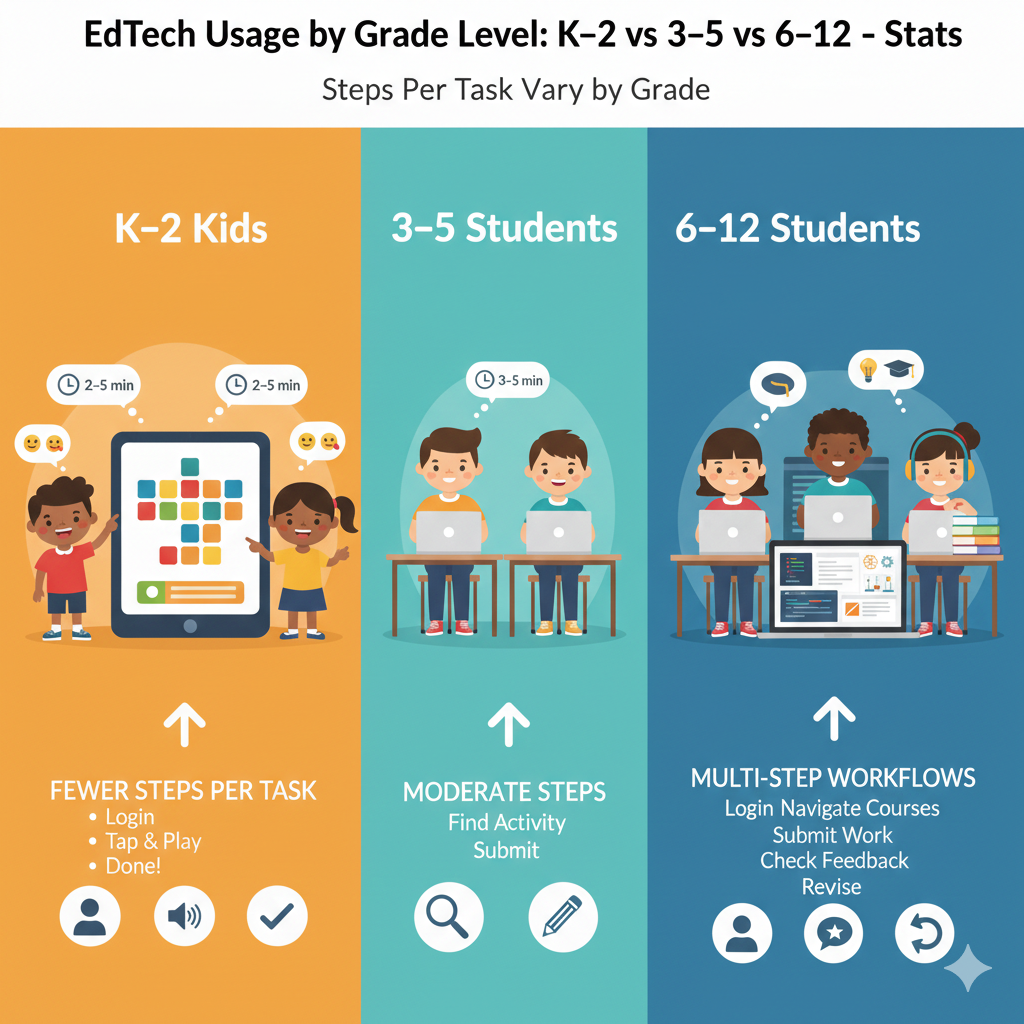
If the app has menus, hide extra options. Some tools allow a “kid mode” or a locked path. Use it. The goal is one clear action at a time.
How to teach older kids to handle complex workflows
For 6–12, do not assume they automatically know how to manage steps. Many students get lost in platforms. Teach a simple routine: start at the dashboard, check the task list, open the assignment, read the rubric, do the work, submit, then check confirmation.
After feedback arrives, teach them to revise, not just glance and move on. This habit is a major advantage in school and later life.
Debsie classes model these steps in a guided way, so students learn the process, not just the answer. If your child struggles with platforms, a free Debsie trial can help.
10) K–2 success depends a lot on simple user design (big buttons, few menus), while 6–12 success depends more on organization features (folders, calendars, rubrics, version history).
What “good design” means for young learners
For K–2, design is learning. If a button is tiny, a child misclicks. If a menu is crowded, a child gets lost. If directions are hidden, the child guesses. So the best tools for young kids are clean and obvious. They should have big buttons, clear sound, and very few choices at once.
When design is simple, the child can focus on the skill instead of fighting the screen.
What “good design” means for older students
For 6–12, design still matters, but organization is the real key. Older students need to handle many subjects, many tasks, and many deadlines. They need calendars, folders, checklists, rubrics, and ways to track changes over time.
Version history matters when they revise writing or code. Without organization, they feel behind even if they are smart.
Actionable ways to choose and set up tools
For K–2, test the tool with the child in the first five minutes. If they cannot navigate without repeated help, switch tools.
For 6–12, choose platforms that make tasks easy to find and progress easy to see. Then set up one weekly “reset” where the student cleans folders, checks deadlines, and confirms what is due next. This one habit reduces panic and last-minute work.
Debsie blends simple design for younger learners with clear progress tracking for older learners. If you want EdTech that feels easy but still builds serious skills, try a free Debsie class.
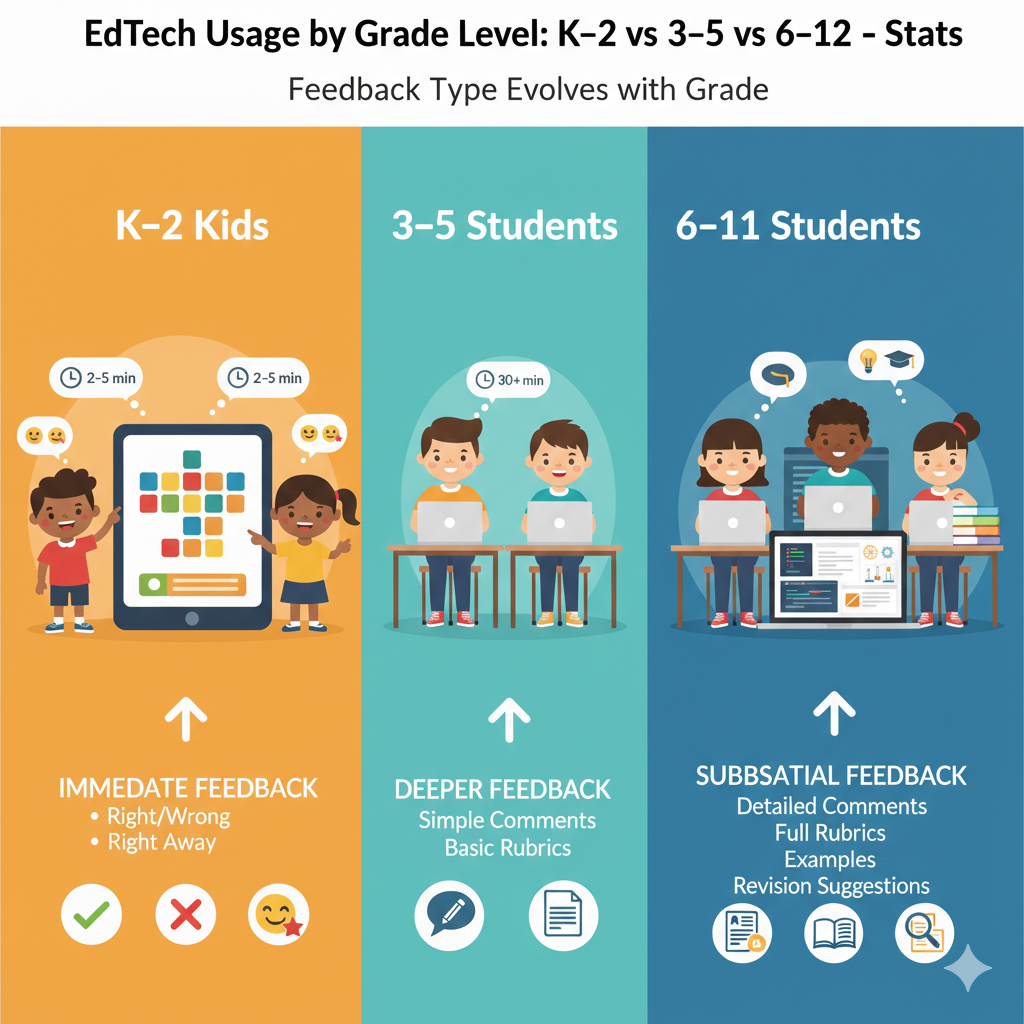
11) K–2 students benefit most from immediate feedback (“right/wrong” right away), while 6–12 students need deeper feedback (comments, rubrics, examples, revision suggestions).
Why feedback must match the child’s stage
For K–2, waiting for feedback can break learning. Young children need to know right away if they are on track. Immediate feedback keeps them calm and helps their brain connect action to result. A quick “yes” or “try again” is often enough.
In grades 6–12, older students need more than right or wrong. They need to understand why. They also need guidance on how to improve, because their work is more complex, like writing, problem-solving, and projects.
How to use immediate feedback the right way in K–2
When the tool gives quick feedback, keep your reaction simple. If the child gets something wrong, avoid big emotions. Say, “Good try, let’s fix it.” If the tool gives hints, let the child use the hint instead of giving the answer.
If the tool does not explain mistakes, you can add one small explanation, then move on. The goal is steady progress, not perfect performance. Also, watch for tools that give too many rewards for guessing. If the child can win by tapping fast, the feedback becomes noise.
How to build deeper feedback habits in 6–12
Teach older students to treat feedback like a map. When they get comments or rubric scores, they should do three things. First, identify the one biggest improvement area. Second, make a short plan to fix it.
Third, submit a revision when possible. This creates a growth loop. If a tool offers model answers or examples, have the student compare their work to the model and name one difference. That comparison skill is powerful in writing, math reasoning, and coding.
Debsie teachers give age-right feedback. Younger kids get quick guidance that keeps them moving. Older kids get clear notes that help them improve step by step. If your child needs better feedback to grow faster, try a free Debsie trial class.
12) K–2 EdTech is mostly about building foundations (letters, sounds, counting, shapes), while 6–12 is often about mastering complex ideas (algebra, writing arguments, chemistry concepts).
Why foundation years need a different approach
K–2 learning is like building a strong floor for a house. If the basics are shaky, everything later feels harder. That is why EdTech at this age should focus on small skills done well, like letter sounds, blending, counting, number sense, and simple patterns.
In grades 6–12, students are working with layered ideas. They are not just learning facts. They are learning systems, like algebra rules, scientific models, and structured writing.
Practical advice for K–2 foundation building
Use short daily practice. Keep it predictable. The child should know what comes next. Also, mix screen practice with real-world practice. If they learn shapes on an app, find shapes in the room. If they practice counting, count real objects like toys or snacks.
This helps the brain connect symbols on a screen to real meaning. If a child keeps missing the same skill, slow down and repeat for a few days. Fast pacing is not the goal. Strong roots are.
Practical advice for 6–12 complex mastery
Older students need structure and reasoning. Encourage them to explain steps out loud or in writing. In math, they should write why a step is valid, not just compute. In writing, they should state a claim and support it with reasons.
In science, they should connect cause and effect. Choose tools that force thinking, not tools that only give multiple-choice drills. Drills can help, but they should not be the main meal.
Debsie is built to grow kids from strong basics into deeper STEM and coding skills, with teaching that stays clear at every stage. If your child is stuck on basics or overwhelmed by complex topics, a free Debsie trial can show a better path.
13) K–2 tool choice is usually made by adults, while 6–12 students are more likely to choose tools themselves (note apps, study apps, AI helpers, coding tools).
Why choice changes as kids grow
Young children cannot judge tool quality. They choose what is colorful and easy. Adults must choose tools that are truly educational, safe, and level-appropriate. In grades 6–12, students start building personal study systems.
They may choose note apps, flashcard tools, coding platforms, and homework helpers. This can be great, but it can also create confusion if they use too many tools or pick tools that encourage shortcuts.
How adults can choose well for K–2
Use a simple filter. Is the tool easy to use? Does it teach one clear skill? Does it stop guessing and reward thinking? Does it fit your child’s reading level? Watch one session. If the child spends more time navigating than learning, switch.

Also, keep the tool count low. Too many choices create chaos. One strong reading tool and one strong math tool is usually enough, plus one small curiosity activity each week.
How to guide 6–12 choices without power struggles
Give older students a “choice lane.” Let them pick the tool, but require a clear purpose. Ask, “What problem does this solve for you?” Then set a short trial window. After a week or two, review together. Did it help? Did it reduce stress or add stress? If it helped, keep it. If not, drop it. Teach them that switching tools is normal, but only when there is a reason.
Debsie helps families avoid the tool overload problem because learning is guided and structured, while still feeling fun. If your child keeps jumping between apps without real progress, try a free Debsie trial class.
14) K–2 students are more likely to struggle with logins and passwords, while 6–12 students handle accounts better but may struggle more with time management and distractions.
What usually breaks learning for younger kids
For K–2, the barrier is often not the lesson. It is access. A forgotten password can end the session before it starts. A wrong click can cause panic. This is why young children need a smoother entry into learning.
The fewer steps between “sit down” and “start learning,” the better the results.
How to remove login stress in K–2
Keep logins saved when possible. Use QR codes or single sign-on if available. Put the learning apps in one folder on the device, and keep that folder on the first screen.
Consider a simple printed card near the device with the child’s username, so you are not searching each time. Most importantly, do not turn login problems into a big moment. Fix it calmly and start the lesson. The emotional tone matters more than the password.
How to solve the real 6–12 problem: time and distraction
Older students may log in easily, but they often lose time. They switch tabs, check messages, or delay work until late night.
Teach a simple plan: one study block, one task, one finish. Turn off notifications during the block. If they need music, use non-lyric music to reduce drift. At the end, they should mark the task done and pick the next task for tomorrow. This reduces procrastination.
Debsie supports routines that reduce friction for young kids and builds focus habits for older students. If your child struggles with setup or distraction, a free Debsie trial can help.
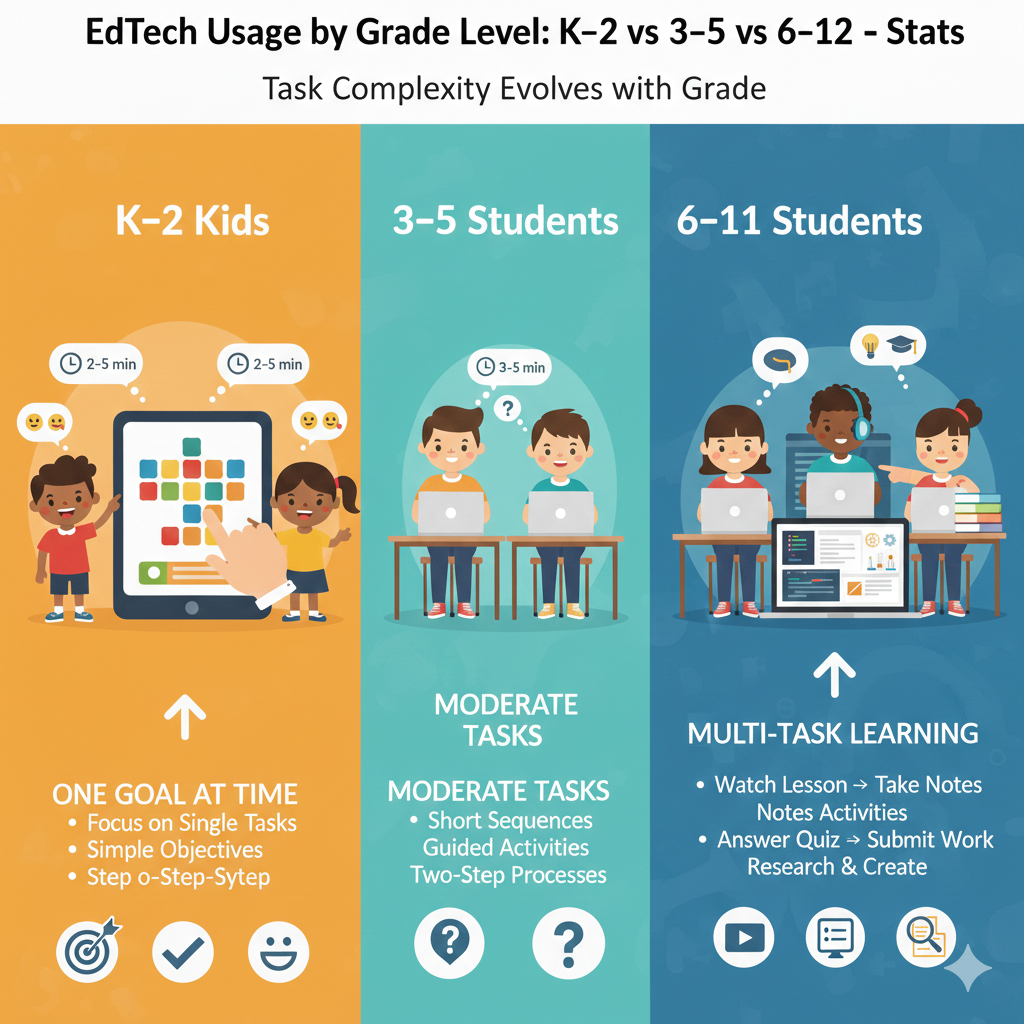
15) K–2 students do best with “one goal at a time” activities, while 6–12 students can handle multi-task learning (watch lesson → take notes → answer quiz → submit assignment).
Why one goal works better for young kids
K–2 children are still building the mental skill of holding steps in their head. If an activity asks them to listen, remember, read, and type all at once, their brains get overloaded. When that happens, they may act silly, rush, or give up.
This is not laziness. It is a normal limit at their age. One clear goal helps them stay calm and learn faster.
How to design one-goal EdTech sessions for K–2
Before the session starts, name the single goal out loud. Keep it short. “Today we will practice the sound ‘sh’.” Or “Today we will do ten addition questions.” Then remove extra choices. If the tool offers many modes, pick one mode and stay there.
When the goal is done, end the session. Do not stack another goal right away. If you want extra practice, do it offline with a quick game using toys or flashcards. This keeps the child’s brain fresh and prevents screen fatigue.
How to teach multi-task learning safely in 6–12
Older students can handle multi-step learning, but many still do it poorly. They watch a lesson and forget it because they took no notes. Or they take notes but never practice. Teach a simple chain: learn, capture, apply, submit.
They learn by watching or reading. They capture by writing key points. They apply by solving problems or doing a task. They submit by turning in the work. If they skip any link, results drop. This is a skill, not a personality trait, so it can be trained.
Debsie lessons guide students through the right chain for their age, so they do not drown in steps. If your child struggles with overload or forgets what they learned, try a free Debsie trial class.
16) K–2 EdTech is more likely to be used in whole-class rotations (stations), while 6–12 EdTech is more likely to be used for homework, independent study, and long projects.
Why the setting changes by grade
In K–2 classrooms, teachers often use stations to manage energy and keep learning active. One group uses an app, another group reads, another group works with the teacher.
This fits young children because movement and variety help them stay focused. In grades 6–12, students have more homework and more independent tasks, so EdTech shifts toward home use, longer assignments, and project work that spans days or weeks.
How parents can copy “stations” at home for K–2
You do not need a classroom to use this idea. Create a simple rotation at home. Start with a short EdTech station. Then move to a hands-on station like writing letters on paper or building with blocks while counting.
Then do a short talk station where the child explains what they learned. The power is in switching modes. It keeps the child’s brain awake and reduces behavior issues. Keep the total routine short so it feels doable.
How to make 6–12 homework EdTech actually productive
Older students often “sit to study” but do not produce much. Make independent work visible. They should end a session with something completed: a submitted file, a solved set of problems, or a draft that is saved.
Also, teach them to break projects into small parts with mini-deadlines. A long project feels scary until it becomes three small tasks. If the platform has a checklist, use it. If it does not, create one.
Debsie supports both settings. Younger kids thrive in guided, active learning. Older kids get structured goals for independent progress. If homework time is messy, try a free Debsie trial class.
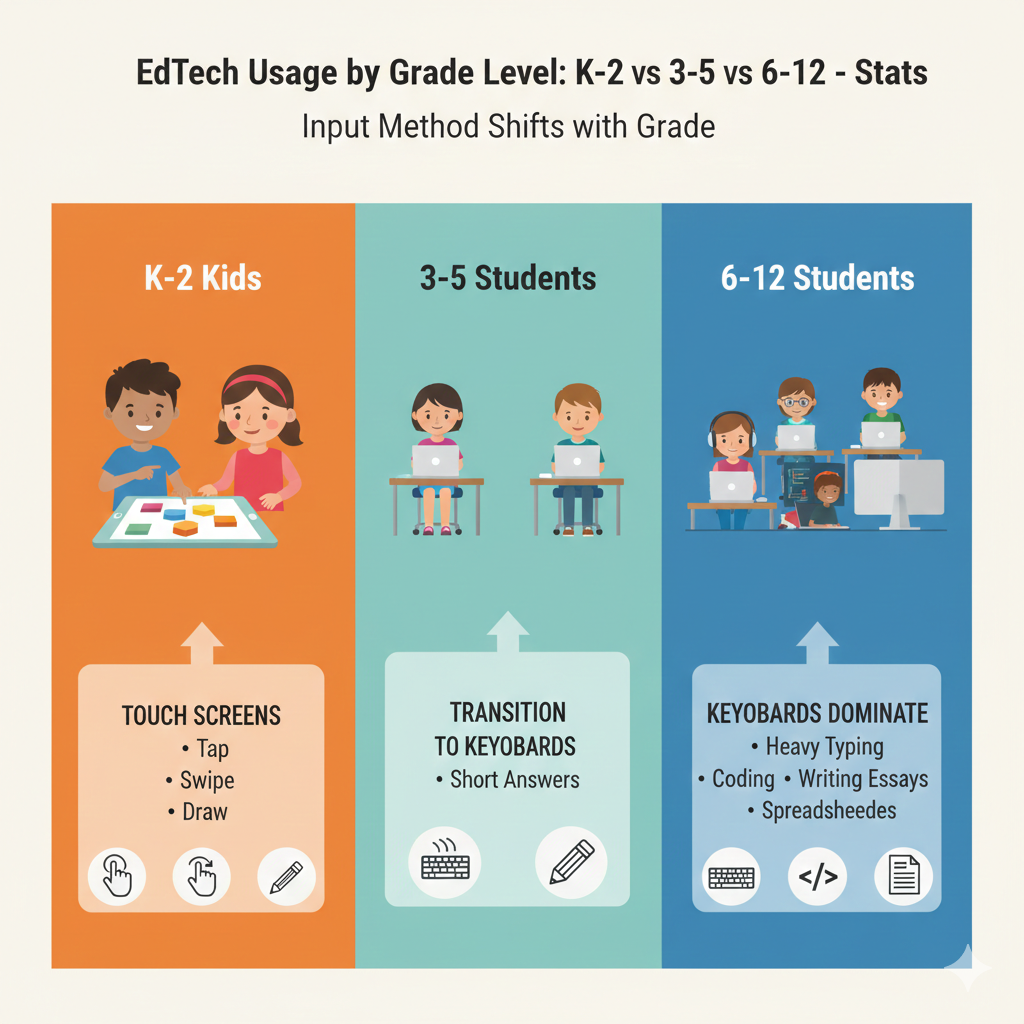
17) K–2 tends to use more touch screens, while 6–12 tends to use more keyboards (typing, coding, writing, spreadsheets).
Why the device style matters
Touch screens feel natural for young children. Tapping and dragging match their motor skills better than typing.
A keyboard can slow them down and turn learning into frustration. In grades 6–12, typing becomes essential because school work includes essays, research, coding, and tools like documents and spreadsheets. Keyboard skills are not optional at that stage. They are a basic learning tool, like a pencil.
How to get the most from touch screens in K–2
For young learners, prioritize accuracy over speed. If the child taps fast and misses, slow them down gently. Use a stylus if it helps control, but do not force it. Make sure the screen is at a good angle so their neck is not bent for long.
Also, check that the app does not require tiny taps. If it does, it is not age-fit. Touch learning should feel smooth, not stressful.
How to build keyboard comfort in 6–12 without boring drills
Most older kids type a lot on phones but struggle on real keyboards. Help them practice through real tasks.
Ask them to type a short summary after a lesson. Have them write one paragraph daily. If they code, typing improves naturally, but they still need correct habits like using both hands and sitting well. The goal is not speed at first. The goal is fewer mistakes and less fatigue.
Debsie offers coding and STEM work that naturally grows keyboard skill while keeping students engaged. If your child avoids typing-heavy tasks, a free Debsie trial class can help rebuild confidence.
18) 3–5 is the big transition zone: students move from “learning to read” to “reading to learn,” so EdTech shifts from phonics-heavy to text-heavy in this band.
Why this transition is a big deal
Grades 3–5 are often where children either start to soar or start to struggle. Before this stage, many tools focus on phonics and basic reading. During this stage, reading becomes the main way kids learn everything else, including science, social studies, and math word problems.
If a child is still decoding slowly, they can fall behind even if they are smart, because the text load increases.
How to support the shift without stress
In grades 3–5, keep a mix. Do not drop phonics and fluency practice too early. Many children still need it, even if they can “read.” At the same time, start adding short reading-to-learn tasks, like reading a paragraph and answering a question in their own words.
Choose tools that offer both. If the tool gives long passages, use short chunks and ask the child to explain one chunk at a time.
Actionable steps that help most families
Measure understanding, not just reading speed. After a child reads, ask one simple question: “What was that mostly about?” If they cannot answer, the text was too hard or the child is rushing. Teach them to slow down and reread one sentence.
Also, build vocabulary gently. When a new word appears, define it in simple words and use it in a new sentence together.
Debsie supports this transition with clear teaching and engaging tasks that build reading strength while growing STEM thinking. If your child is in grades 3–5 and learning feels harder lately, a free Debsie trial class can be a strong next step.
19) K–2 students are more sensitive to sensory overload (too many animations/sounds can hurt learning), while 6–12 students tolerate busier screens but can lose focus due to notifications and multitasking.
Why overload looks different by age
Young children can get overwhelmed by flashing lights, loud sounds, and constant movement on the screen. When that happens, the brain pays attention to the fun parts, not the learning. The child may look engaged, but the skill growth can be weak.
Older students can handle busy screens better, but they face a different problem. Their focus gets pulled away by messages, pop-ups, and the habit of switching between tabs. Their brain starts to live in short attention loops.
How to protect learning for K–2
For K–2, choose calmer tools. Look for clean screens, gentle sound, and slow pacing. If a tool is loud, lower the volume or turn off extra effects when possible. Watch your child’s behavior.
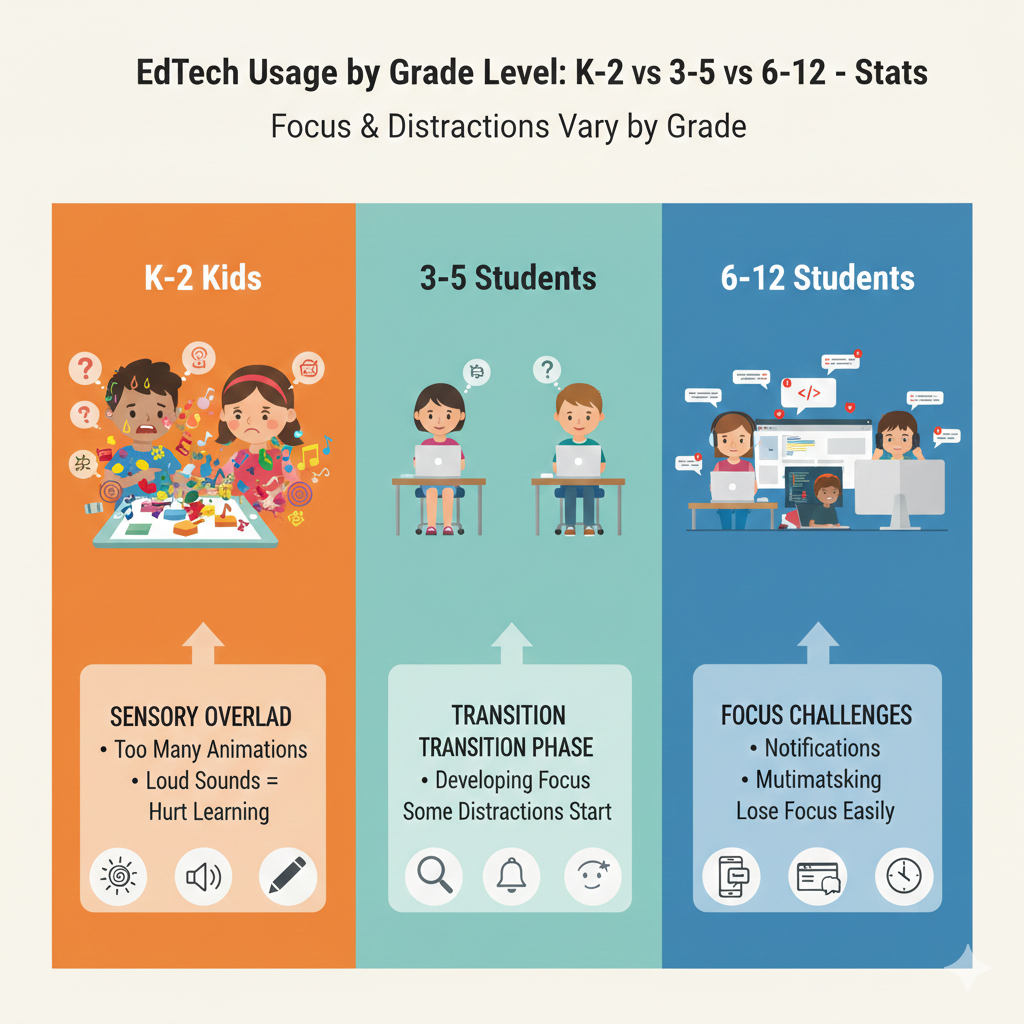
If they get hyper, rush, or repeat random tapping, that can be a sign the tool is overstimulating. Keep sessions short and follow them with a quiet offline task, like coloring a letter or building a simple pattern with blocks. This helps the child reset and absorb.
How to protect focus for 6–12
For older students, the best move is to control the environment, not to rely on willpower. During study blocks, notifications should be off. If the device allows focus mode, use it. Keep only the learning tabs open.
If the student must use the internet, teach them to open what they need, then close extra tabs right away. At the end of each block, they should write down what they finished and what is next. This reduces drifting and gives the brain closure.
Debsie lessons are designed to keep attention on learning without overload. If your child gets overstimulated or distracted easily, a free Debsie trial class can show a calmer, clearer learning flow.
20) K–2 EdTech is more likely to track tiny skills (letter recognition, number sense), while 6–12 EdTech tracks bigger outcomes (unit mastery, grades, credits, exam readiness).
What “tracking” really means for progress
In K–2, progress is made of small building blocks. A child learns one sound, then blends sounds, then reads a word, then reads a sentence. So good tools track tiny skills, like how well a child recognizes letters or understands basic quantities.
In grades 6–12, progress is measured in bigger chunks. Schools care about unit mastery, course grades, credits, and exam readiness. Tools at this age often track completion, scores, and performance over time.
How to use tiny-skill tracking in K–2 the right way
Parents often get stuck watching scores without knowing what to do. The key is to look for patterns. If the tool shows your child keeps missing the same letters or the same kind of number problem, that is a helpful signal.
Use that signal to choose the next practice goal. Do not chase perfect scores. Chase clarity. Also, share the progress with the child in a simple way. Say, “You are getting faster at this sound,” or “You improved in counting.” This builds confidence without pressure.
How to use big-outcome tracking in 6–12 without stress
For older students, tracking can become overwhelming if it feels like constant judgment. Use it as a planning tool instead. Once a week, review the dashboard together or have the student review it alone and report back.
Focus on one question: “What is the next most important thing to improve?” Then set a small target, like raising a quiz score by a few points or finishing a missing assignment. Small targets create steady wins, and steady wins reduce anxiety.
Debsie combines skill tracking with human teaching, so progress becomes guidance, not pressure. If you want progress you can actually act on, a free Debsie trial class is a good step.
21) K–2 students rely more on speech and listening (read-aloud, voice prompts), while 6–12 students rely more on reading and writing (notes, essays, reports).
Why the learning channel changes as kids grow
K–2 children learn through hearing and speaking because reading is still forming. They understand far more than they can read. That is why read-aloud and voice prompts are powerful. In grades 6–12, learning becomes text-driven.
Students must read to learn, write to show understanding, and take notes to remember. If they have weak reading or writing habits, they may struggle even when they are bright.
How to support listening-based learning in K–2
Use tools that read instructions out loud and allow the child to respond by speaking, tapping, or dragging. Then add a small speaking moment after the session. Ask the child to tell you what they learned in one sentence.
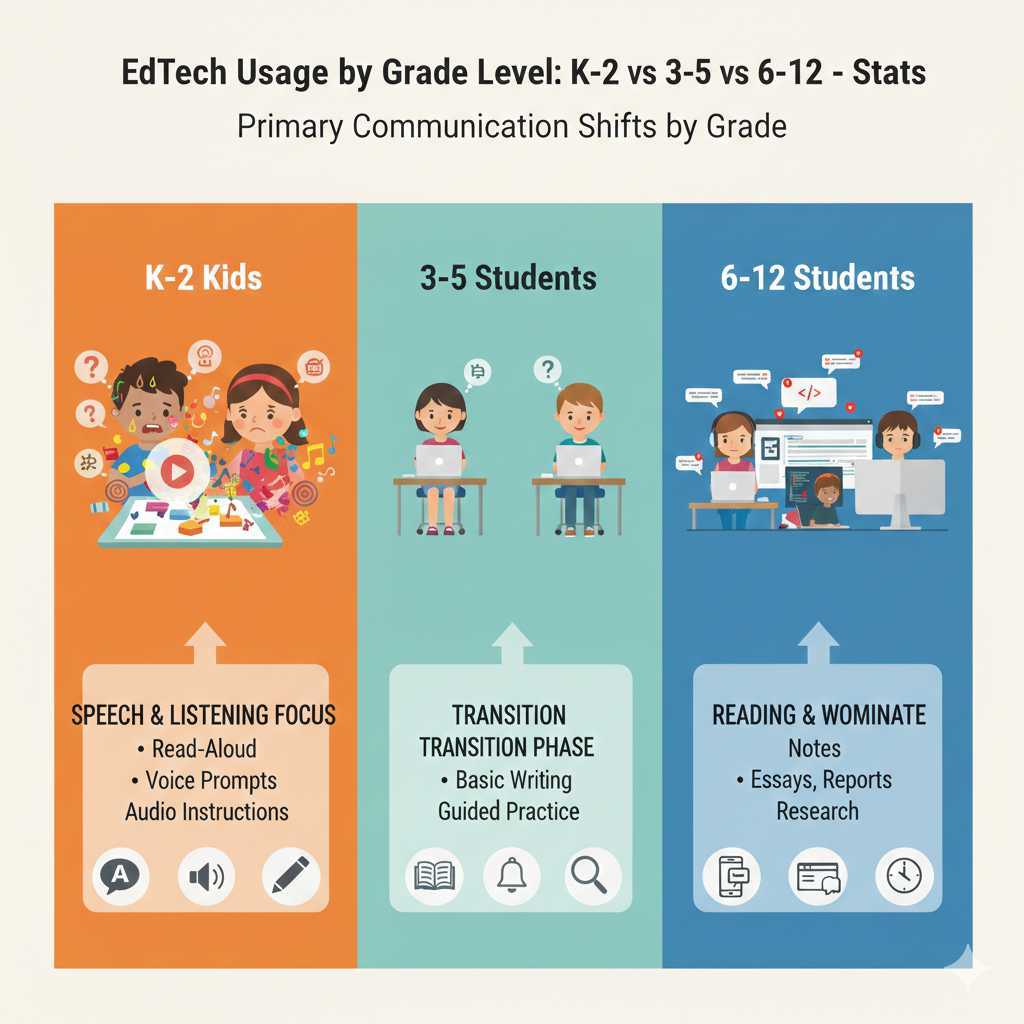
It does not need to be perfect. The goal is to build language confidence and thinking clarity. Also, read aloud at home regularly. Even a few minutes a day grows attention and vocabulary in a gentle way.
How to build strong reading-and-writing habits in 6–12
For older students, make reading active. Teach them to highlight key points or write quick notes in their own words. After a lesson, they should write a short “what I learned” summary. This is not busy work. It is memory building.
For essays and reports, teach simple structure: point, reason, example. If they can write one clear paragraph with this structure, bigger writing becomes easier.
Debsie classes build communication skills alongside STEM and coding. If your child struggles to explain ideas clearly, a free Debsie trial class can help them grow that skill.
22) K–2 students are more likely to need parent support at home to keep the routine going, while 6–12 students are more likely to need motivation support (procrastination, stress, burnout).
Why support changes as children grow
Young children do not run their own schedules. They need adults to set time, start the activity, and keep the routine steady. Without that structure, sessions become random and progress becomes slow.
Older students can start on their own, but they often struggle with motivation. They may delay work, feel overwhelmed, or lose confidence when tasks get harder. Their need is less about setup and more about mindset and planning.
How to give routine support to K–2 without daily battles
Create a predictable rhythm. Same time, same place, same short length. Keep the start simple, like “We do learning, then snack.” Avoid long talks before the session. Just begin. If the child resists, lower the goal, not the routine.
For example, change from ten minutes to six minutes for a few days. The point is consistency. Once the habit is stable, you can slowly grow it again.
How to give motivation support to 6–12 in a respectful way
Avoid lectures. Most teens already know what they should do. They need a system that makes it easier. Help them break tasks into small parts and start with the easiest part. Starting builds momentum. Also, check stress signals.
If they are staying up late, skipping breaks, or feeling constant pressure, they may need a lighter plan and more realistic goals. Weekly planning and daily small wins are better than one huge weekend push.
Debsie supports families on both sides: routine building for younger kids and confidence building for older students. If learning time feels like a struggle at home, a free Debsie trial class can help reset the tone.
23) K–2 tool success is strongly tied to classroom setup (headphones, quick transitions), while 6–12 tool success is strongly tied to workflow (deadlines, file management, revision cycles).
Why setup matters so much for young children
For K–2, small physical details can decide whether EdTech works. If headphones do not fit, the child misses directions. If the volume is too loud, they get upset. If the device is slow, they lose patience.
If transitions take too long, the class energy breaks. Young learners need smooth starts and clean switches because their attention is fragile. A tool can be excellent, but a messy setup can make it feel “hard” and create behavior issues.
How to build a simple K–2 setup that works
Keep the learning environment calm and repeatable. Headphones should be comfortable and the sound should be clear. The device should be ready before the child sits down, with the right app open. In classrooms, station routines should be predictable so children know what happens next.
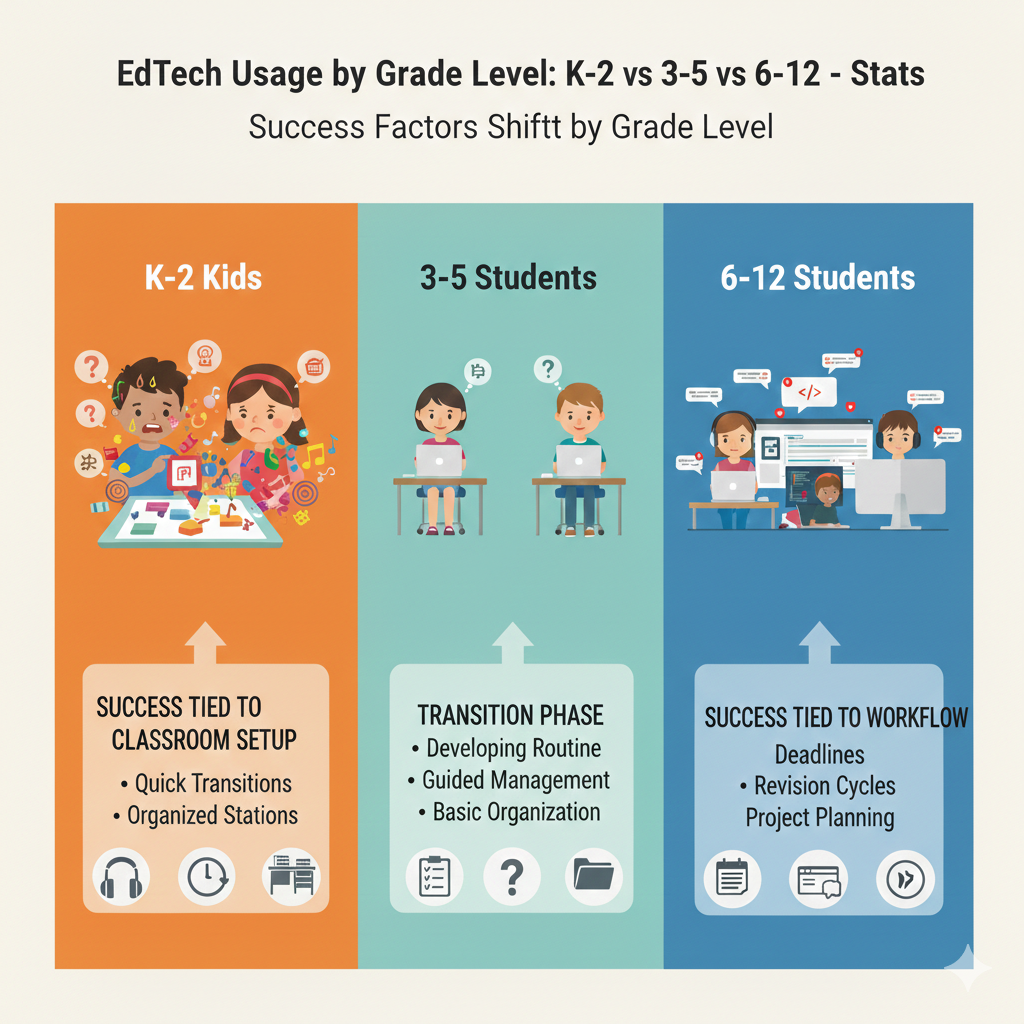
At home, use one seat and one surface so the child’s body knows, “This is learning time.” When sessions end, close the tool and transition into a short offline activity. This helps the child’s brain shift without a fight.
Why workflow becomes the main issue for older students
For grades 6–12, the device and tool usually work fine. The real problem is the process around the tool. Students miss deadlines, lose files, forget feedback, or submit the wrong version. They then feel stressed and begin to avoid schoolwork.
A strong workflow reduces that stress. It is not about being perfect. It is about having a dependable routine for handling tasks.
Actionable workflow fixes for 6–12
Teach one home base for files and one rule for names, like “Subject-Date-Topic.” Teach students to check deadlines daily and to submit work early when possible. After feedback arrives, they should set a short revision time instead of ignoring it.
This turns mistakes into growth and builds maturity. Debsie supports workflow habits through guided projects and clear progress steps, helping students learn how to manage real work. If your child struggles with deadlines or lost work, a free Debsie trial class can help.
24) K–2 apps usually focus on repetition and confidence, while 6–12 tools often focus on performance and accuracy under pressure (timed quizzes, standardized test practice).
Why repetition is the right tool for the youngest learners
In K–2, repetition is not boring when it is done well. It builds confidence. Children need many chances to see, hear, and use the same skill until it becomes natural. Good EdTech at this age repeats in small ways, with gentle variety, so kids feel steady improvement.
The goal is to make reading sounds, counting, and basic math feel safe and familiar.
How to keep repetition useful instead of mindless
Watch for “repeat with thinking.” The child should still be paying attention, not just clicking. If the tool allows speed through guessing, the repetition becomes fake progress. Slow it down. Ask the child to say the answer out loud before tapping.
Celebrate effort, not speed. When a child feels confident, increase the challenge slightly, but do it in small steps so they still feel capable. Confidence is a learning engine at this age.
Why older students face pressure-based learning
In grades 6–12, school often includes timed tests, exam practice, and grade-based evaluation. EdTech tools reflect that by offering timed quizzes and score reports. This can help students practice accuracy and speed, but it can also raise anxiety if used too much or too early.
The goal is not to live under pressure. The goal is to prepare calmly for moments that will be pressured.
Actionable advice for pressure tools that do not harm confidence
Use timed practice only after the student understands the topic. First, build skill without time limits. Then add light timing to build pace. If anxiety rises, remove the timer and return later. Also teach test habits: reading questions carefully, checking work, and learning from errors.
Debsie supports this by building understanding first, then helping students strengthen performance in a steady, supportive way. If your child panics in tests, a free Debsie trial class can help rebuild calm confidence.
25) K–2 students are more likely to learn through mini-games, while 6–12 students are more likely to learn through simulations, projects, and real-world tasks.
Why games work well for K–2
Mini-games match how young children learn: short attention, high energy, and strong response to fun. Games can teach real skills when they are designed well. They can help children practice letter sounds, counting, patterns, and simple logic without feeling like “work.”
The best games are not only entertaining. They are structured, repeatable, and aligned to one skill goal.
How to choose mini-games that truly teach
A good learning game makes the child think before acting. If a child can win by tapping fast, the game is entertainment, not education. Watch the first few minutes.
If the child is explaining choices, listening, and improving over time, it is teaching. Keep sessions short. After the game, ask the child to tell you what they practiced. That one question turns play into learning and builds language and reflection.
Why older students need deeper tasks
In grades 6–12, learning must connect to real skills: reasoning, writing, building, and applying ideas. Simulations help students see complex systems, like science models or math graphs. Projects help them plan and create.
Real-world tasks help them connect school to life, like building a simple app, writing a persuasive piece, or analyzing data. This kind of work creates deeper understanding and stronger confidence.
How to make projects actually finish
Older students often start projects and never finish. The fix is simple: break the project into small milestones with dates. Make each milestone produce something visible, like an outline, a draft, or a working model.
Debsie uses project-based learning in a guided way, so students build real results without feeling lost. If your child needs more meaningful learning than drills, a free Debsie trial class can be a strong next step.
26) K–2 EdTech is more likely to be used for behavior-friendly engagement (keep attention, practice calmly), while 6–12 EdTech is more likely to be used for productivity (organize work, collaborate, submit assignments).
Why EdTech plays different roles across ages
In K–2, a major goal is helping children practice calmly and stay engaged. Many kids are still learning how to sit, focus, and complete tasks without constant reminders.
Good EdTech can support this by giving clear directions, short tasks, and quick wins. In grades 6–12, students must handle a larger workload. So EdTech becomes a productivity tool: tracking tasks, organizing notes, collaborating with classmates, and submitting work on time.
How to use EdTech to support calm practice in K–2
Choose tools that create a gentle rhythm. The child should know what to do next without a lot of adult talk. If the child gets restless, reduce the length and increase the predictability. Keep the learning space quiet.
Also, do not use EdTech as a babysitter. Use it as a structured practice moment, then move into an offline activity that uses the same skill. This helps children generalize learning beyond the screen.
How to use EdTech for real productivity in 6–12
Older students benefit from one simple system. They need one place for tasks, one place for files, and one habit for checking deadlines.
Too many apps can create confusion. Teach them to use collaboration tools with clear rules, like naming files properly and writing clear comments. Also teach them to submit work early, not at the last minute, so they have time to fix issues.
Debsie supports productivity habits through structured lessons and guided tasks that teach students how to manage real work. If your child is smart but disorganized, a free Debsie trial class can help them build those habits.
27) 3–5 students start using collaboration tools in simple ways (shared slides, short comments), while 6–12 students use collaboration deeply (group docs, peer review, team coding, shared research).
Why collaboration grows with age
In grades 3–5, children are learning how to work with others without conflict. They can share a slide deck, add a sentence, or leave a short comment, but they still need clear limits and guidance. In grades 6–12, collaboration becomes a real academic skill.
Students work in shared documents, review each other’s writing, build group presentations, and even code together. At this age, tools can either make teamwork smooth or turn it into confusion and unfair work splits.
How to support collaboration in grades 3–5
Keep collaboration tasks small and clear. A child in this age band should know exactly what their part is. If a group project is too open, one child may do everything while others drift. Use collaboration for simple skills, like adding one idea, writing one sentence, or finding one picture with a label.
Also teach basic digital manners early. Children should learn to write kind comments, not rude ones, and to avoid deleting another person’s work. If a tool has version history, show them how it protects work. This builds trust.
How to make collaboration fair and effective in grades 6–12
Older students need structure. A strong group workflow has roles, deadlines, and proof of contribution. Each student should own a piece of the work that is visible, such as a section of writing, a set of research notes, or a part of the code.
Peer review should be specific. Instead of “good job,” they should write what is strong and what can be improved. Also teach them to use comments and suggestions properly so the main work stays clean.
Debsie helps students learn collaboration without chaos by using guided tasks and clear roles in projects. If your child struggles in group work or feels group projects are unfair, a free Debsie trial class can help them build strong teamwork skills.
28) K–2 screen time quality depends heavily on teacher pacing, while 6–12 screen time quality depends heavily on student self-control (staying on-task vs switching tabs).
Why pacing is everything for young learners
In K–2, children follow the adult’s energy. If pacing is too slow, they get restless. If it is too fast, they get confused and start guessing. Good pacing keeps them in a “just right” zone where they can succeed with effort.
This is why a strong teacher or parent-led structure can make even simple tools much more effective. The tool is not the teacher. The pacing is.
How to improve pacing for K–2 at home or in class
Use short, predictable segments. Start the tool quickly, do a small set of tasks, then pause and ask one short question, like “What are we practicing?” Then continue. Watch the child’s signals. If they start wiggling, their brain is asking for a change.
End the screen segment and switch to an offline version of the same skill, like writing a letter on paper or acting out a simple math story with objects. This keeps learning moving without forcing stillness for too long.
Why self-control becomes the key for older students
In grades 6–12, pacing matters less because students can manage longer tasks. The real challenge is staying on-task. Many students lose learning time by switching tabs, checking messages, or doing “half work” while browsing.
This lowers understanding and raises stress because tasks take longer and feel harder.
Actionable self-control systems for 6–12
Do not rely on motivation. Use rules and tools. During study blocks, keep only the needed tabs open. Put the phone out of reach if it is a temptation. Use a timer for focus blocks and short breaks.
At the end of each block, the student must show one completed output, like a submitted assignment or finished problem set. Debsie helps students build these habits through guided learning routines and clear milestones. If your child struggles to stay focused, a free Debsie trial class can help create better habits.
29) K–2 data is most useful for spotting early gaps fast, while 6–12 data is most useful for tracking long-term progress (course completion, mastery over months, exam prep trends).
What “data” should do for you
Data is only helpful if it leads to action. In K–2, the best use of data is early detection. If a child is missing key sounds, struggling with counting, or not recognizing shapes, catching it early prevents bigger problems later. In grades 6–12, data helps with long arcs.
Students need to see progress over months, track mastery across units, and spot trends like weak topics in exam prep.
How to use K–2 data without overthinking
In early grades, pick one or two key measures to watch. Look for repeated struggle, not one bad day. If the tool shows the same skill is weak across sessions, that is your signal to slow down and practice that skill in different ways.
Add quick offline practice. If the child improves, move on. If not, consider extra support. Keep the tone positive. Data is not a label. It is a flashlight.
How to use 6–12 data to plan smarter
Older students can use data to reduce stress. Instead of guessing what to study, they can focus on weak areas. A strong weekly routine is to review results, choose one focus topic, and do targeted practice.
For exam prep, trends matter. If a student keeps missing the same type of question, they should practice that type repeatedly and then test again. Data should guide study time, not create panic.
Debsie uses progress tracking to guide learning steps, so families can act on results quickly and calmly. If you want clearer progress and less guessing, try a free Debsie trial class.
30) The risk profile changes by grade: K–2 risks are mostly “too hard to use” and “too stimulating,” while 6–12 risks are mostly “too distracting,” “too easy to cheat,” and “too much unsupervised time online.”
Why risks shift as kids grow
EdTech risks are not one-size-fits-all. In K–2, the biggest risks are design mismatches. If a tool is hard to use, kids feel helpless. If it is too stimulating, kids get hooked on effects instead of learning.
In grades 6–12, the risks are more about behavior and ethics. Distractions steal time, cheating tools can replace real thinking, and too much unsupervised time online can expose students to harmful content or habits.
How to reduce risk for K–2 in a practical way
Choose age-fit tools and watch the first sessions closely. If your child cannot operate the tool with simple guidance, it is not a good fit. If the tool is loud and flashy, switch to a calmer one. Keep sessions short and always tie screen learning to real-world practice.
Use clear boundaries. Learning time is learning time, not random scrolling time. Consistent routines reduce misuse.
How to reduce risk for 6–12 without breaking trust
With older students, the goal is guidance, not spying. Set clear expectations: when to study, what tools are allowed, and what counts as cheating. Teach the purpose of learning. Explain that shortcuts steal skills, and stolen skills show up later as stress.
Encourage honest use of help tools by requiring students to show work and explain their thinking. Also create “public study” time in a shared space when possible, not locked away for hours.
Debsie’s guided learning reduces these risks because students learn with expert teachers and clear structure, not random unsupervised browsing. If you want safer, deeper EdTech use for your child, you can explore Debsie courses or book a free trial class today.
Conclusion
EdTech can be a powerful helper, but only when it matches a child’s stage. That is the main lesson across every stat. K–2 learners need short, calm sessions, simple screens, and quick feedback. They need adults to set the routine and remove friction so the child can focus on the skill. Grades 3–5 are the bridge years, where reading grows from a basic skill into the tool for learning everything else.
This is where the right EdTech can prevent future struggle by strengthening focus, fluency, and confidence. Grades 6–12 need a different kind of support. Older students need tools that help them produce real work, manage deadlines, handle feedback, and build long-term mastery. They also need protection from distractions and a clear system that keeps learning honest and meaningful.