
Coding in school is no longer a “nice extra.” It is quickly becoming a basic skill, like reading and math. But many parents and schools still ask the same two questions: Do kids actually use these coding platforms once a school buys them? And do kids really get better at coding from them?
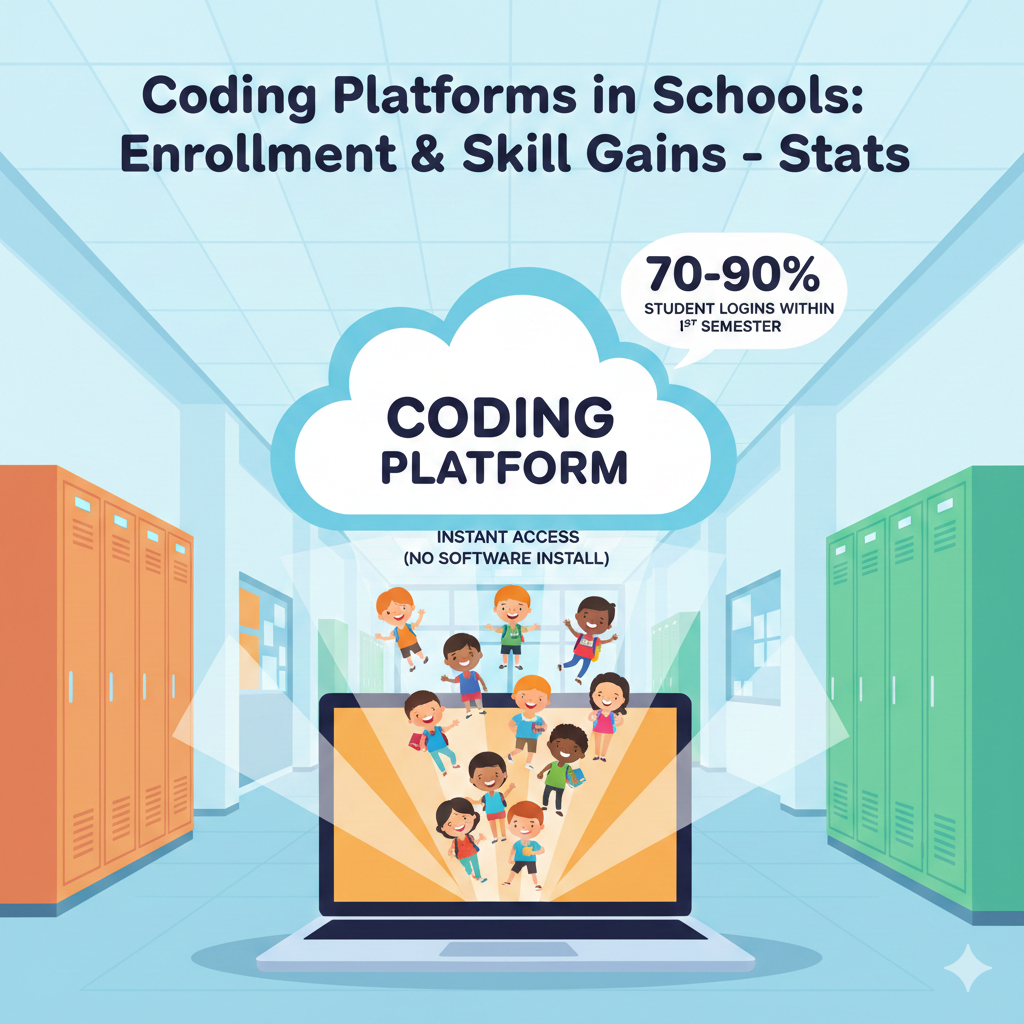
1) In many school systems that adopt a coding platform, student logins often reach 70–90% of enrolled classes within the first semester because access is instant (no software install)
What this really means in a school day
When a platform is easy to open, teachers use it more, and students show up. Most “low usage” problems are not about interest. They are about friction. If a student needs five steps, a long password, and a download that fails, the class loses time and the teacher moves on.
But when the platform opens in seconds, the first win happens fast. That early win makes the whole roll-out feel possible, not painful.
How to turn logins into real learning
A login is only a door. The goal is not “students entered.” The goal is “students built something.” So the first week should be designed like a small ceremony. Every class should do the same short starter task. Keep it so simple that almost every child can finish before the period ends.
Then ask them to save, name, and submit it. This makes the platform feel “real” because the student can point to proof.
Action steps that actually work
Schools should set a one-day “All Classes First Login” moment in the first two weeks. Teachers should test devices the day before and keep one backup plan, like pairing students if a few devices fail. Use one shared class code or single sign-on if possible, because long usernames are a quiet program killer.
If you are a parent, ask your child to show you their dashboard and one project. Do not quiz them. Just ask what they made and what they want to make next. That question builds pride, and pride builds return visits.
If you want the simplest path, combine the platform with guided teaching. Debsie’s live classes can turn that first login into a clear weekly plan, so the student is not guessing what to do next.
2) Across a typical school year, about 1 in 2 students on a school coding platform will complete at least 10 hours of hands-on coding practice
Why “10 hours” matters more than it sounds
Ten hours is often the point where a beginner stops feeling stuck all the time. In the first hours, a child is still learning basic moves, like dragging blocks, running code, and fixing tiny mistakes. Around the ten-hour mark, many students start to predict what will happen before they press run.
That is the start of real thinking in code, not just clicking.
The hidden problem behind the number
This stat also tells a hard truth. Half of students are not even getting to ten hours. That usually happens because coding time is not protected. It gets replaced by test prep, events, or “we will do it later.” Then later never comes.
Many schools also give students a platform without a clear path, so students wander, repeat easy tasks, or quit after one confusing lesson.
How to make ten hours the minimum, not the goal
Schools should plan for time first, not content first. If you want ten hours in a year, you need a simple schedule that cannot be squeezed out. A steady 20 minutes a week for most of the year reaches ten hours.
Teachers should treat coding like reading practice. Small, regular sessions beat rare big sessions. Parents can help by setting one calm home session each week, even if it is only 15 minutes, because consistency changes everything.
To lift more students over ten hours, give them a visible progress path. Students stay longer when they know what “next” looks like. If your child needs structure, Debsie’s guided tracks and teacher-led lessons help them keep moving without feeling lost.
3) In schools that schedule coding time weekly, students commonly average 20–40 minutes of platform coding per week per class
Why weekly beats “once in a while”
A weekly rhythm is the difference between learning and forgetting. Coding is a skill that grows from repetition. When students code once a month, they spend half the session remembering where buttons are and what words mean.
When they code every week, they start faster, they feel more confident, and they take bigger steps over time. That is why this 20–40 minutes per week range matters so much.
How to use 20–40 minutes the right way
This time works best when it has a clear shape. The first few minutes should be a quick reminder of the goal. The middle should be hands-on building. The last few minutes should be a simple finish, like submitting the task or writing one sentence about what they changed.

Students learn more when they end with a “done” feeling instead of stopping mid-problem with no closure.
Making the schedule stick, even in busy schools
If you are a school leader, protect the coding block like you protect math. Put it on the timetable, not as a “flex period.” If you are a teacher, keep the first month very predictable. Same start routine, same place to find the assignment, same way to submit.
Predictable routines reduce behavior issues because students know what happens next. Parents can support by asking one steady question each week: “What did you build today?” When a child expects that question, they pay more attention during class because they want a story to tell.
If you want your child’s 20–40 minutes to turn into real skill fast, Debsie’s classes help students use that time with purpose, not guessing.
4) When coding is part of a graded class, completion rates are often 2–3× higher than when coding is offered only as an optional club
Why grading changes behavior
When coding sits only in a club, it competes with sports, friends, tiredness, and “maybe later.” Many kids do like coding, but they still need a reason to show up on the hard days. A grade creates that reason. It makes coding feel like a real subject, not a side hobby.
It also tells parents, teachers, and students that this skill matters. That shift in status alone can double or triple completion, because students plan for it the same way they plan for other school work.
How to grade without killing joy
The fear is that grading will make coding stressful. That can happen if grades focus only on “perfect code” or speed. A smarter approach is to grade effort, progress, and clear thinking.
For example, a student can earn strong marks by finishing tasks, improving from last week, and explaining what they tried when they got stuck. This keeps the class fair for beginners and keeps advanced students challenged without punishing slower learners.
Action steps schools can use right now
If you run a program, build coding into the main timetable and make it count, even if it is a small part of a larger subject like STEM or computer class. Use simple rubrics with three parts: completion, improvement, and reflection. Reflection can be one or two sentences, not a long essay.
Teachers should also show sample work at different levels, so students know what “good” looks like. Parents can help by asking about progress, not only marks. Say, “What did you fix today?” or “What did you learn from a mistake?” That keeps the focus on growth.
If your child learns best with clear goals and gentle accountability, Debsie’s guided lessons offer that structure while keeping the experience fun and motivating.
5) In elementary settings using block-based coding, most beginners can build a working program within 1–2 class periods (often their first week)
Why early wins matter so much
Young children need proof that they can do it. When they build something that moves, makes sound, or reacts to clicks, they feel capable. That feeling is powerful. It turns “coding is scary” into “coding is my thing.” In block-based coding, kids do not fight spelling errors, so they can focus on ideas.
That is why many beginners can create a working project quickly, sometimes in the first week.
What counts as a “working program” for beginners
A working program does not have to be big. It can be a character that moves with arrow keys, a short animation, or a simple game where touching an object gives points. The key is that the child can press run and see something happen because of their choices.
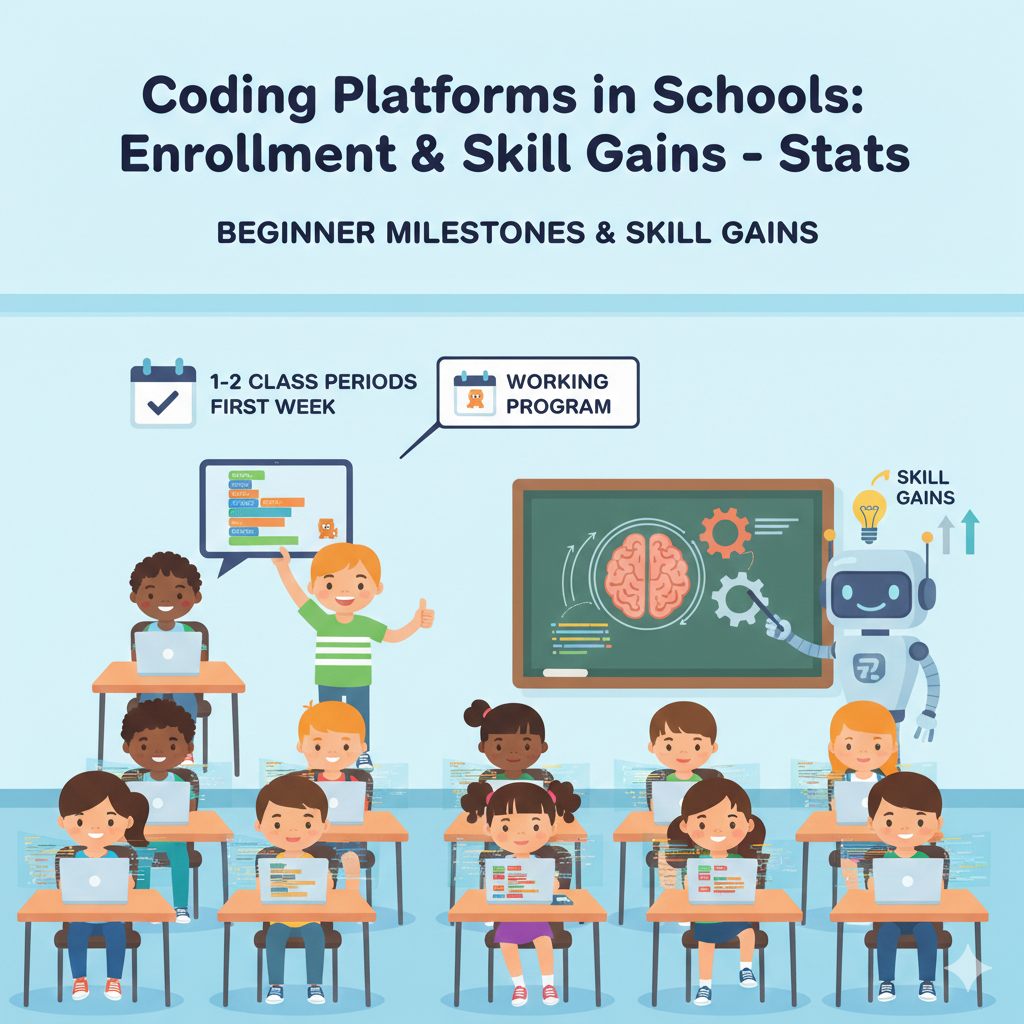
That link between action and result is the heart of coding thinking.
How to design the first two classes for success
Teachers should pick a starter project that has only one new idea at a time. Do not stack too many new concepts on day one. For example, teach “events” first, like when you click a flag, then add “motion,” then add “repeat.” Keep the project small enough that almost every child finishes.
Finishing builds confidence and reduces classroom behavior issues because students stay engaged.
Parents can support by celebrating the build, not the score. Ask your child to demo their project like a mini show. Then ask, “What do you want to change next?” That simple question pushes creativity and practice.
If your child wants faster progress, Debsie’s beginner tracks guide them through these early wins step by step, so they build confidence without confusion.
6) After 8–12 weeks of steady use, many students show a 15–30% jump in coding assessment scores compared to their own starting level
Why 8–12 weeks is a powerful window
This time range is long enough for habits to form and for skills to stick. In the first weeks, students mostly learn the platform and basic moves. After that, their brain starts to spot patterns.
They begin to understand “if this happens, then do that,” and they stop guessing as much. That is when scores often jump. The key word is steady. A student who codes every week usually gains more than a student who crams once a month.
How to make sure the gains are real, not random
A score jump is best when it reflects true skill. Schools should use short checks that test understanding, not memory. For example, give a small task where students must use a loop in the correct place or fix a bug in a short program. When students improve on tasks like that, you know the learning is real.
Practical ways to get into the 15–30% growth range
Teachers should set a simple weekly routine: learn one concept, practice it, then use it in a tiny project. Do not stay in “practice mode” forever. Students need to apply skills to feel ownership.
Also, track progress publicly in a kind way, like showing class milestones, not ranking kids. Parents can help by asking for one “before and after” story every month. “What was hard four weeks ago that is easier now?” That trains children to notice growth.
If your child needs a clear plan over 8–12 weeks, Debsie’s guided learning path can help them stay consistent and make progress you can actually see.
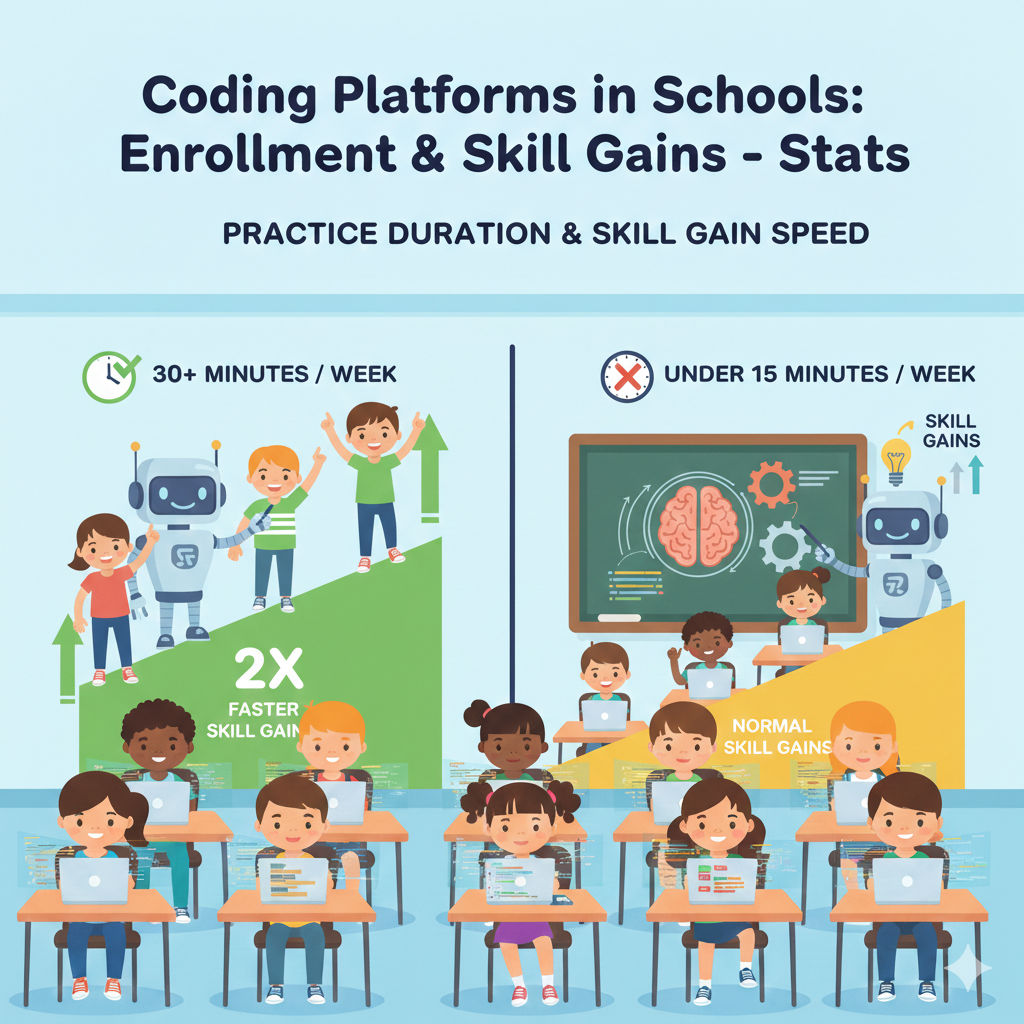
7) Students who practice coding at least 30 minutes per week often improve about 2× faster than students practicing under 15 minutes per week
Why small time changes create big results
Coding is like learning a musical instrument. Your brain needs repeated contact to remember the “moves.” When students code for 30 minutes a week, they usually touch the skill often enough to keep it alive in their mind.
Under 15 minutes, many students spend most of that time just warming up, finding the lesson, and remembering what they did last time. That is why the learning speed can feel twice as fast when practice crosses that 30-minute line.
How to reach 30 minutes without making it feel heavy
The secret is not one long session. The secret is making it easy to start. Two short sessions of 15 minutes each can be more effective than one 30-minute session, because the student gets two “starts” and two chances to remember.
Schools can build this into routines by doing one short platform session plus one short “apply it” task. For example, 15 minutes on the platform and 15 minutes making a tiny game change.
What teachers and parents should do this week
Teachers should check time-on-task, not just completion. If a student finishes quickly, it may mean the tasks are too easy. If a student never reaches 30 minutes because of distractions, give them a short checklist: open lesson, do task one, run code, fix one error, submit.
This keeps them moving. Parents can set a simple home rule: one small coding session on two weekdays, right after snack, before the day gets too late. Keep the device ready. Keep the login simple. Remove the “start pain.”
If your child struggles to stay consistent, guided lessons help a lot. Debsie’s class structure makes the 30 minutes feel purposeful, so your child is not staring at the screen wondering what to do next.
8) In middle school programs, a common pattern is 60–80% of students mastering core basics like loops, conditionals, and variables by the end of the term
Why these “core basics” are the real foundation
Loops, conditionals, and variables are not just coding words. They are thinking tools. A loop teaches repetition and efficiency. A conditional teaches decision-making and logic. A variable teaches storage and change.
When students master these, they can build almost anything at a beginner-to-intermediate level, from quizzes to simple games to data trackers. That is why this mastery rate matters more than flashy final projects.
What stops the other 20–40% from mastering basics
Usually, it is not ability. It is gaps. A student might miss one lesson, then the next lesson assumes they understood it. Or they might complete tasks by copying without understanding. Another common issue is pacing. If the class moves too fast, beginners feel lost.
If it moves too slow, advanced students get bored and stop trying. Both problems reduce mastery.
How to raise mastery toward the top end of the range
Teachers should use quick “concept checks” every week. Keep it tiny. One short task that proves understanding. For loops, ask students to make a character move ten steps without repeating the same line ten times.
For conditionals, ask them to make a “win” message only if score is above a number. For variables, ask them to store score and change it. Parents can support by asking their child to explain one concept in plain words. If they can explain it simply, they likely understand it.
If your child wants to master these core basics faster and with less stress, Debsie’s guided track focuses on these building blocks until they feel natural.
9) In classrooms that use auto-feedback (instant hints), students typically reduce simple syntax mistakes by 30–50% over a semester
Why instant feedback changes learning
When a student makes a small mistake and gets help right away, they learn in the moment. Their brain connects the error to the fix. Without instant feedback, a student may keep repeating the same mistake for days, because the teacher cannot reach everyone at once.
Auto-feedback does not replace teachers. It handles the tiny issues so teachers can focus on deeper thinking, like design, logic, and problem-solving.
What “syntax mistakes” look like for students
Syntax mistakes are the small rules of a coding language. A missing bracket. A misspelled keyword. A quote that never closes. These mistakes can make a student feel helpless because the code “does not run” even when their idea is correct.

When platforms highlight the error and give hints, students stop feeling stuck for long periods. Over a semester, this can cut those basic mistakes almost in half.
How schools should use auto-feedback the right way
Teachers should train students to read error messages, not fear them. Build a simple habit: read the message, find the line, make one change, run again. Also, teach students not to spam hints. One hint, then one attempt.
This builds real skill instead of dependence. Parents can help by using the right language at home. When your child gets an error, say, “This is normal. Let’s read what it says.” That calm approach reduces panic and builds patience.
If your child gets frustrated by errors, Debsie’s instructors can teach the “debug mindset” step by step, so your child learns to fix problems with confidence.
10) When students use step-by-step challenges, they often improve problem-solving speed, solving similar tasks 20–40% faster by mid-semester
Why step-by-step challenges speed up thinking
Many students do not struggle because they are “not good at coding.” They struggle because they do not know how to break a problem into small parts. Step-by-step challenges quietly teach that skill.
The student learns to handle one piece, test it, then add the next piece. Over time, their brain starts doing this automatically. That is why they can solve similar tasks much faster by mid-semester. They are not rushing. They are thinking in a cleaner way.
What schools should look for in good challenges
A good challenge is clear, short, and focused. It should teach one main idea, like using a loop, checking a condition, or storing a value. It should not introduce five new ideas at once. The feedback should be quick, and the student should be able to retry without shame.
The goal is practice that feels like progress, not practice that feels like punishment.
How to make this stat true for more students
Teachers should assign a small set of challenges that match the week’s concept, then give a “transfer task” right after. A transfer task is a new task that uses the same skill in a different way. That is where speed improves.
Students stop relying on memory and start relying on understanding. Parents can help by asking, “What was the first step?” and “What did you test first?” This trains the child to explain their thinking, which strengthens it.
If your child has good ideas but moves slowly because they feel overwhelmed, guided coaching helps. Debsie’s structured lessons teach students how to plan, test, and improve, so speed grows naturally and the child feels in control.
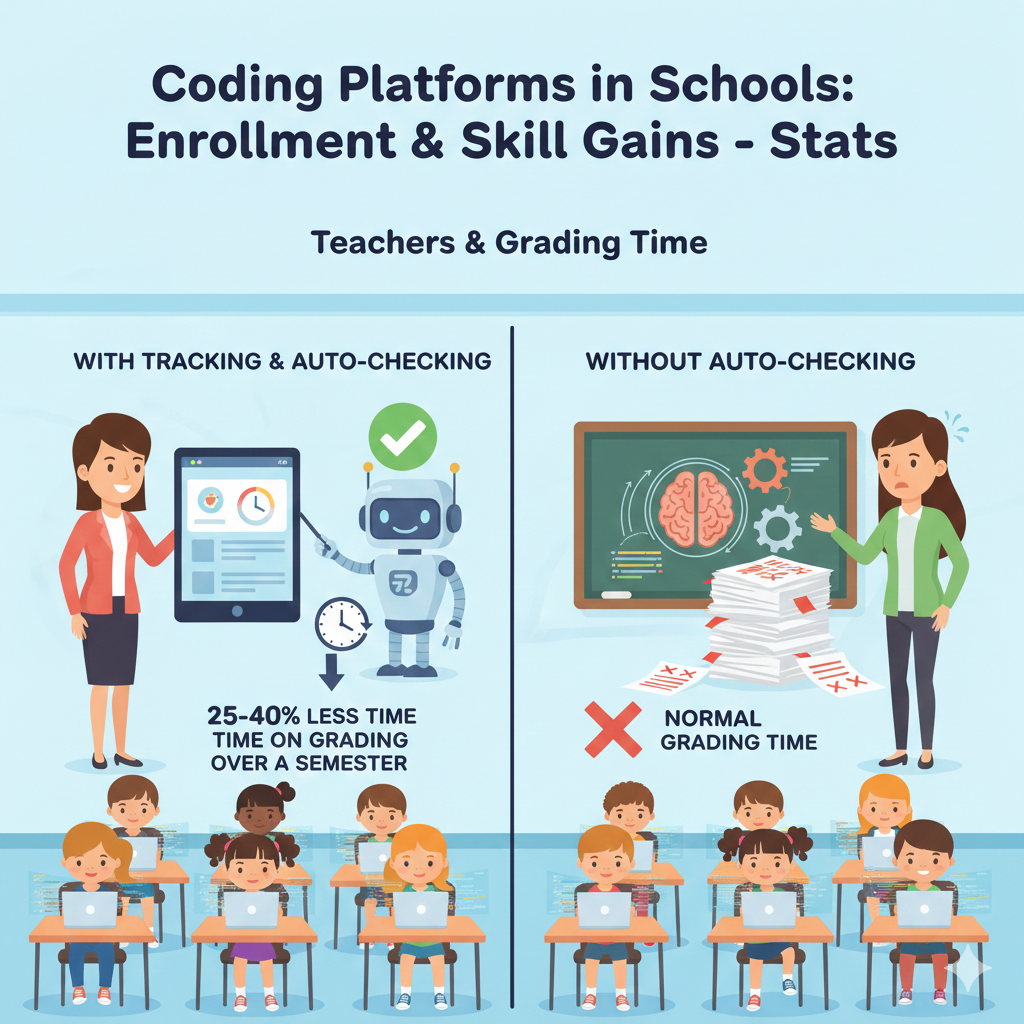
11) In schools that track progress, teachers often report spending 25–40% less time on basic grading because many coding tasks are auto-checked
Why progress tracking saves real time
Teachers are busy. When grading takes too long, coding becomes hard to sustain. Auto-checking changes that. The platform checks whether a task works, so the teacher does not need to inspect every tiny detail.
That can free up a big chunk of time. But the best part is not time saved. The best part is what teachers can do with that time instead: coach thinking, help stuck students, and push advanced students to stretch.
The right way to use the saved time
Auto-checking is great for basics, like “did the program run” or “did the student use a loop.” But it cannot fully measure creativity, clarity, or reasoning. So teachers should use auto-checking for routine tasks and keep a small human check for deeper work.
For example, once every two weeks, ask students to submit a mini project, then grade it with a simple focus: does it work, is the logic clear, and did the student improve from last time.
What schools and parents can do next
Schools should train teachers to use dashboards properly. If the teacher cannot quickly see who is stuck and who is done, the tool will not save time. Teachers should set clear “stop points” where students submit work, so tracking is clean.
Parents can support by asking to see progress reports, not just final projects. When children see adults notice their progress, they take it more seriously.
Debsie’s approach also reduces grading stress because much of the practice is guided and checked, while teachers focus on helping students build real understanding and confidence.
12) In large rollouts, teacher activation (teachers who set up at least one class and assign work) often reaches 50–75% within the first year
What “teacher activation” really tells you
A platform does not succeed because it is purchased. It succeeds because teachers use it. This stat shows a common reality: even with good tools, not every teacher starts right away. Some feel unsure.
Some worry it will take too much time. Some think coding is only for “tech teachers.” Activation rates between 50% and 75% in year one are common because change takes support, not just instructions.
Why teachers hesitate, and how to remove the fear
Most hesitation comes from three worries: “I do not know enough,” “I do not have time,” and “My class will become chaotic.” The fix is not more pressure. The fix is a simple starter plan. Teachers need one ready-made first lesson, one clear routine, and one place to ask for help. When they feel supported, they start.
A practical activation plan that works
School leaders should identify a small group of early adopters and let them run the first month. Then they share simple wins with others, like “my class finished the starter project in 20 minutes.” That social proof matters.
Provide short training, not long workshops. Give teachers a checklist: create class, enroll students, assign first task, review dashboard. Parents can support by thanking teachers when they run coding lessons. Teachers feel that support, and it increases follow-through.
If your school wants faster activation, Debsie can support with structured lessons and guidance so teachers do not feel alone, and students get a clear path from day one.
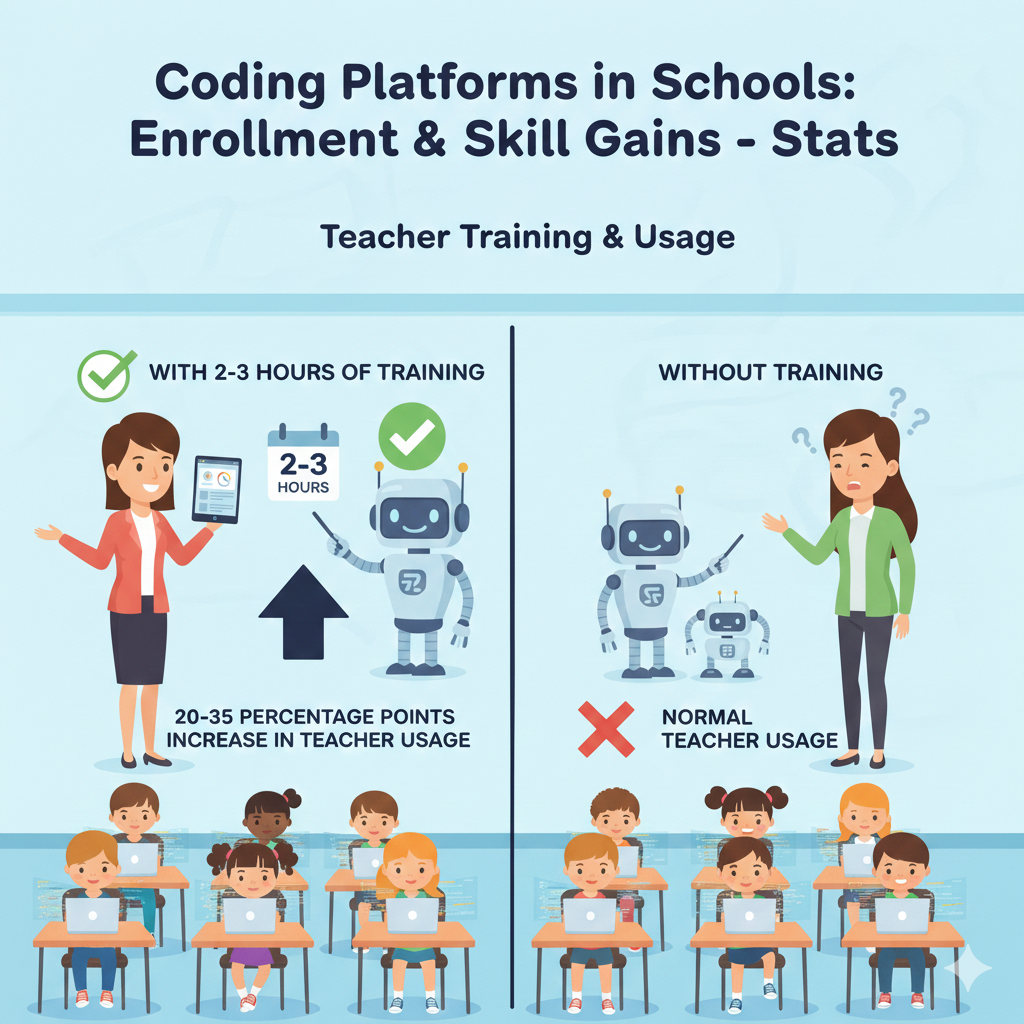
13) If a school provides even 2–3 hours of teacher training, active teacher usage commonly increases by 20–35 percentage points
Why a little training beats “figure it out”
Most teachers are willing to teach coding, but they do not want to feel unprepared in front of a class. A short training block solves that fear. Two to three hours is enough to learn the basics of the platform, understand how to assign lessons, and see what student work looks like.
That comfort level is often the difference between “I will try this next month” and “I will use this tomorrow.” The result is a big jump in real teacher usage.
What the training must include to actually work
Training should not be a long talk about why coding matters. Teachers already know it matters. Training must be hands-on. Teachers should log in as a student for ten minutes, complete a beginner task, and experience what students feel when they get stuck.
Then they should switch to the teacher view and learn how to create a class, assign a lesson, and read progress data. They also need a simple classroom routine that prevents chaos, like how to start, how to handle questions, and how to end the session cleanly.
A training plan schools can run this month
A strong plan is short, simple, and repeated. Do one session for setup and first lesson. Do a second session two weeks later to solve problems teachers faced. Add a quick help channel where teachers can ask small questions without feeling judged.
If you are a parent, you can support by encouraging the school to invest in teacher comfort, not just student accounts. Teacher confidence leads to consistent practice, and consistent practice leads to skill gains.
Debsie can also help here. When teachers have ready lesson paths and expert support, they can focus on guiding students instead of spending hours building materials from scratch.
14) For students starting with no coding background, platforms commonly help them reach “basic independence” (can complete beginner tasks alone) in 4–8 lessons
What “basic independence” looks like for a beginner
Basic independence means the child can open the lesson, follow instructions, try a few ideas, and finish a beginner task without needing constant help. They may still ask questions, but they are not frozen.
They know how to run the program, read feedback, fix a simple mistake, and keep going. This stage is a turning point because it changes the child’s identity from “I need help every minute” to “I can do this.”
Why 4–8 lessons is a smart expectation
Many schools expect independence too early, then label students as “not interested.” That is not fair. Students need time to learn the rules of the tool and the logic of coding.
Four to eight lessons is a realistic range for most beginners to stop feeling lost. The main factor is lesson design. When lessons are small and clear, independence arrives faster. When lessons jump too quickly, students stay dependent longer.
How to help students reach independence faster
Teachers should avoid rescuing too soon. Instead of giving the answer, ask the student to show what they tried and where it went wrong. Then point to the next step, not the final result. This builds problem-solving muscles.
Also, keep the early lessons predictable. Same start routine, same place to find tasks, same way to submit. At home, parents can support by praising effort and patience, not just “being smart.” Say, “You kept trying and you figured it out.” That message creates independence.
Debsie’s guided learning is built for this stage. Clear steps, friendly coaching, and steady practice help beginners become independent without feeling overwhelmed.
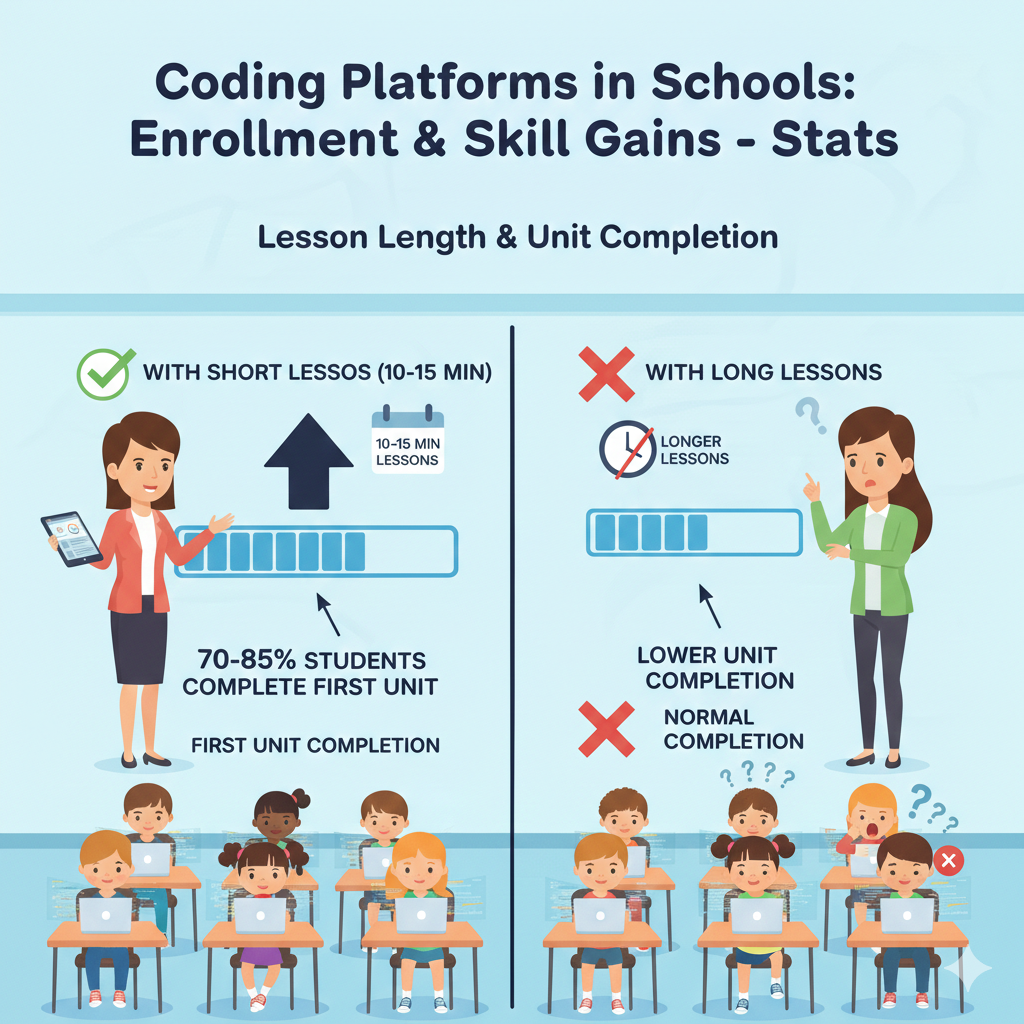
15) In beginner coding courses, a typical class sees 70–85% of students complete the first unit when lessons are 10–15 minutes each
Why short lessons win in real classrooms
Short lessons respect attention spans, busy schedules, and the reality of school life. When a lesson is only 10–15 minutes, students can stay focused and finish with a win. That finish matters.
Completion builds momentum. It also reduces behavior issues because students are not stuck waiting for the teacher while feeling bored or frustrated. Over time, these small completions stack into real skill.
How to design a first unit that most students finish
A strong first unit should feel like a ladder. Each lesson adds one small new idea, and the student uses it right away. The unit should also include frequent “run it and see” moments. Beginners learn faster when they see instant results.
Another key is avoiding long reading. Use simple instructions, quick demos, and immediate practice. The unit should end with a tiny project that feels exciting but is still easy to complete, like a short animation, a simple quiz, or a basic game.
What teachers and parents can do to protect completion rates
Teachers should keep lessons short even if the class period is long. Use the extra time for practice, small upgrades, and sharing projects, not for longer lectures. Also, watch for students who finish too fast.
They may need a stretch task so they do not repeat easy work and disengage. Parents can help by asking their child to finish one short lesson at home on a calm day, especially if the school week was disrupted. That small catch-up keeps the student in the success zone.
16) When lessons are longer (around 30–45 minutes each), unit completion often drops by 10–25 percentage points unless class time is protected
Why longer lessons can quietly push students out
A 30–45 minute lesson sounds reasonable for adults, but for many students it is a long stretch of focus in one sitting. The problem is not that kids cannot focus. The problem is that a longer lesson has more places where they can get stuck.
One small confusion near the start can turn into a full lesson of frustration. Then the student falls behind, feels embarrassed, and stops completing work. That is how completion drops, even when students actually like coding.
What “protected time” really looks like
Protected time is not just “we planned to code today.” It means coding time is treated as non-negotiable, like a core subject. It means devices are ready, logins work, and the teacher has a clear plan for questions.
It also means the class does not lose the first 10 minutes to setup and the last 10 minutes to cleanup. When time is protected, longer lessons can work because students actually get enough steady minutes to finish.
How to keep completion high even with longer lessons
If your school must use 30–45 minute lessons, break them into three simple parts. Start with a short goal statement and a quick demo so students know what “done” looks like. Then give a focused build time where students work quietly and the teacher circulates.
End with a clean finish where students submit, save, or show one small result. This structure reduces the “lost in the middle” feeling.
Parents can support by helping children build stamina in small ways. A child who practices short focused work at home, even for 10 minutes, finds longer school lessons less tiring. If your child often stops midway, it is usually a planning problem, not a talent problem.
Guided support helps here. Debsie’s approach keeps tasks bite-sized while still building depth, so students complete units without feeling drained.
17) Schools using gamified badges/levels often see 10–25% higher weekly participation compared with non-gamified practice
Why badges and levels work when they are used well
Gamification works because it makes progress visible. Many students quit not because the work is hard, but because they cannot see themselves improving. A badge, level, or progress bar turns invisible growth into something they can point at.
It gives the brain a small reward that says, “Keep going.” Over weeks, that reward can lift participation in a very real way.
The difference between helpful gamification and noise
Not all game features help. If badges are too easy, they feel meaningless. If they are too hard, they feel unfair. The best systems reward steady effort and skill growth. They also avoid shaming students who are slower.
A child should feel motivated to move forward, not judged for being behind. When gamification is respectful, it supports confidence and keeps students returning.

How schools and parents can use gamification to boost habits
Teachers should connect badges to clear learning goals. For example, a level should reflect mastery of a concept like loops or conditionals, not just time spent clicking. Also, set weekly “progress moments” where students can see what they earned and what comes next.
That small ritual builds a culture of steady work. Parents can support by celebrating progress in a calm way. Instead of saying, “Get more points,” say, “I see you moved up a level. What did you learn to do this week?” That keeps the focus on skill, not just rewards.
If your child loves games but avoids school work, gamified learning can be the bridge. Debsie uses game-like progress, challenges, and milestones while still keeping learning deep and guided, so the fun leads to real skill, not just screen time.
18) Students who earn visible progress rewards (levels, points, streaks) are often 1.3–1.8× more likely to keep coding week-to-week
Why visible progress keeps kids coming back
Week-to-week consistency is the hardest part of learning coding in school. Students forget, get busy, or feel stuck and drift away. Visible rewards solve a simple human problem: we repeat what feels rewarding.
When a child sees a streak growing or points adding up, it creates a sense of momentum. They feel like they are “in the game,” and they do not want to break the chain. That is why retention often jumps.
How to use streaks without creating stress
Streaks can motivate, but they can also pressure students if used poorly. If a child misses a week due to illness or exams and loses a streak, they may feel like quitting. Schools should treat streaks as encouragement, not punishment.
A good approach is a “flex streak” idea where students can recover or earn a small “save” so one missed week does not erase their motivation. The goal is to build identity: “I am someone who codes regularly.”
Simple retention practices that work in real life
Teachers should set a predictable weekly coding day so students expect it. They should also give a tiny “warm-up win” at the start of each session so students feel capable immediately. Parents can support by creating one steady home moment for coding, even if it is short.
Consistency beats intensity. If your child is motivated by progress bars and streaks, use that motivation, but always link it back to skill. Ask, “What new thing can you do now that you could not do last month?”
Debsie’s learning paths are designed to keep week-to-week momentum strong, with clear milestones and teacher support so students do not drop off when they hit a hard concept.
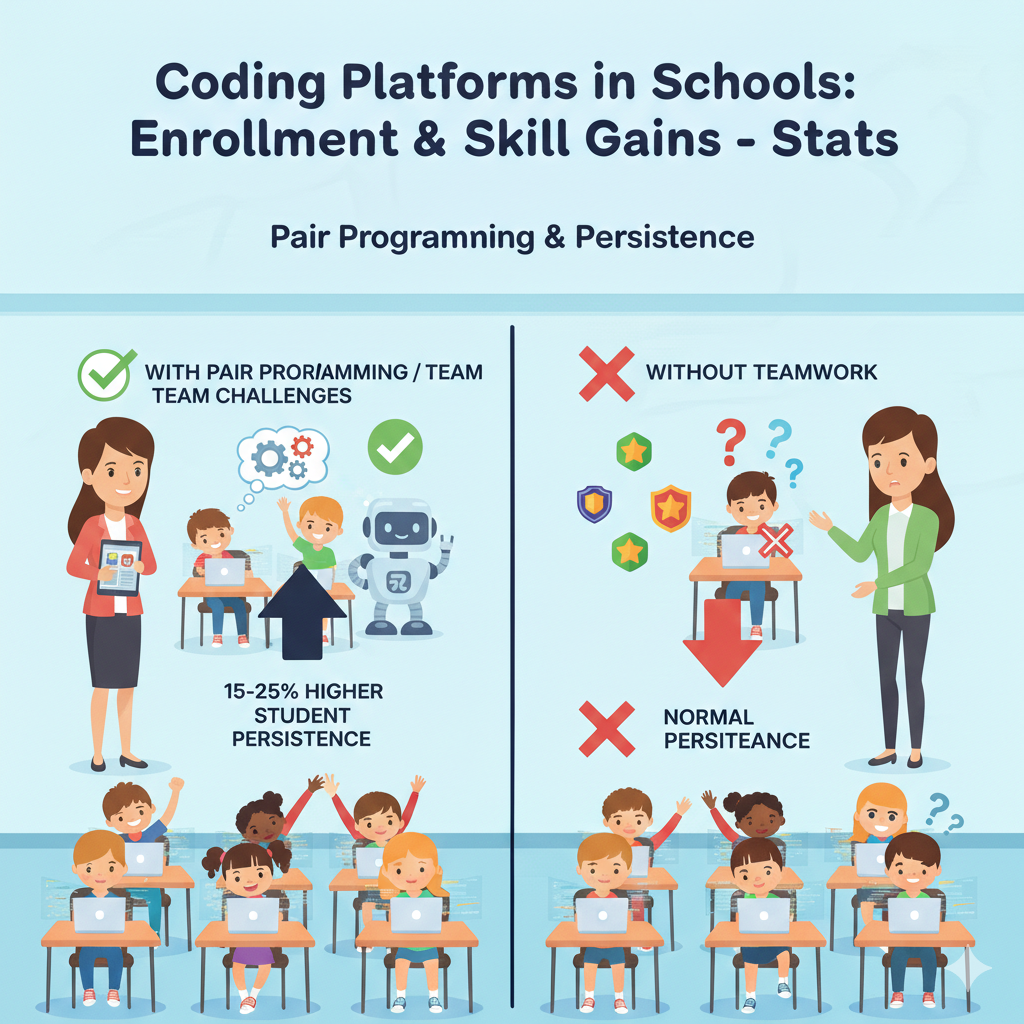
19) In programs that include pair programming or team challenges, student persistence (not quitting after a hard task) commonly improves by 15–25%
Why teamwork makes hard moments easier
Many students quit when coding gets confusing. Not because they are incapable, but because they feel alone with the problem. Pair programming changes that feeling. When two students work together, they share the load.
One can spot a missed step while the other explains the idea. Team challenges also make struggle feel normal because everyone is working through something together. That shared effort builds persistence, which is one of the most valuable life skills a child can gain from coding.
How to do pairing without turning it into “one kid does everything”
Pair programming works best when roles are clear. One student is the “driver,” who controls the keyboard or mouse. The other is the “navigator,” who reads instructions, checks logic, and suggests next steps. Then they switch.
Without switching, the confident student may take over and the other student stops learning. The goal is not to finish faster. The goal is to think better together.
Practical ways schools can use team work weekly
Teachers can build a short pairing block into the routine, even for 10 minutes. For example, students work alone first, then pair up to debug or improve. This keeps independence while still using teamwork as a booster.
Team challenges should be small and focused, like “make the score change correctly,” not huge projects that collapse into chaos. Parents can support by encouraging respectful collaboration. If your child says, “My partner was slow,” teach them to say, “How can we split the work?” That builds patience and leadership.
Debsie also uses guided collaboration in many activities, so students learn not only coding, but also how to communicate and keep going when the task is hard.
20) In many mixed-ability classrooms, coding platforms help narrow the gap: lower-starting students often gain 20–40% more than expected when guided practice is consistent
Why lower-starting students can grow quickly
Coding is unusual because many students start from zero. That means “late starters” are not really late. With the right practice, students who begin behind can catch up fast. Platforms help because they allow self-paced learning.
A student can repeat a concept without feeling embarrassed. They can also get instant feedback and keep trying. When guided practice is consistent, the student builds confidence, and confidence unlocks effort.
What “consistent guided practice” looks like
This does not mean hovering over students. It means having a clear lesson path and a steady routine. It means the teacher checks progress weekly and intervenes early when a student is stuck.
It also means students get support in small doses, like a hint, a question, or a short demo, instead of being handed full answers. The guidance keeps the student moving while still letting them own the work.
How schools can narrow the gap on purpose
Teachers should group students by need sometimes, not by label. For example, create a short “booster table” where students practice one concept like conditionals with extra help for ten minutes.
Then everyone returns to normal work. This avoids long-term tracking that can harm confidence. Schools should also celebrate growth, not only top scores. When lower-starting students see that improvement is valued, they try harder.
Parents can help by focusing on progress, not comparisons. Ask, “What is easier now than last month?” If your child feels behind, remind them that coding rewards practice more than “natural talent.”
Debsie is built around this idea: personalized paths and teacher support so every child, no matter their start point, can grow fast and feel proud.
21) In schools that start coding in earlier grades, students are often 1–2 grade-levels ahead in computational thinking by middle school compared to late starters
Why early exposure creates lasting advantage
Starting early does not mean forcing a child into complex code. It means giving them playful experiences with logic and patterns while their brain is very open to learning.
Early coding builds “computational thinking,” which is just a simple way of saying: breaking problems into parts, spotting patterns, and making step-by-step plans. When students practice this early, it becomes a habit. By middle school, these students often approach problems more calmly and with better structure.
What “starting early” should actually look like
Early coding should feel like building, not like tests. Short block-based tasks work well. Simple projects like making a character move, creating a story, or building a tiny game teach logic without heavy reading or typing. The key is consistency.
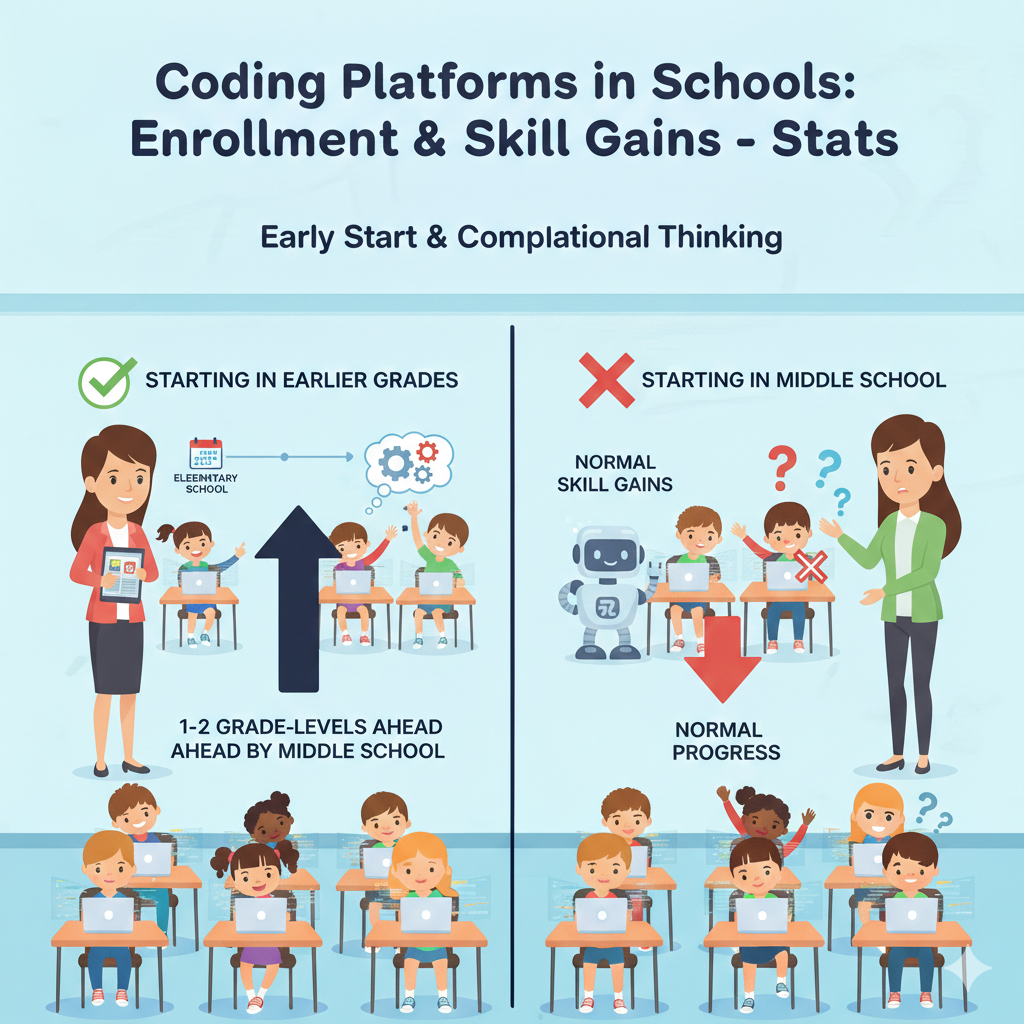
A child who codes a little each week grows faster than a child who does a big coding camp once and then stops for months.
How schools and parents can begin early without pressure
Schools can start with a light weekly routine in primary grades and grow it slowly year by year. Teachers should keep the first year focused on fun outcomes and basic ideas like sequences and loops.
Parents can support by choosing gentle coding activities at home and treating them like creative play, not extra homework. One calm session a week is enough to build the habit.
If your child is starting later, do not worry. Late starters can still catch up quickly with the right plan. Debsie’s guided programs help children build these thinking habits step by step, whether they start at age 7 or age 14.
22) For students transitioning from block coding to text coding, a common milestone is that about 50–70% can write simple text programs after 6–10 weeks of guided practice
Why the block-to-text jump feels hard
Block coding feels like building with puzzle pieces. Text coding feels like writing in a new language with strict rules. Many students struggle during this shift because they lose the safety of blocks that “snap” together.
They start making spelling and punctuation mistakes, and that can feel discouraging. This is normal. The good news is that with guided practice, many students reach the milestone of writing simple text programs within 6–10 weeks.
What “simple text programs” should include at this stage
At the start, “simple” should truly mean simple. Printing messages, taking input, using basic variables, writing a few conditionals, and making short loops are enough. The goal is not long code. The goal is correct thinking.
A student should be able to read their own code and explain what each part does. If they can do that, they are building the right base for harder work later.
How to make the transition smoother in school and at home
Teachers should use a bridge approach. Start by showing the block version and the text version side by side. Let students see that the idea is the same, only the writing changes. Then teach common patterns, like the shape of a loop and the shape of an if statement.
Also, make debugging a normal routine, not a punishment. Parents can help by encouraging patience. When your child hits errors, remind them that text coding includes “tiny mistakes” for everyone, even professionals. The goal is to stay calm and fix one thing at a time.
Debsie is especially helpful in this phase because guided lessons can prevent students from feeling lost. With the right pacing and support, the jump to text coding becomes a series of small steps, not a scary leap.
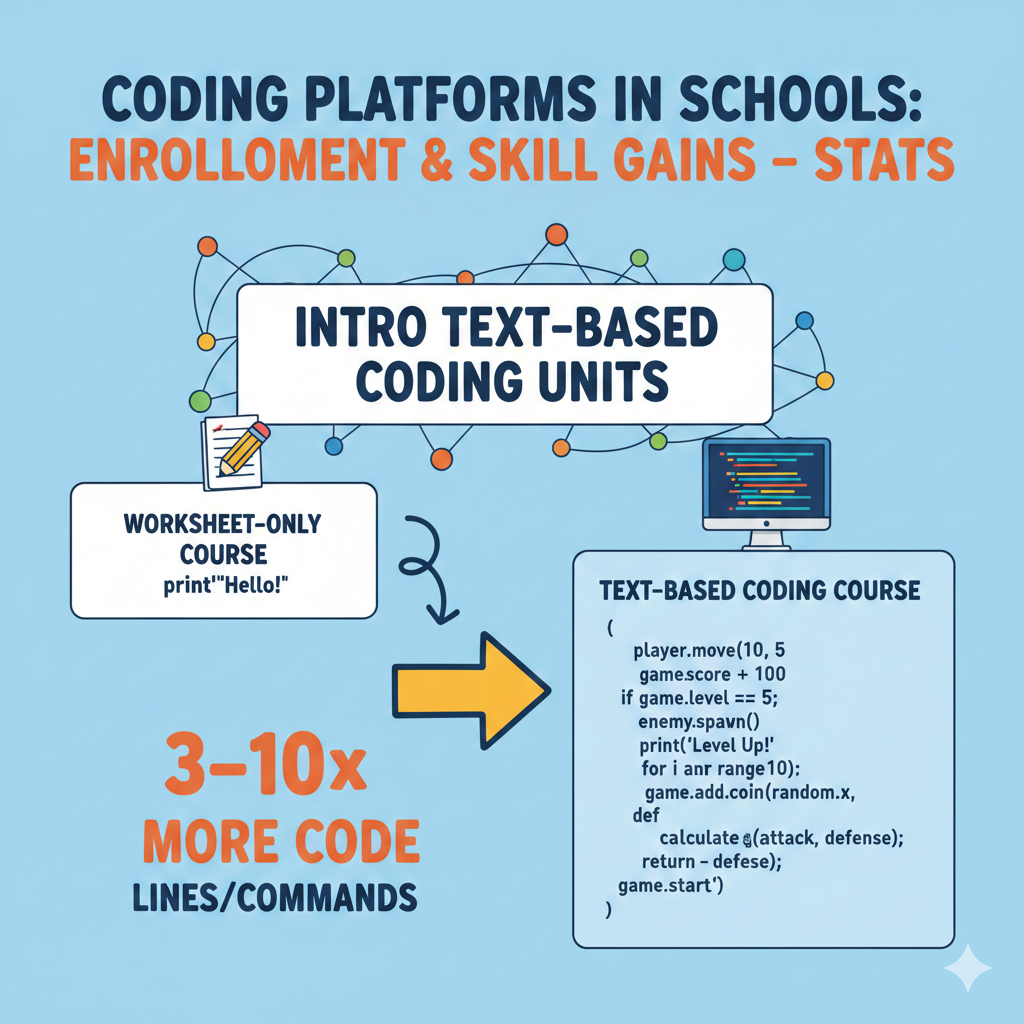
23) In intro text-based coding units, students often write 3–10× more code (lines/commands) than they would in a worksheet-only course
Why writing real code beats filling worksheets
Worksheets can teach terms, but they rarely teach fluency. Coding fluency comes from doing the work, seeing errors, fixing them, and trying again. When students write real code, they build muscle memory for common patterns.
That is why text-based units often produce far more code than a worksheet-only approach. More code, when guided properly, usually means more learning.
How to make “more code” equal “better skill”
More lines do not automatically mean better thinking. Students can type a lot and still stay confused. To make the extra code time count, teachers should focus on purposeful code. Each task should have a clear reason for each line.
Encourage students to reuse patterns and to keep code clean. They should also learn to read code, not only write it. A student who can explain code is a student who is truly learning.
What schools and parents can do to support real coding practice
Teachers should replace some worksheets with short “code it” tasks. Even a small change helps. For example, instead of asking students to answer “What is a loop?” on paper, ask them to write a loop that prints numbers or repeats an action in a game.
Parents can support by asking to see the code, not only the final output. Say, “Show me the part that makes it work.” This builds pride and strengthens understanding.
If your child wants to move beyond theory into real building, Debsie’s approach is strongly hands-on. Students write and run code often, with guidance, so they grow confidence through real practice, not just reading about coding.
24) In a typical semester, active students on a platform often complete 30–80 coding challenges depending on grade and pacing
Why challenge volume matters
Thirty to eighty challenges may sound like a lot, but it is often the right amount for steady growth. Each challenge is a small workout for the brain. It teaches students to start, focus, solve, and finish.
Over a semester, that repeated cycle builds real problem-solving stamina. It also teaches students a key life skill: you do not need to “feel ready” to begin. You begin, and readiness grows.
How to avoid rushing through challenges
A big risk is speed without learning. Some students chase completion and skip thinking. Others get stuck early and complete too few. The best approach is balance. Teachers should set a “quality rule.”
For example, students must run their code, test it, and make one improvement before submitting. Improvement can be small, like adding a second condition or making the output clearer. This prevents shallow completion.
How to pace challenges for different learners
Schools should give a core track and a stretch track. The core track gets every student to the same key skills. The stretch track keeps fast learners engaged without pressuring others. Parents can help by looking at patterns.
If your child completes many challenges but cannot explain them, they may be rushing. If your child completes very few, they may need smaller steps or extra support. Ask, “Which part was hardest?” and “What will you try next time?”
Debsie helps students pace properly through challenges by combining gamified practice with teacher guidance, so they complete enough work to grow, and they understand what they build.
25) In schools that connect coding to real projects (games, animations, apps), student motivation ratings often rise by 10–20 points on a 100-point survey scale
Why projects change how students feel about coding
Many students do not fall in love with coding through drills. They fall in love when they make something that feels real. A small game they can share with a friend. An animation they can show their parents.
A simple app idea that solves a tiny problem. Projects create meaning. Meaning creates motivation. That is why motivation scores often rise when coding lessons lead to real builds instead of only practice tasks.
What “real projects” should look like in school
A real project does not need to be huge. In fact, smaller projects work better in most classrooms. The project should be tied to skills students are learning that week. If students learned conditionals, the project could be a quiz game that gives different messages based on answers.
If they learned variables, the project could track score or time. The project must have a clear finish line and a clear way to share it. Sharing creates pride, and pride brings students back.
How to make projects work without losing structure
Teachers should use a project template. This means every student starts with the same base, then adds their own creative changes. This prevents the class from becoming chaotic while still allowing creativity. Schools can also run short “show and tell” moments where a few students share.
That builds a culture of making, not just completing.
Parents can support by asking for demos. One demo a month is enough to keep a child excited. Ask, “Can I play it?” and “What will you add next?” If your child lacks ideas, give them a simple prompt like “make a game where you catch something” or “make a story with two endings.”
Debsie is built around projects that feel fun and real. Students learn skills and immediately use them to build things they are proud to share.
26) When coding is linked to math or science topics, students commonly show small-to-moderate gains (about 5–15%) in related skills like logic, patterns, and data thinking
Why coding supports math and science thinking
Coding trains the brain to think in steps. That step-by-step thinking is also used in math and science. When students code, they practice patterns, cause and effect, and careful checking. They also learn that mistakes are part of learning, not a sign of failure.
Over time, this supports logic and data thinking, which can show up as gains in related school skills.
How to link coding to subjects in a simple way
The best links are practical, not forced. For math, students can code patterns, times tables games, coordinate movement, or simple geometry drawing. For science, students can simulate a food chain, model a simple weather pattern, or collect and chart data.
The goal is not to replace math or science lessons. The goal is to strengthen them by letting students “do” the idea instead of only reading it.
How schools and parents can use cross-links without confusion
Teachers should choose one subject link per unit, not every week. Too many links can feel messy. Keep the coding goal clear first, then add the subject theme. For example, the coding goal is loops, and the theme is repeating patterns in math.
Parents can support by asking, “What math or science idea did you use today?” This helps children notice transfer, which strengthens learning.
If your child struggles with logic or focus in math, coding can be a gentle way to build those skills. Debsie’s STEM and coding paths are designed to build thinking strength that helps children across subjects, not only in coding.
27) Platform analytics often show that students learn best in short bursts: two 20-minute sessions per week usually beats one 40-minute session for retention
Why short bursts help the brain remember
Memory improves when learning is spaced. When students practice twice a week, they recall the skill more often. Each session starts with a quick review, which strengthens memory. One long session can feel productive, but the child may forget more by the next week.
Two shorter sessions also reduce fatigue. Students stay more focused, make fewer careless mistakes, and finish with energy.
How to set up two sessions in a busy schedule
Schools do not always have time for extra periods, but small changes can work. One session can be a classroom block. The second can be a short home practice, a lab rotation, or a short “starter” activity at the start of another class.
The key is that the second session is simple and easy to begin. It should not require lots of setup or long instructions.
What the two sessions should contain
Session one should teach and practice a concept. Session two should apply it in a short task. For example, session one teaches conditionals. Session two asks students to add a “win/lose” message to a small game.
This pattern turns learning into skill. Parents can help by making the home session calm and predictable. Choose one day and time. Keep it short. Sit nearby if your child is young, but let them try before you help.
Debsie fits perfectly into short-burst learning because the platform and lessons can be used in small sessions with clear goals, helping students retain more and feel less stressed.
28) In schools with reliable devices and internet, coding platform usage time is often 2–4× higher than in schools with frequent tech access issues
Why “tech reliability” is not a small detail
In a real classroom, broken links and slow devices do more damage than most people realize. Every time a student cannot log in, the teacher loses minutes. When minutes are lost, the lesson gets shortened, students become restless, and the teacher feels discouraged.
If this happens often, coding time gets pushed aside. On the other hand, when devices and internet work smoothly, teachers can start quickly, students stay focused, and total usage time can jump several times higher across the year.
What schools can do to remove friction fast
Schools do not always control budgets, but they can control planning. The first step is to reduce surprises. Run a simple tech check before the coding unit begins. Make sure logins work on the actual devices students will use.
Keep one backup option ready, like a small offline planning task for the few students who cannot access the platform that day. It also helps to standardize. If half the class uses one type of device and half uses another, teachers often face twice the problems. Even small standardization improves reliability.
How parents can support even when schools have limits
Parents can help by making home access smooth when possible. If the school offers optional home practice, help your child bookmark the platform link and store their login safely.
If your child often loses passwords, use a simple password manager or a written record kept in a safe place. Also, teach your child a calm habit: if something fails, refresh once, check internet, then ask for help. Panic wastes time.
Debsie’s guided learning can also reduce the impact of tech issues because students get clear goals and can switch to another short activity without losing the learning flow.
29) In classroom implementations, teachers typically report that 1 in 3 to 1 in 2 students show noticeable growth in “soft skills” like focus and patience within a term
Why coding builds life skills, not just tech skills
Coding teaches a child to stay with a problem. It teaches them to test, fail, and try again without giving up. That process builds patience. It also trains focus because coding gives instant feedback. The code either works or it does not.
Students learn to pay attention to details and to keep going step by step. Over a term, many teachers notice real changes in how students handle hard tasks, even outside coding.
What “soft skill growth” looks like in daily behavior
You may see a student who used to quit quickly start saying, “Let me try again.” You may see fewer emotional outbursts when something is difficult. You may see students checking their work more carefully before asking for help.
These are big wins. They matter for school, sports, and life. A child with patience and focus can learn almost anything.
How to increase the odds your child gains these skills
Teachers should model calm debugging. When something breaks, narrate the process: “I will read the message, check the line, and try one change.” This shows students that struggle is normal. Schools should also praise effort and persistence, not only correct answers.
Parents can support by using the right words at home. Replace “You’re so smart” with “I like how you kept going.” That builds grit.
Debsie supports soft skill growth by keeping learning structured, with steady challenges and supportive teachers. Students learn to focus because they know what to do next, and they learn patience because they are coached through hard moments instead of being left alone.
30) Over a full school year with weekly coding, many students move from “beginner” to “confident basics,” often improving their overall coding proficiency by one full level band on platform skill scales
What “one full level band” means for a student
This is not a small change. It often means a student goes from copying steps to making choices. They start understanding why something works. They can read simple code, change it, and build small projects with fewer prompts.
They may still be early in their journey, but they are no longer stuck at the starting line. They can do real things, and they feel capable.
How to make sure the year leads to real growth
The biggest driver is steady weekly practice. Not intense bursts, not long breaks. Schools should plan a year path that starts with basics, then repeats them in new ways, then adds new layers.
Teachers should revisit core ideas like loops and conditionals many times across the year. Mastery comes from spaced repetition and real use in projects, not from touching a concept once and moving on forever.
How parents can tell if growth is happening
Do not only look at grades. Watch for independence. Can your child start a task without fear? Can they explain what a loop does in simple words? Can they fix a small error without panic? These signs matter more than fancy projects.
Ask your child to show you a “before and after” project from the year. When children see their own growth, it builds confidence and motivation for the next level.
If you want your child to move up a full level band faster and with stronger confidence, Debsie offers guided paths, expert teachers, and gamified practice that keeps children consistent and proud of their progress.
Conclusion
Coding platforms in schools can work very well, but only when they are used with purpose. The numbers across these 30 stats point to one clear truth: results come from simple habits done consistently. Easy access gets students through the door. Protected weekly time keeps them inside. Short lessons and step-by-step challenges help them finish. Projects make them care.
Progress tracking and auto-feedback remove small barriers that often cause kids to quit. Teacher training and clear routines raise usage across the whole school. And when schools get the basics right, children do not just learn coding. They grow focus, patience, and steady problem-solving that helps in every subject.